Key Takeaways
- Roadmap and prioritization tools such as Productboard, Aha! and airfocus suit teams with several stakeholders and a long feedback list.
- Linear and Jira Product Discovery are the lightest way to connect product planning with engineering delivery.
- Analytics tools like Pendo and Amplitude test your strategy claims against real user behavior.
- A tool supports a strategy but does not create one, so settle your goals before you buy seats.
The Best Product Management Tools at a Glance
| Tool | Type | Best for |
|---|---|---|
| 1. Productboard | Product discovery platform | Feedback-driven prioritization |
| 2. Jira Product Discovery | Idea and roadmap tool | Teams that deliver in Jira |
| 3. Aha! | Strategy and roadmap suite | Multi-product portfolios |
| 4. Linear | Issue tracker and roadmaps | Engineering-led startups |
| 5. airfocus | Prioritization platform | Custom scoring models |
| 6. ProductPlan | Visual roadmap tool | Stakeholder communication |
| 7. Pendo | Analytics and in-app guidance | Usage evidence and adoption |
| 8. Amplitude | Product analytics | Funnels, retention and experiments |
| 9. Canny | Feedback boards | Collecting and ranking requests |
| 10. Notion | Docs and databases | Small teams that value writing |
| 11. Miro | Collaborative whiteboard | Discovery and strategy workshops |
The 11 Best Product Management Tools, Ranked
I start with the platforms that cover the most ground and move toward specialist tools, so you can stop reading once you find your fit. A tool only supports the plan, and the plan comes first: in the product strategy consulting work I do, we agree on goals and bets before anyone opens a trial account. If you need that structure, my product strategy framework is a good place to start, and the product strategy roadmap shows how a plan turns into a 12-month sequence these tools can hold. Early-stage founders can read product strategy for startups, and product strategy examples shows how known companies made their calls.
Productboard
The Strongest Fit When Customer Feedback Has to Drive the Roadmap
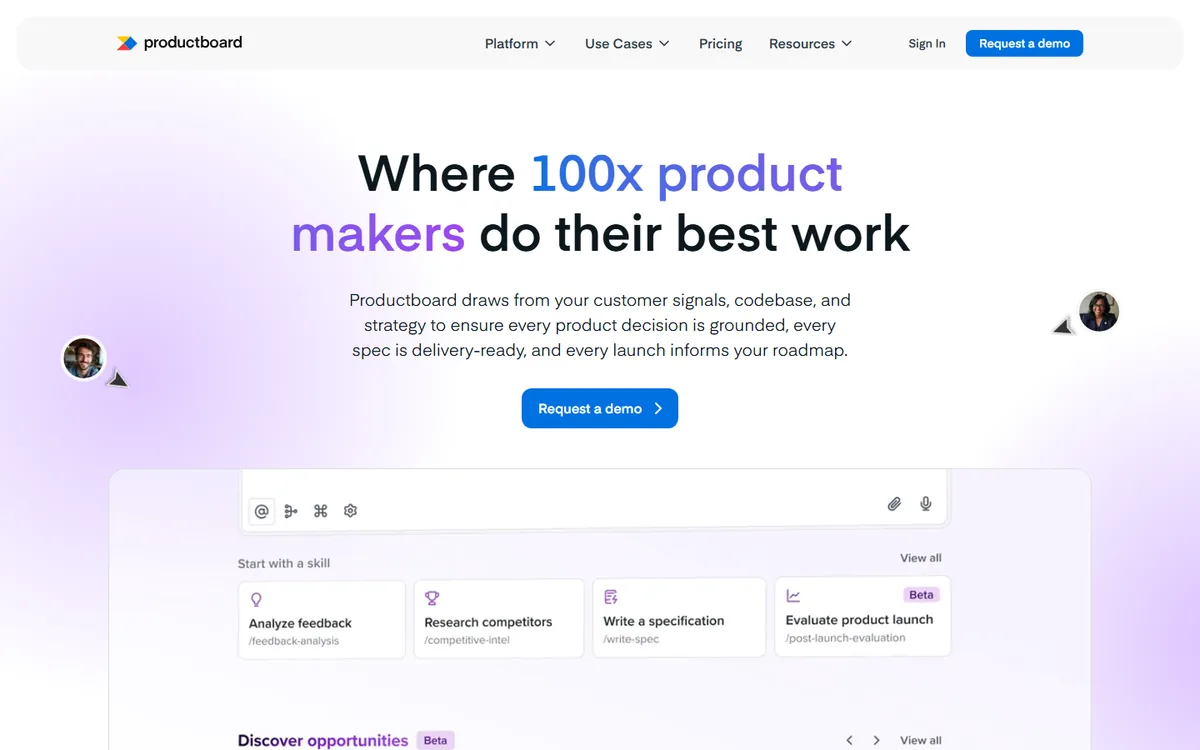
Productboard collects feedback from sales, support and customers, ties it to features, and turns the result into prioritized roadmaps.
Productboard is built around one idea: every roadmap decision should trace back to evidence. You pull in feedback from support tickets, sales calls and research notes, link each piece to a feature or problem, and score what matters most for the segments you care about. Roadmap views for executives, sales and engineering all come from the same data.
I recommend it to product teams of about ten people or more, where feedback is scattered across tools and nobody can say why a feature ranked first. It is more tool than a three-person startup needs. The payoff comes when your prioritization meetings stop being opinion contests and start with a shared list of customer problems.
Pros of Productboard
- Feedback links directly to features, so prioritization has a paper trail
- Several roadmap views come from one source of truth
- Segment-based scoring fits B2B products with different customer types
Cons of Productboard
- Setup takes real effort before the data pays off
- Pricing is not shown publicly and needs a sales conversation
Productboard Pricing
Productboard no longer shows prices on its pricing page. It lists Business and Enterprise plans, both with a minimum of 5 makers, and you request a demo for a quote. Viewers do not need paid seats.
Productboard Reviews
- G2: 4.2/5 average (from 256 reviews)
- Capterra: 4.7/5 average (from 154 reviews)
Jira Product Discovery
The Obvious Choice for Teams That Already Deliver Work in Jira
Jira Product Discovery gives product managers a place to collect ideas, score them and link the winners straight to Jira delivery work.
Jira Product Discovery sits next to Jira Software and gives product managers a layer that engineers don’t have to live in. You capture ideas, rate them with impact and effort fields, group them by goal and publish roadmap views. When an idea is approved, it links to the epics your engineers already use, so status flows back without manual updates.
I like it most for companies that have already standardized on Atlassian. You avoid a second login, a second permission model and a second set of integrations. The trade-off is depth: its feedback and segmentation features are lighter than Productboard’s, so teams with heavy customer research often add a separate feedback tool.
Pros of Jira Product Discovery
- Ideas link to Jira epics, so delivery status updates itself
- Low entry price and a free plan for small teams
- Flexible fields and views without a long setup
Cons of Jira Product Discovery
- Light on customer feedback analysis
- Works best if the rest of your stack is Atlassian
Jira Product Discovery Pricing
Jira Product Discovery is free for up to 3 creators with 2 GB of storage. Standard costs $10.50 per creator per month and Premium costs $26.25 per creator per month. Enterprise pricing is available through sales.
Jira Product Discovery Reviews
- G2: 4.3/5 average (from 201 reviews)
Aha!
The Most Complete Suite When You Want Strategy, Roadmaps and Ideas in One Place
Aha! links company goals, initiatives, ideas and roadmaps in one system, with strong support for strategy documents and portfolio views.
Aha! is one of the few tools that starts at the strategy level. You define goals and initiatives, connect releases and features to them, and show the whole chain on a roadmap that adapts to each audience. Ideas, whiteboards and a knowledge base are bundled with the roadmap product, so a lot of planning work can stay in one place.
In my work with larger product organizations, Aha! tends to fit teams with several products and a leadership group that wants a portfolio view. It is a bigger commitment than the lighter tools here, in money and in training time. If you are choosing it, decide on your goal structure first, because the tool rewards a clear hierarchy and punishes a vague one.
Pros of Aha!
- Goals, initiatives and features connect in one hierarchy
- Roadmap views suit executives, sales and engineering alike
- Ideas, whiteboards and knowledge are bundled in
Cons of Aha!
- Higher price per user than most tools on this list
- More features than a small team will use
Aha! Pricing
Aha! Roadmaps starts at $59 per user per month according to Aha!’s pricing page, which also shows a free trial. Bundles with additional products cost more, so check the current price list before you buy.
Aha! Reviews
- G2: 4.4/5 average (from 375 reviews)
Linear
The Fastest Option for Engineering-Led Teams That Want Planning Without Friction
Linear combines issue tracking, cycles, projects and roadmaps in an interface that engineers actually enjoy using.
Linear is built for speed. Issues, projects, cycles and roadmaps live in one clean interface, and the keyboard shortcuts keep planning from turning into admin. Product managers can group projects into initiatives and show progress without exporting anything to slides.
I suggest Linear when engineers and product managers plan together and the company is small enough that one workspace covers everything. It is lighter on customer feedback management and portfolio-level strategy, so I would not use it as the only tool at a 200-person company with five product lines. For a startup, it is often all you need.
Pros of Linear
- Very fast, with an interface that teams adopt without training
- Projects, cycles and roadmaps share one data model
- Generous free plan
Cons of Linear
- Limited feedback collection and segmentation
- Less suited to multi-product portfolio planning
Linear Pricing
Linear has a free plan with unlimited members, 2 teams and 250 issues. Basic costs $10 per user per month and Business costs $16 per user per month, both billed yearly. Enterprise is custom priced.
Linear Reviews
- G2: 4.6/5 average (from 127 reviews)
airfocus
A Flexible Prioritization Engine for Teams That Want Scoring Models They Control
airfocus is a roadmapping and prioritization tool with customizable scoring frameworks and modular workspaces.
airfocus puts prioritization first. You can score ideas with RICE, weighted scoring or a model of your own, then turn the ranked list into a roadmap in a few clicks. Its modular design lets each team set up the views and fields it needs without rebuilding the whole system.
I would shortlist it if your biggest problem is arguing about priorities and you want the scoring model to be visible and adjustable. It suits mid-sized product teams that have outgrown spreadsheets but don’t want the weight of an enterprise suite. Be aware that there is no free trial, so book the demo with a real backlog ready.
Pros of airfocus
- Scoring models can be customized to your own criteria
- Priority lists turn into roadmaps without rework
- Modular setup adapts to different teams
Cons of airfocus
- No free trial, so testing means a demo
- Pricing by quote
airfocus Pricing
airfocus lists Professional and Enterprise plans, both marked Request pricing. The company states that it does not offer a free trial and suggests a personalized demo instead.
airfocus Reviews
- G2: 4.4/5 average (from 142 reviews)
ProductPlan
A Clear, Presentation-Ready Way to Communicate Roadmaps Across the Company
ProductPlan specializes in visual roadmaps that are easy to share with executives, sales and customers.
ProductPlan focuses on one job and does it well: building roadmaps that people outside the product team can read. Timeline and board layouts, shareable links and stakeholder views let you answer the question of what is coming without a slide deck. The platform has added product intelligence features for feedback and prioritization.
I recommend it for teams whose pain is communication more than analysis, for example when sales keeps promising dates the roadmap never showed. You pay only for the people who build and manage roadmaps, since viewers are free. If your main need is deep discovery work, one of the evidence-first tools above is a better fit.
Pros of ProductPlan
- Roadmaps are clean and easy for non-product colleagues to read
- Viewers are free, so stakeholders can see everything
- Quick to learn
Cons of ProductPlan
- Less depth on discovery and feedback analysis than Productboard
- Pricing requires a demo
ProductPlan Pricing
ProductPlan publishes one plan, the Product Intelligence Platform plan, without a dollar amount. Pricing is available through a demo, and you pay only for the people who build and manage roadmaps.
ProductPlan Reviews
- G2: 4.3/5 average (from 220 reviews)
Pendo
The Best Way to See What Users Do Inside Your Product Before You Plan the Next Release
Pendo combines product analytics, in-app guides, feedback and roadmaps, so you can plan from real usage.
Pendo shows you how people use your product: which features they touch, where they drop off and which segments stick around. It adds in-app guides and surveys, so you can also act on what you see, for example by prompting users toward an unused feature or asking a targeted question.
For strategy work, I use this kind of data to check whether a strategy claim holds up. If your plan says adoption of a feature is the lever, Pendo tells you whether adoption moves. It suits SaaS products with enough traffic for the numbers to mean something. It does not replace a roadmap tool, but it makes the roadmap more honest.
Pros of Pendo
- Usage data and in-app guidance sit in one platform
- Segment analysis shows which customers adopt what
- A free plan lets you test it on a small product
Cons of Pendo
- Paid plans are priced by monthly active users and need a quote
- Setup requires engineering time for tagging
Pendo Pricing
Pendo has a free plan for up to 500 monthly active users. Base, Core and Ultimate plans show Request pricing and depend on your monthly active user volume.
Pendo Reviews
- G2: 4.4/5 average (from 1,830 reviews)
Amplitude
A Deep Analytics Platform for Teams That Want to Test Strategy Claims With Behavior Data
Amplitude tracks events across your product and answers questions about funnels, retention and experiments.
Amplitude turns event data into answers: which steps lose users, which cohorts retain, and whether the feature you shipped changed behavior. Experimentation and session replay sit next to the charts, so you can move from a question to a test inside one platform.
I recommend it when your product strategy depends on measurable behavior, such as activation or expansion. The investment is in the tracking plan: if your events are messy, the charts will be too. Spend the first two weeks defining what to track, and the tool pays you back for years.
Pros of Amplitude
- Strong funnel, retention and cohort analysis
- Experiments and replay live in the same platform
- The free plan is generous for early products
Cons of Amplitude
- Needs a clean tracking plan and engineering effort
- Costs rise with event volume
Amplitude Pricing
Amplitude’s free plan includes 2M events per month and unlimited team members. Plus starts at $0 with the first 2M events free and requires a credit card. Growth and Enterprise are custom priced by event volume.
Amplitude Reviews
- G2: 4.4/5 average (from 3,110 reviews)
Canny
The Simplest Way to Collect, Merge and Rank Customer Requests
Canny gives customers a public board to submit and vote on requests, and keeps your roadmap and changelog in sync.
Canny solves one problem cleanly. Customers submit requests on a board, vote on what matters and see status updates, while your team merges duplicates and links requests to roadmap items. When you ship, the changelog tells everyone who asked.
It suits SaaS companies that get a steady stream of requests and no good way to count them. Canny does not make strategic decisions for you, and vote counts alone can mislead, since your loudest customers are not always your best-fit ones. Use it as an input to prioritization, and weigh requests by segment and revenue.
Pros of Canny
- Public boards and voting are easy for customers to use
- Duplicates merge cleanly, so counts stay honest
- Changelog closes the loop with requesters
Cons of Canny
- Narrow scope, so you still need a roadmap tool
- Votes can overweight vocal customers
Canny Pricing
Canny has a free plan for up to 25 users who have given feedback. Pro costs $79 per month billed annually, and Business pricing is custom through a demo.
Canny Reviews
- G2: 4.5/5 average (from 110 reviews)
Notion
A Flexible Home for Strategy Docs, Specs and a Lightweight Roadmap
Notion combines docs, databases and project views, so you can keep strategy, specs and a simple roadmap in one workspace.
Notion is not a product management tool by design, which is exactly why many product teams use it. You can write the strategy memo, keep a database of initiatives with owners and status, and show the same data as a timeline or a board. Docs and databases link to each other, so context stays attached.
I recommend it for small teams that value writing and want to avoid another system. The cost of that flexibility is discipline: nobody sets the structure for you, and a Notion workspace left alone becomes a junk drawer. Agree on a template for initiatives and a monthly cleanup before you rely on it.
Pros of Notion
- Docs and databases in one place keep context together
- Works for teams of any size and any process
- Free plan and a low entry price
Cons of Notion
- No built-in prioritization or feedback features
- Structure depends entirely on your own discipline
Notion Pricing
Notion has a Free plan, Plus at $10 per member per month, and Business at $20 per member per month. Enterprise is priced through sales. Yearly billing saves up to 20%.
Notion Reviews
- G2: 4.6/5 average (from 13,975 reviews)
Miro
The Best Canvas for Strategy Workshops, Journey Maps and Story Mapping
Miro is a collaborative whiteboard that product teams use for workshops, journey maps, story maps and planning sessions.
Miro is where a lot of strategy gets worked out before it lands in a tracker. Teams use it to map customer journeys, cluster research notes, build story maps and run planning workshops with remote participants. Templates cover most common frameworks, from opportunity trees to impact and effort grids.
It is a thinking tool, not a system of record, so I pair it with something like Linear or Jira Product Discovery. If your team skips the workshop stage and goes straight to tickets, Miro will not change that. If you run discovery sessions often, it earns its seat cost quickly.
Pros of Miro
- Excellent templates for strategy and discovery workshops
- Works smoothly with remote and hybrid teams
- Free plan includes unlimited team members
Cons of Miro
- Boards can sprawl without a clear owner
- Not a system of record for priorities or status
Miro Pricing
Miro’s Free plan includes unlimited team members and up to 3 editable boards. Starter costs $8 per member per month and Business costs $20 per member per month, both billed yearly. Enterprise is custom priced.
Miro Reviews
- G2: 4.6/5 average (from 13,805 reviews)
Estimate the Return on a Product Management Tool
Before you pick a plan, check whether the numbers work for you. Enter the manual hours your team spends each week on status updates, roadmap decks and request triage, plus the monthly price of the plan you are considering, and you will see what it could return in a year.
Will the Tool Pay Off for You?
Use the sliders to enter your workload and the plan you are considering.
How to Choose the Right Product Management Tool
In my experience, fit with your team decides more than any feature list. Before you compare vendors, I suggest you answer four questions:
- Who builds the roadmap, and who only needs to read it?
- Where does customer feedback live today, and how much of it is there?
- Which system do your engineers use to deliver, and should the tool connect to it?
- Do you need usage data to test your plan, or is your product too young for that?
If engineers lead and the team is small, start with Linear or Jira Product Discovery. If feedback is your bottleneck, look at Productboard or Canny. If leadership wants a portfolio view, Aha! is the closest to a full suite, and if you need a visible scoring model, airfocus fits. Add Pendo or Amplitude once your plan makes claims about behavior that you want to check, and keep Notion and Miro for writing and workshops. If you want a second opinion on your setup, a short call with a strategist is quicker than three trials.
Questions About Choosing Product Management Tools
What Is the Best Product Management Tool for a Small Team?
For most small teams I point to Linear if engineers drive the roadmap, and to Jira Product Discovery if you already live in Jira. Both have free or cheap entry points, and both keep ideas, priorities and delivery in one place. Notion works well when you want a flexible workspace and you accept that you will build the structure yourself. Start with one tool, run it for a quarter and only then decide whether you need a specialist platform.
Do I Need a Dedicated Roadmap Tool, or Is a Spreadsheet Enough?
A spreadsheet is enough while you have one product, one team and a handful of initiatives. It stops working when several teams need different views of the same plan, when feedback arrives from many channels, or when leadership asks how a request links to a goal. That is usually the moment to move to Productboard, Aha!, airfocus or ProductPlan. Moving earlier mostly adds admin work without adding clarity.
What Is the Difference Between a Roadmap Tool and a Product Analytics Tool?
A roadmap tool holds your plan: goals, initiatives, priorities and the story you tell stakeholders. A product analytics tool such as Amplitude or Pendo shows what users actually do inside your product. You need both kinds of evidence for good strategy decisions. The plan says what you intend to build, and the analytics tell you whether the last thing you built changed behavior.
How Much Should I Budget for Product Management Software?
Light tools such as Linear, Jira Product Discovery and Miro run from free to roughly $10 to $20 per user per month. Specialist roadmap platforms such as Aha! and Productboard cost noticeably more, and several publish no list price at all. Only the people who build and edit the roadmap need paid seats in most of these tools, so count those editors rather than your whole company before you compare quotes.
Can One Tool Replace My Whole Product Stack?
Rarely. Jira Product Discovery plus Jira covers discovery and delivery for Atlassian shops, and Aha! comes closest to an all-in-one suite, but most teams still pair a roadmap tool with analytics and a feedback tool. I would rather see you connect two or three tools that do their job well than force one tool to do everything badly.
How Do I Roll Out a New Product Management Tool Without Losing the Team?
Pick one real planning cycle, such as next quarter, and run it entirely in the new tool. Migrate only open work, not history. Name one owner for the setup, agree on three to five fields everyone fills in, and review the tool at the end of the cycle. Teams that try to import every old ticket and idea in week one usually abandon the tool by week six.
Which Tool Is Best for Collecting Customer Feedback?
Canny is the most focused option, with public voting boards and a clean link between requests and your roadmap. Productboard and Pendo go deeper if you want feedback tied to segments and usage data. If you only collect feedback from a few dozen customers, a shared Notion database and a monthly review are often enough.
Heads up: vendors change prices, plans and ratings often. Everything was checked at the last update date, but confirm on each vendor’s website first. This article is not legal or financial advice.
Was this article helpful?
Thank you for letting us know.
Russell Tennant
Russell leads the Brook editorial team and works with our consultants to turn real client engagements into practical guides on roadmaps, go-to-market planning, growth and competitive strategy. Before joining Brook, he spent 11 years in strategy and product marketing roles at software and financial services companies. He has since edited more than 300 articles on strategy practice and drawn on roadmaps and growth plans from over 100 client projects. He is based in Denver, Colorado.