Key Takeaways
- A cloud roadmap turns goals into phases, owners, dates and decision gates.
- Six phases cover most programs: align, assess, prepare, pilot, migrate in waves and optimize.
- A pilot that can fail, followed by a real decision gate, saves more money than any later optimization.
- Flexera's 2026 report estimates 29% of cloud spend is wasted, so cost review belongs in the roadmap from day one.
A cloud roadmap is the part of your plan that people actually read twice. It says what moves first, who owns it, what it costs and when you stop to decide. Most of the stalled cloud programs I review had a strategy slide and no roadmap, and that is a problem you can fix in a few weeks. If you want help turning goals into phases, cloud strategy consulting starts exactly there.
Below is the roadmap I copy from project to project, in six phases. Adjust the lengths to your size, but keep the order and keep the decision gates, because the gates are what stop a pilot from quietly turning into a permanent side project.
Six Phases in Brief
Durations below are typical for a mid-sized company with a few dozen applications. A smaller estate moves faster, and a regulated one takes longer. Treat them as starting points for your own dates.
| Phase | Typical length | What you produce | Decision gate |
|---|---|---|---|
| 1. Align | 2 to 3 weeks | Goals, budget range, sponsor and owners | Does leadership back one clear goal? |
| 2. Assess | 3 to 5 weeks | Application inventory, scores and a first business case | Which workloads are worth moving? |
| 3. Prepare | 4 to 8 weeks | Landing zone, security baseline, cost rules, team skills | Is the foundation safe enough to build on? |
| 4. Pilot | 6 to 10 weeks | One or two low-risk workloads running in production | Did the pilot meet its targets? |
| 5. Migrate in waves | 6 to 18 months | Workloads moved in planned groups | Does each wave hit cost and risk limits? |
| 6. Optimize | Ongoing | Rightsized spend, reviews, a lasting operating model | Is the cloud still earning its place? |
Phase 1: Align on One Goal
Every roadmap I trust starts with a goal written in business words. Lower run costs, faster releases, entry into a new region or exit from a data center contract are all fine. "Modernize IT" is not a goal, because nobody can tell whether you reached it.
In the first two or three weeks, name an executive sponsor, a budget range and one owner per workstream. Interview the leaders who will feel the change, mainly finance, security and the heads of the business areas that depend on the systems. One question settles more than any slide: what would make you call this a failure in two years? The answers shape the stop rules later. The cloud strategy framework I use explains how these goals feed the rest of the model.
Phase 2: Assess What You Have
Build an inventory of applications, data stores, contracts and skills. A spreadsheet is enough. For each application, record the owner, the users, the technology, the dependencies and the contract end date. Contract end dates matter more than most teams expect, because they set natural deadlines for a data center or a license.
Then score each application for business value, effort to move and risk. The scoring method is covered in my guide to a cloud strategy assessment, and I suggest you read it before you start a spreadsheet of your own. The first business case comes out of this phase: costs today, expected costs in the cloud, one-off effort and the main risks.
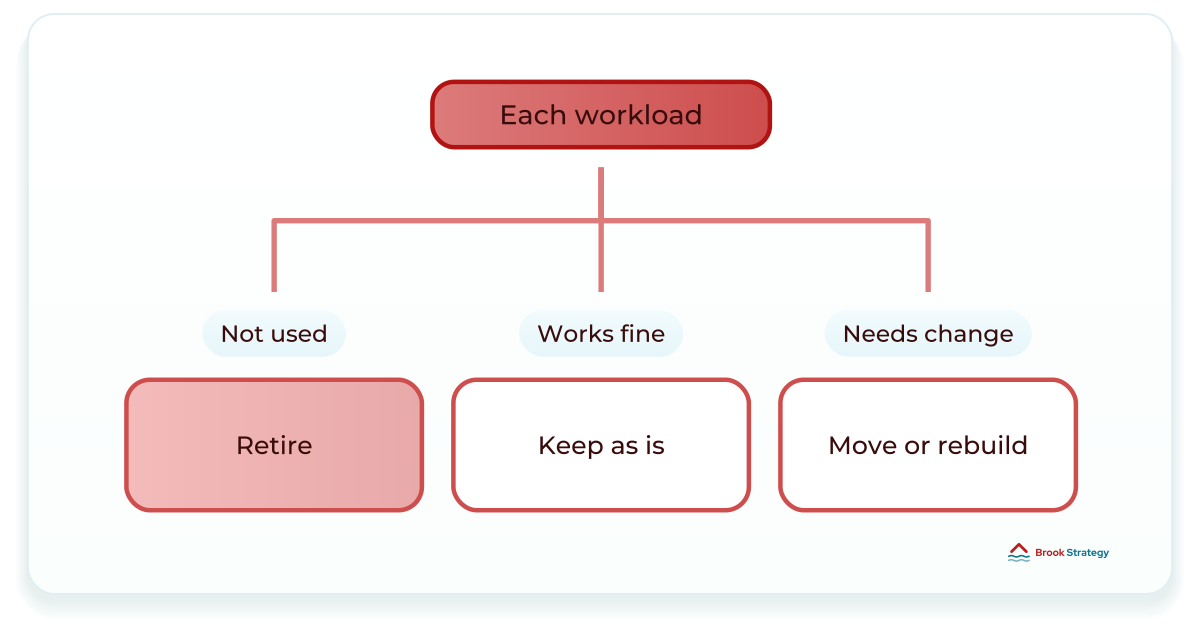
Give each workload a path. The common ones are keep as is, move with few changes, rebuild for the cloud and retire. Retire is the cheapest path and the one most often missed, so ask owners which systems have no real users left.
Phase 3: Prepare the Foundation
Before any workload moves, set up the place it will live. This is usually called a landing zone: accounts or subscriptions, network layout, identity and access rules, logging and a baseline of security controls. It feels slow, and it is the phase teams most want to skip.
Skipping it costs you later. Without shared rules, the first three teams each build their own setup, and you spend a year untangling it. Use this phase to agree cost tagging, budgets and alerts as well, so every invoice line has an owner from day one.
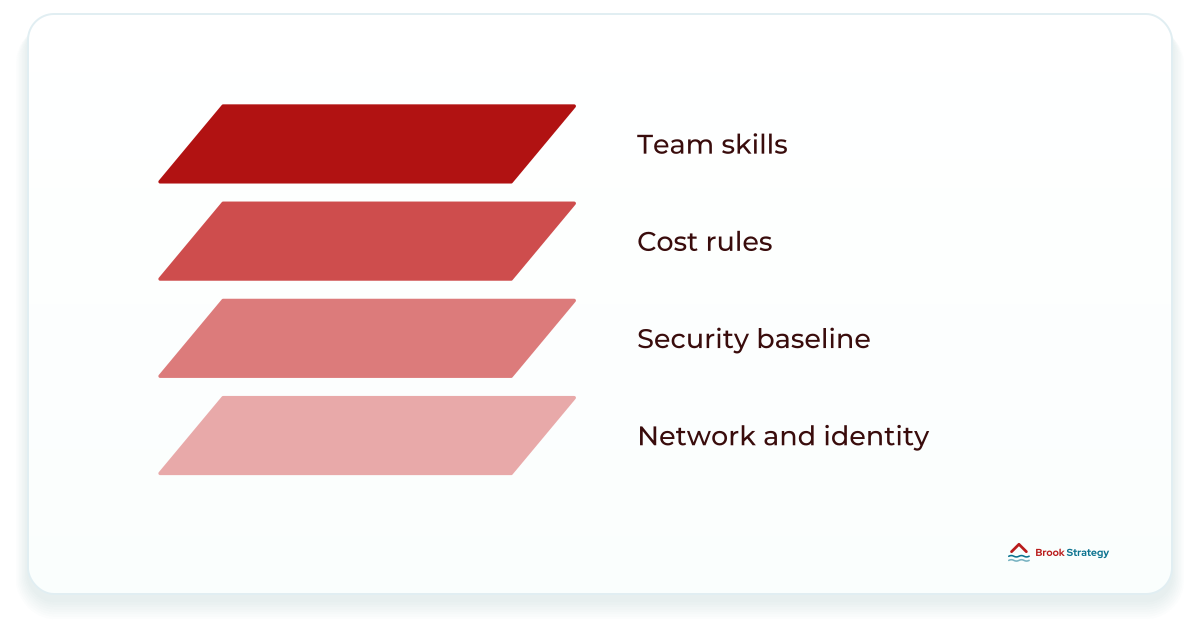
Skills belong here too. Decide who runs what, which roles need training and where you need outside help. A short training plan now is cheaper than a hiring scramble in month eight.
Treat the security baseline as a gate, not a task list. Ask your security lead to sign off in writing before the pilot starts, and agree what evidence they need. A written approval at this point saves arguments when a wave is already half moved. Run a short exercise too: pick one imaginary incident, such as a leaked access key, and walk through who finds it, who acts and who tells the business. The gaps you find on paper cost nothing to fix.
Phase 4: Run a Pilot That Can Fail
Pick one or two workloads that are real but forgiving. An internal tool, a reporting system or a dev and test environment works well. A customer-facing payment system does not. The pilot should be big enough to teach you about security, cost and operations, and small enough that a failure does not hurt the business.
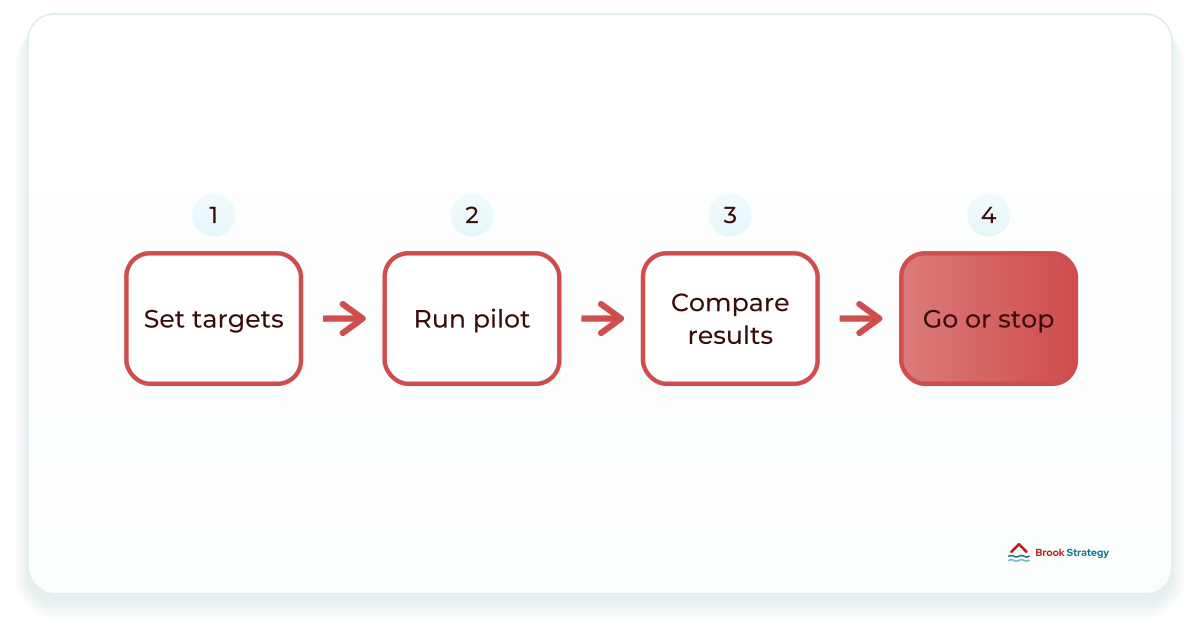
Set targets before you start: cost per month, performance, time to restore after a failure and effort needed from your team. Compare the results with the business case. I have seen pilots that cost twice the estimate, and that was useful news, because it surfaced a design flaw before a hundred workloads inherited it.
The gate at the end of the pilot is a real decision. If the targets are missed, you fix the foundation, repeat the pilot or change the plan. Moving ahead out of habit is how programs run over budget.
Phase 5: Migrate in Waves
Group workloads into waves by dependency, risk and value. A wave should contain applications that talk to each other, so you do not run a half-moved system across two environments longer than needed. Early waves take the easier workloads and build confidence. Later waves handle the large, tangled systems with what you learned.
For each wave, write a one-page plan: scope, owner, cutover date, rollback plan, cost limit and the person who approves go-live. After each wave, hold a short review. What did it cost, what broke and what changes for the next wave? The checklist in my cloud strategy checklist is a good source for that review.
| Wave type | Typical content | Main risk | Your control |
|---|---|---|---|
| First wave | Internal tools, test systems | Surprises in the foundation | Small scope, easy rollback |
| Middle waves | Shared services and mid-size apps | Dependencies between systems | Dependency map, joint cutover |
| Final waves | Large core systems | Downtime and data integrity | Dress rehearsal, long rollback window |
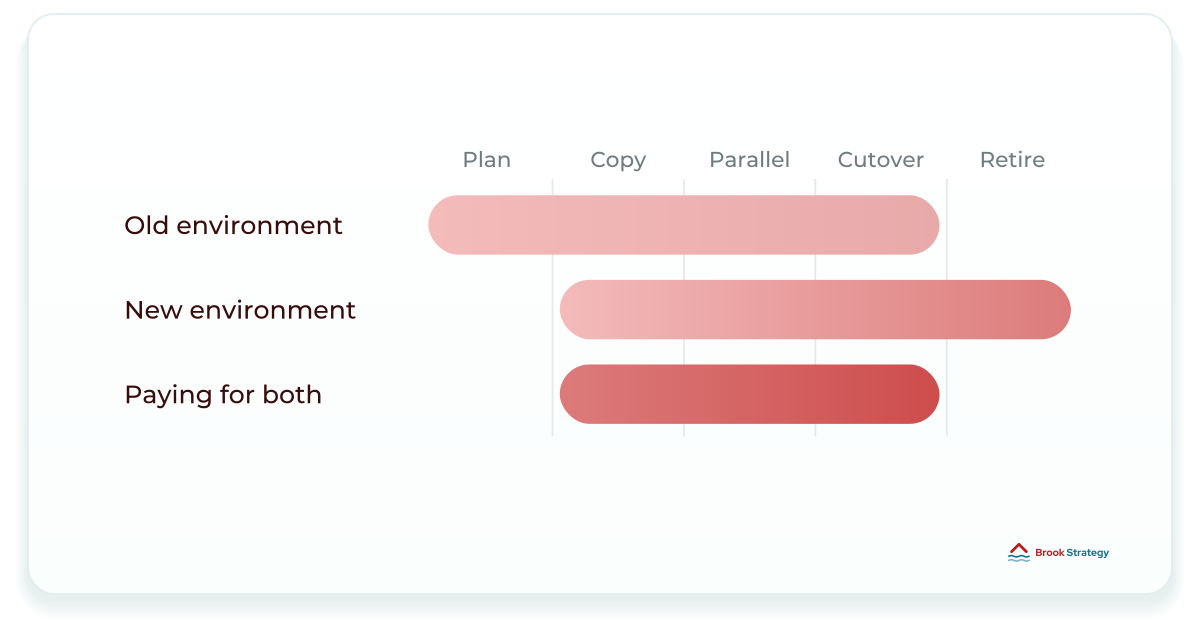
One edge case catches many teams: two environments running at once. Plan the cutover and the shutdown of the old system in the same wave, and put the old system's shutdown date into the contract calendar. Otherwise you pay twice for months.
Phase 6: Optimize and Keep the Plan Alive
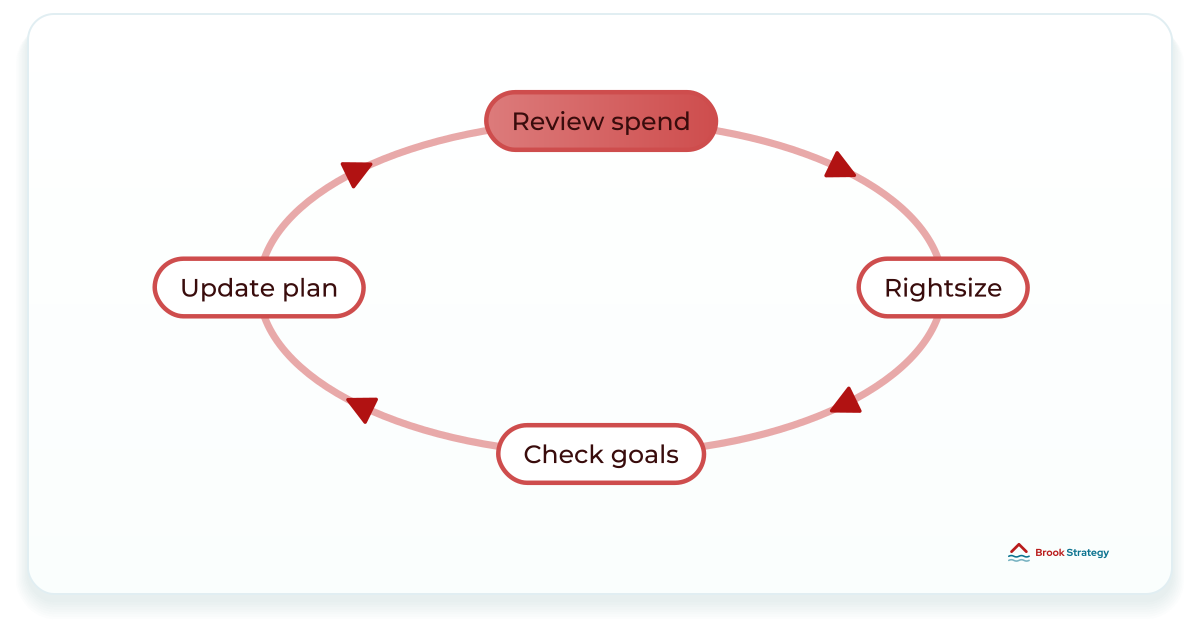
After the last wave, the work changes shape. Cost review becomes a monthly habit. Flexera's 2026 State of the Cloud report estimates that 29% of cloud spend is wasted, up after several years of decline, and managing spend is again the top challenge for respondents. Rightsizing, switching off idle resources and using commitment discounts are routine work, not a one-time clean-up.
Put a review on the calendar every quarter. Check whether the original goal still holds, whether the provider terms still fit and whether any workload should move back or be retired. Several well-known companies have moved workloads off the public cloud when the numbers changed, and I cover real cases in cloud strategy examples. Reversing a decision is part of a healthy plan.
Who Owns What Along the Way
A roadmap without named people is a wish list. Give every phase a single accountable owner, and keep that person the same from the gate to the next gate. Finance owns the business case and the cost rules. Security owns the baseline and the sign-off. The head of each business area owns the decision to move or retire a workload, because they know what breaks if it goes down.
Your sponsor owns the gates. Hold them as a standing monthly slot of 45 minutes with the same five people. In my experience, when gates become ad hoc meetings, they quietly get skipped around month four, and that is when programs drift.
Copy This Roadmap for Your Own Company
Open a spreadsheet with one row per phase and these columns: owner, start date, end date, budget, decision gate and status. Add a second sheet with one row per workload and the path you chose. Review both every two weeks during phases 1 to 4 and monthly after that.
Then adjust the three things that differ most between companies:
- Phase lengths, which depend on how many applications you have and how quickly leaders decide.
- The order of waves, which depends on contract end dates and on dependencies.
- The gates, which depend on the risk your board accepts. Regulated businesses usually add a compliance sign-off before each wave.
If you would rather have someone build the first version with you, a short working session with a consultant usually produces it.
Questions About Cloud Strategy Roadmaps
How Long Should a Cloud Strategy Roadmap Cover?
Plan the next two phases in detail and the rest in outline. For most mid-sized companies the full roadmap spans 12 to 24 months. Detail beyond the next six months goes stale quickly, so refresh the plan at every decision gate.
What Is the Difference Between a Cloud Strategy and a Cloud Roadmap?
The strategy states your goals, principles and choices, such as provider direction and cost rules. The roadmap turns those into phases, owners, dates and budgets. You need both, and the roadmap changes more often than the strategy.
Which Workloads Should I Move First?
Choose workloads with real users and low risk, such as internal tools or test environments. They teach you about security, cost and operations without putting customers at risk. Leave core revenue systems for later waves, once your foundation has proven itself.
How Much Should I Budget for a Cloud Migration?
It depends on the number of applications, how much needs rebuilding and how long you run old and new systems together. Ask for a range with three parts: one-off effort, new run costs and the cost of running both environments in parallel. Revisit the range after the pilot.
What Are Decision Gates and Why Do They Matter?
A decision gate is a planned stop where leaders review results against targets and choose to continue, fix or change course. Without gates, programs keep moving because they were already moving. With them, you can stop a bad path early at a low cost.
Do I Need a Landing Zone Before the Pilot?
Yes, at least a basic one. Accounts, network layout, access rules, logging and cost tags should exist before the first workload arrives. A pilot built without them teaches you little about how production will behave.
Can I Move Workloads Back from the Cloud Later?
Yes, and some companies do. Moving back is costly, so decide with real data on usage and cost rather than opinion. Build a quarterly review into the roadmap so the question is asked calmly, not in a crisis.
Sources
Note: This article is general information, not legal, financial or tax advice. Figures and examples are estimates based on typical projects, so check current details with your providers and advisers before you decide.
Was this article helpful?
Thank you for letting us know.
Russell Tennant
Russell leads the Brook editorial team and works with our consultants to turn real client engagements into practical guides on roadmaps, go-to-market planning, growth and competitive strategy. Before joining Brook, he spent 11 years in strategy and product marketing roles at software and financial services companies. He has since edited more than 300 articles on strategy practice and drawn on roadmaps and growth plans from over 100 client projects. He is based in Denver, Colorado.