Key Takeaways
- Buffer, Publer and Metricool give solo marketers and small teams a free or low-cost start.
- Hootsuite, Sprout Social and Agorapulse suit larger teams that need inboxes, reports and approvals, at a higher price per user.
- Agencies should compare SocialPilot, Sendible and Planable, where pricing follows accounts or workspaces instead of seats.
- Count profiles and users first, because that decides which plan you really pay for.
The Best Social Media Management Tools at a Glance
| Tool | Type | Best for |
|---|---|---|
| 1. Hootsuite | Enterprise-style social suite | Teams managing many profiles with approvals and reporting |
| 2. Sprout Social | Social suite with strong analytics | Brands that care about reporting and customer care |
| 3. Buffer | Simple scheduling and analytics | Solo marketers and small teams that want an easy tool |
| 4. Agorapulse | Inbox-first social suite | Teams that spend most of their time replying and moderating |
| 5. Later | Visual planning for Instagram and TikTok | Brands that plan visual content on a grid |
| 6. Metricool | Analytics-led planner with a free tier | Small businesses and agencies that want reports on a budget |
| 7. SocialPilot | Affordable team and agency tool | Agencies and small teams that manage many accounts |
| 8. Sendible | Agency-focused social suite | Agencies that want unlimited users and white labeling |
| 9. Loomly | Content calendar with approvals | Brands and agencies that need a clear approval process |
| 10. Planable | Collaboration and approval planner | Teams that collect feedback from many reviewers |
| 11. Publer | Low-cost scheduler | Creators and small teams that want a free or cheap tool |
| 12. Zoho Social | Social tool for the Zoho ecosystem | Businesses already using Zoho CRM and apps |
The 12 Best Social Media Management Tools, Ranked
I start with the tools that fit the widest range of teams and finish with niche options. A tool only carries out a plan, so in my social media strategy consulting projects the work of choosing channels, topics and goals always comes before the software.
Hootsuite
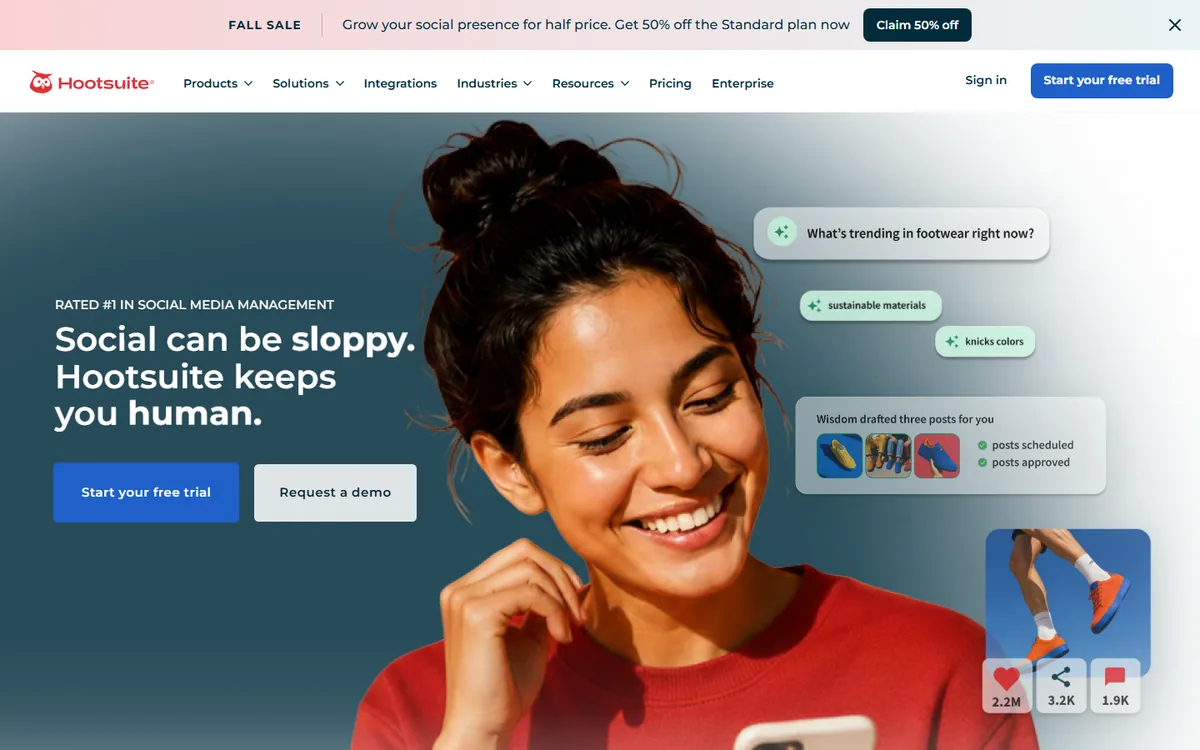
The Long-Standing Choice for Teams That Need Scheduling, Monitoring and Reporting in One Dashboard
Hootsuite covers publishing, a shared inbox, social listening and analytics across most major networks.
Hootsuite is the platform I see most often in larger marketing teams, mainly because it covers the whole workflow. You schedule posts, answer comments from one inbox, watch keyword streams and send reports to managers, all from the same account.
It is also one of the pricier options, and per-user pricing grows fast as the team does. For a one-person social account, a lighter tool will give you most of the value for a fraction of the price.
Pros of Hootsuite
- Wide network support and a deep feature set
- Approval workflows suit teams with compliance needs
- Mature analytics and reporting
Cons of Hootsuite
- High entry price per user
- The interface can feel crowded
Hootsuite Pricing
Hootsuite lists Standard from $99 per user per month with up to 10 social profiles, Professional from $199 with unlimited profiles and Advanced up to $399, all with annual billing, and Enterprise is custom. Every plan offers a 14-day free trial, and the page lists no free plan.
Hootsuite Reviews
- G2: 4.3/5 average (from 7,737 reviews)
Sprout Social
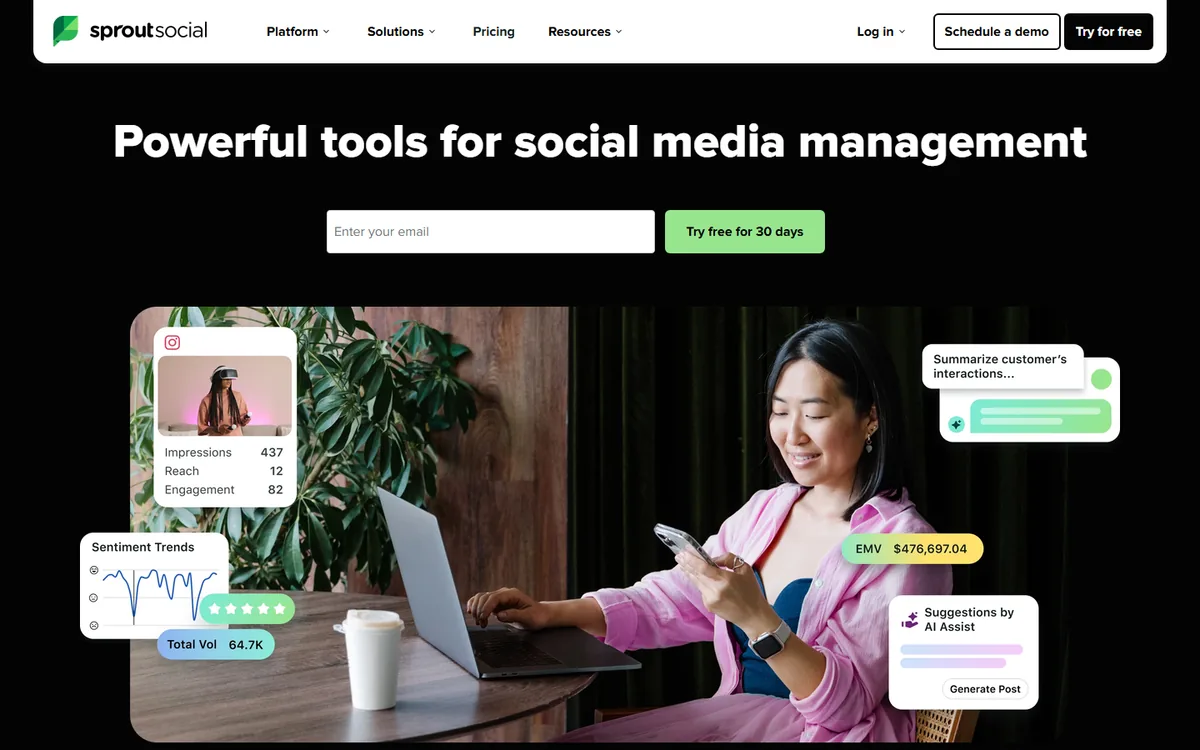
The Most Polished Option for Reporting, Social Customer Care and Brand Monitoring
Sprout Social combines publishing, a smart inbox, listening and report builders in a clean interface.
Sprout Social is the tool I recommend when reporting is as important as posting. Its reports are easy to build and easy to hand to a manager, and the inbox makes it simple to see who has replied to a message and who still needs to.
Pricing is per seat and high, and the plan that fits many teams is the second tier, not the first. Check which features sit on which plan before you sign, because analytics and listening depth vary.
Pros of Sprout Social
- Reports are clear and shareable
- The unified inbox suits customer care
- Easy to learn for new team members
Cons of Sprout Social
- Expensive once you add seats
- Some features sit on higher plans or add-ons
Sprout Social Pricing
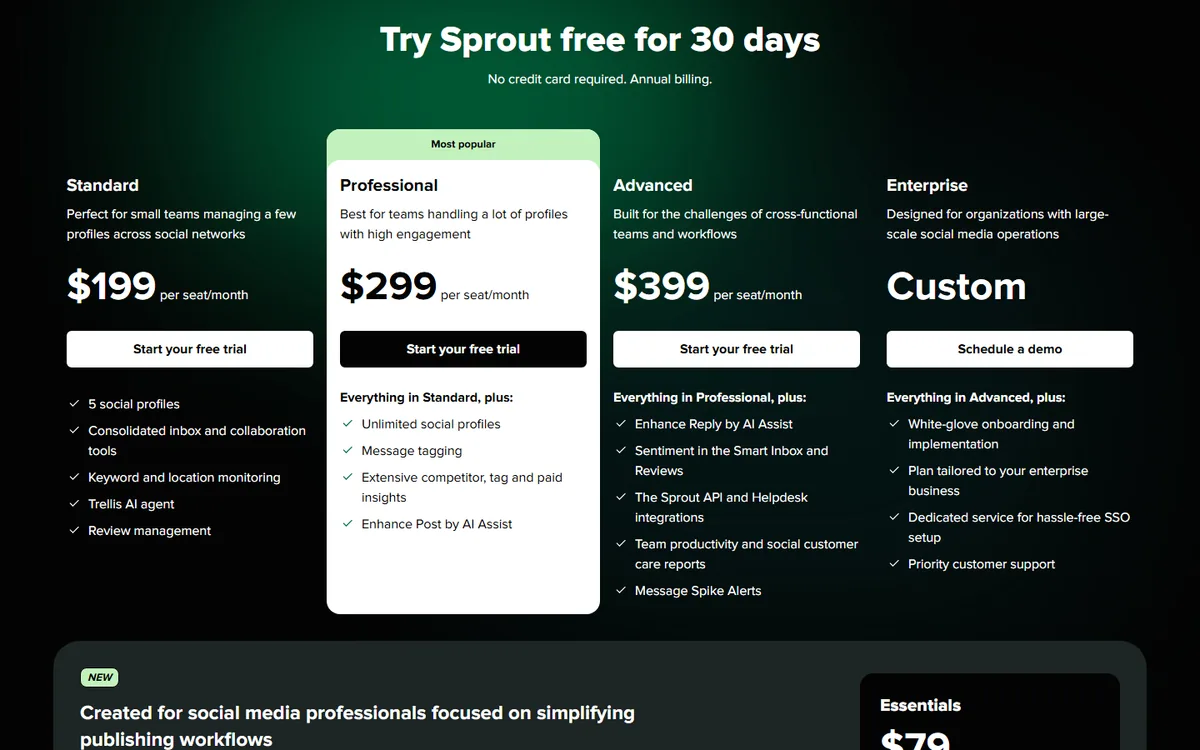
Sprout Social lists Essentials at $79 per seat per month billed annually ($99 monthly) with 5 social profiles, Standard at $199, Professional at $299 and Advanced at $399, with custom Enterprise pricing. The page offers a 30-day free trial with no credit card required.
Sprout Social Reviews
- G2: 4.4/5 average (from 7,579 reviews)
Buffer
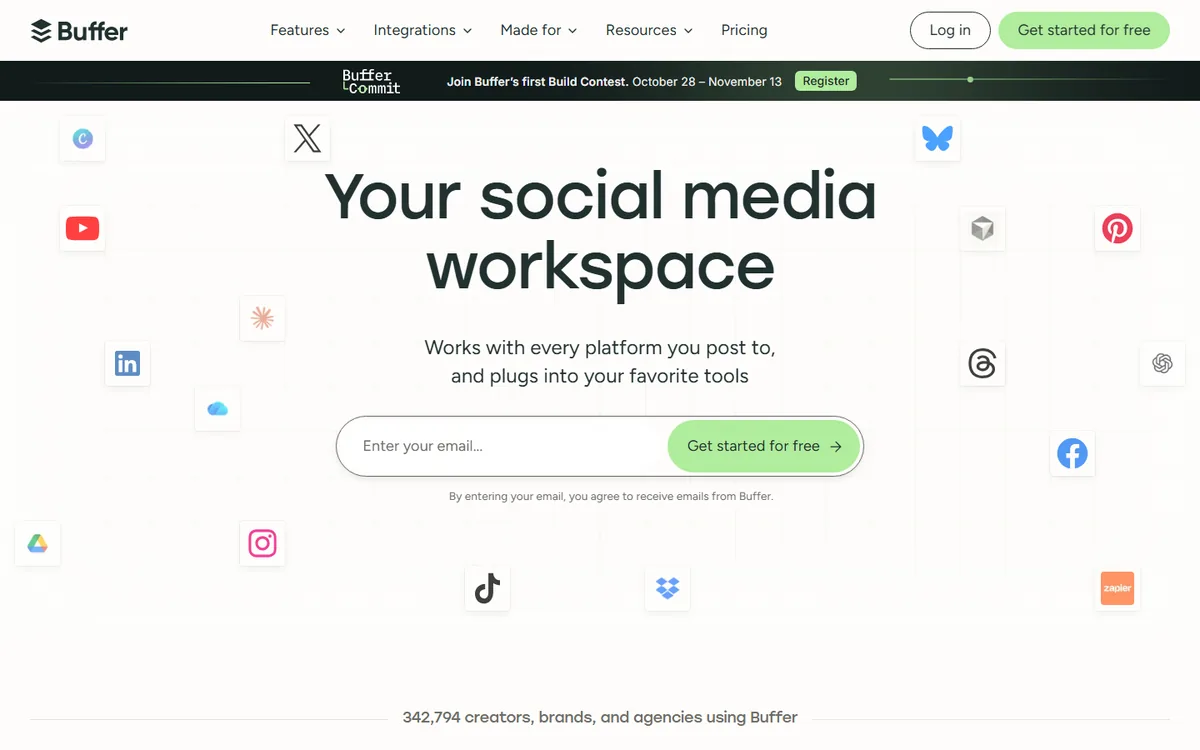
The Easiest Tool to Learn, With a Free Plan and Pricing That Starts Small
Buffer focuses on scheduling, a shared ideas library and basic analytics at a low per-channel price.
Buffer is where I send people who feel overwhelmed by the bigger suites. You connect a channel, queue posts and see how they perform, with an ideas inbox to catch content before you write it. The learning curve is about an afternoon.
The simplicity is the limit. Buffer has less depth in social listening and customer care than Hootsuite or Sprout, and pricing per channel means costs rise when you add profiles.
Pros of Buffer
- Clean interface and a fast setup
- Free plan for up to 3 channels
- Per-channel pricing is easy to predict
Cons of Buffer
- Limited listening and inbox features
- Costs add up across many channels
Buffer Pricing
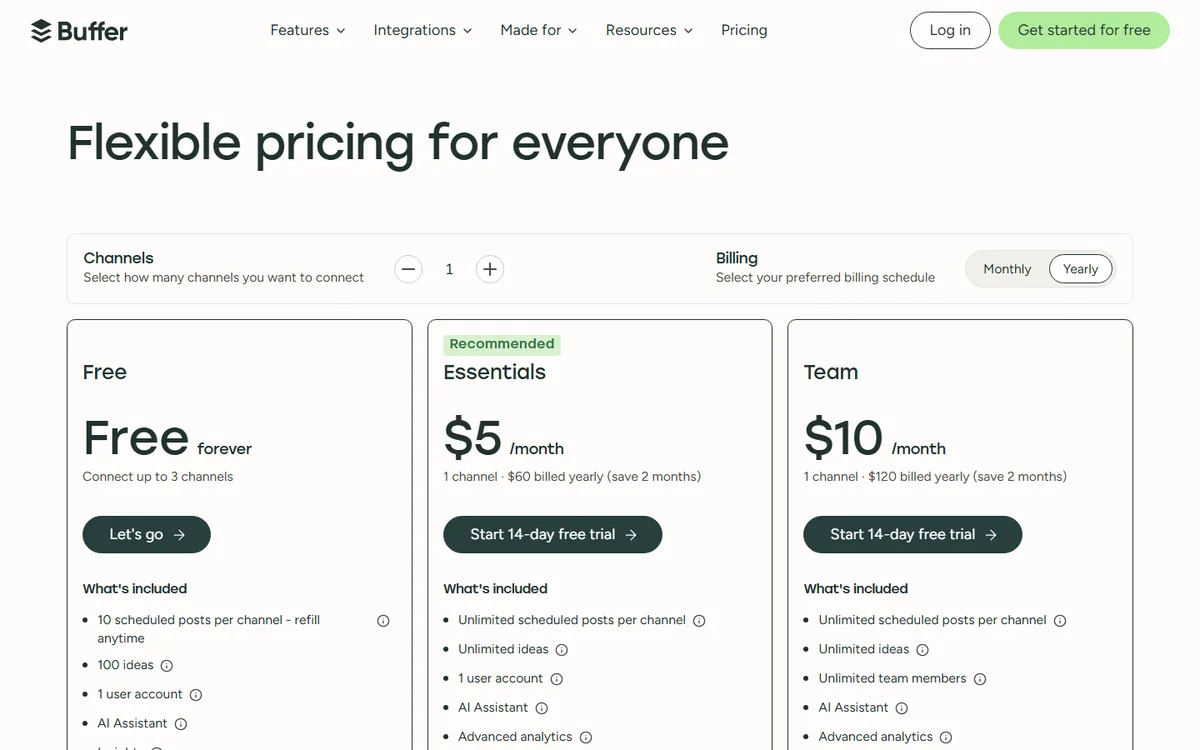
Buffer has a free forever plan with up to 3 channels, then Essentials at $5 per channel per month and Team at $10 per channel per month on monthly billing. The page shows the annual price inconsistently, so confirm it before you buy yearly.
Buffer Reviews
- G2: 4.3/5 average (from 1,043 reviews)
Agorapulse
A Strong Pick if Your Day Is Mostly Comments, Messages and Moderation Rather Than Scheduling
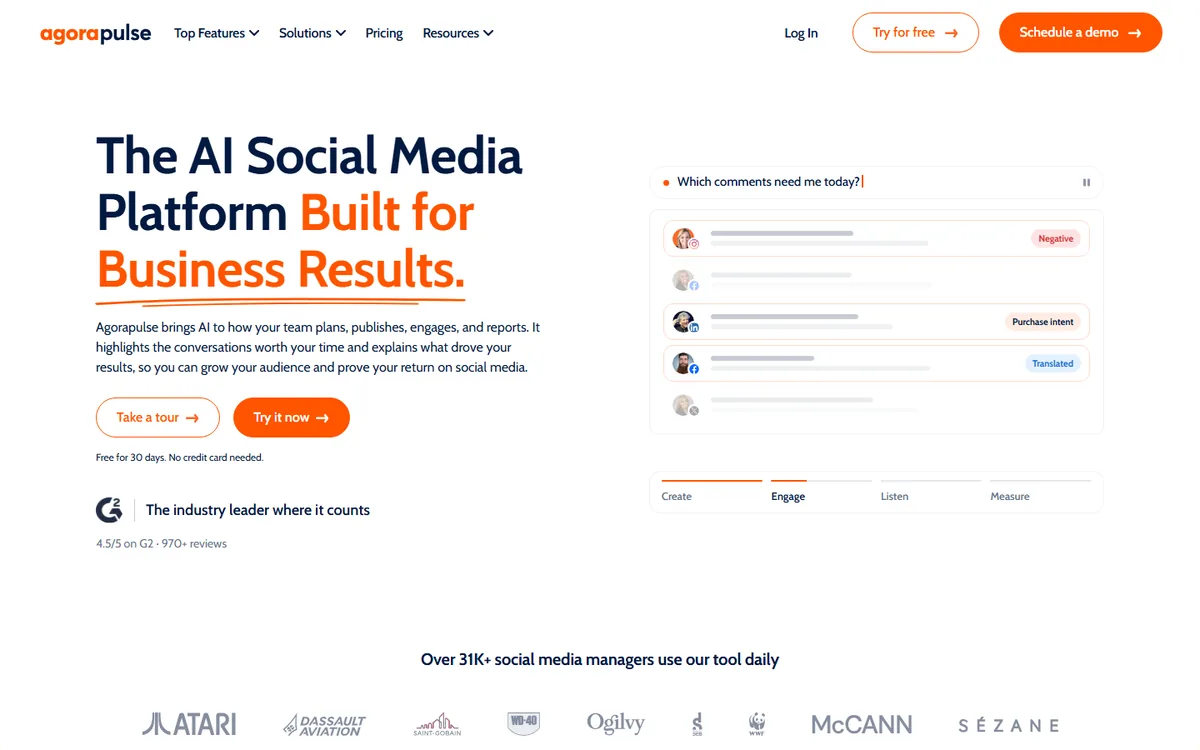
Agorapulse puts one inbox at the center of its tool and adds publishing, reports and ad comment moderation around it.
Agorapulse gets the community side right. Messages, comments and mentions land in one inbox with assignments and saved replies, so a team can clear it the way it would clear an email queue. Publishing and reporting are solid as well.
Per-user pricing is similar to Hootsuite, and the lower plans have shorter data retention and fewer team features. If your work is mostly publishing, you can pay less elsewhere.
Pros of Agorapulse
- Inbox with assignments and saved replies
- Ad comment moderation on higher plans
- Responsive support
Cons of Agorapulse
- Per-user pricing rises with team size
- Lower plans limit data history and team features
Agorapulse Pricing
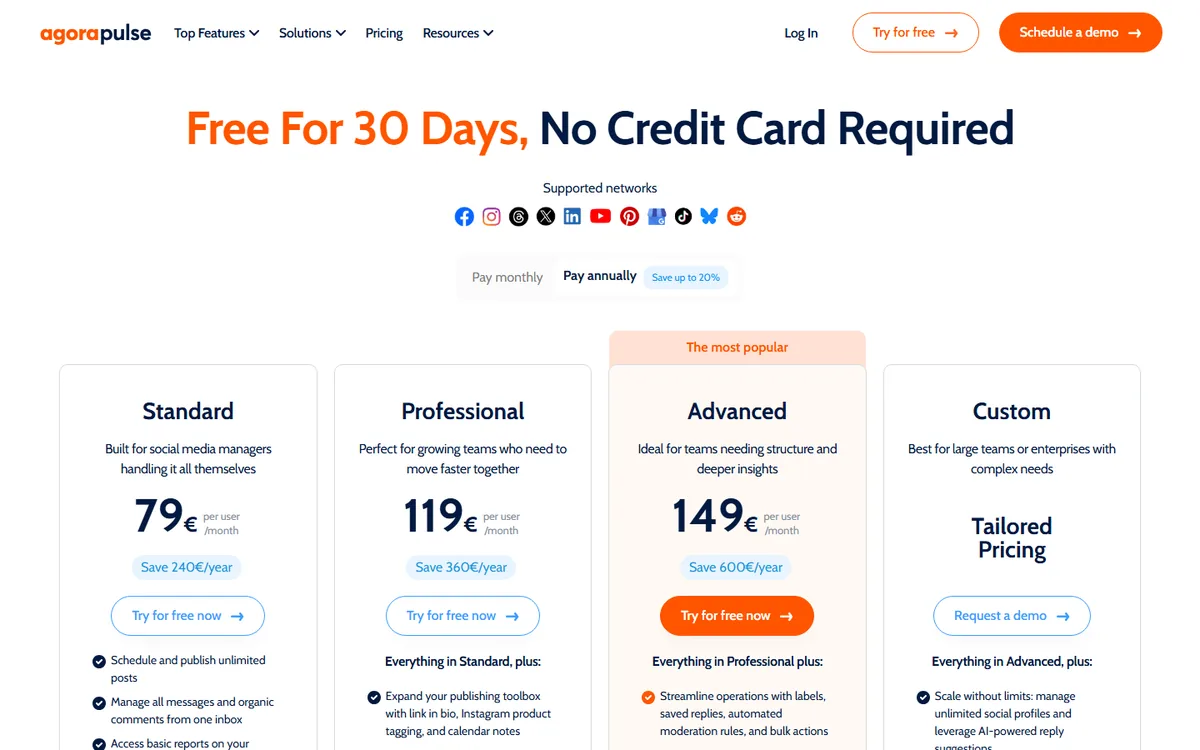
Agorapulse lists Standard at $79 per user per month billed annually ($99 monthly), Professional at $119 ($149), Advanced at $149 ($199) and a custom plan for large teams. Each of the first three includes 10 profiles, and a 30-day free trial is offered with no credit card.
Agorapulse Reviews
- G2: 4.5/5 average (from 979 reviews)
Later
Built Around the Visual Calendar, Which Suits Instagram, TikTok and Pinterest Brands
Later lets you drag media into a calendar, preview the feed and schedule posts, with link-in-bio tools alongside.
Later started with Instagram and still feels strongest there. The visual planner and media library make it easy to see how a month of posts will look, and the link-in-bio page is useful for brands that sell from their profile.
It is less suited to text-heavy networks and enterprise approval chains. Treat it as a planning tool for visual brands, and check the plan’s social set limits because they count profile groups, not single accounts.
Pros of Later
- Visual calendar and media library
- Link-in-bio tools included
- Simple pricing tiers
Cons of Later
- Weaker for text-led networks
- Social set limits can confuse at first
Later Pricing
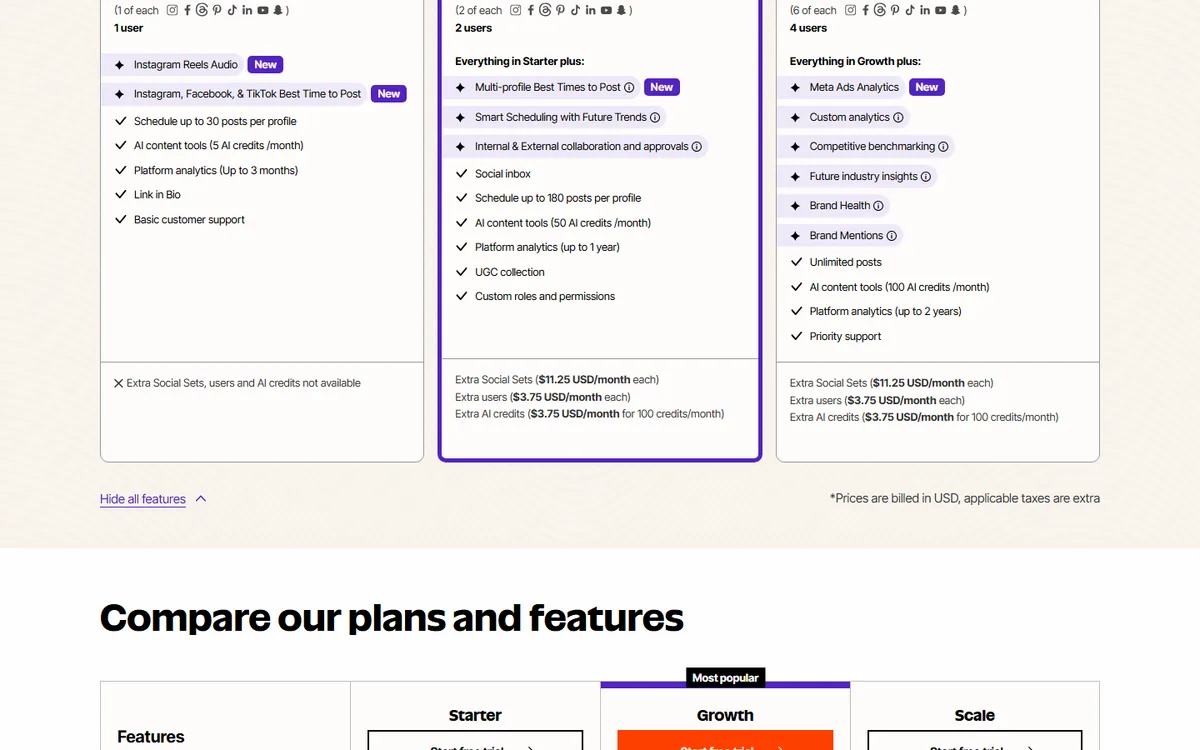
Later lists Starter at $18.75 per month billed yearly with one social set of 8 profiles, Growth at $37.50 with 2 sets and Scale at $82.50 with 6 sets. Each plan has a 14-day free trial, and the page lists no free plan.
Later Reviews
- G2: 4.5/5 average (from 389 reviews)
Metricool
A Budget-Friendly Planner With Better Analytics Than Its Price Suggests
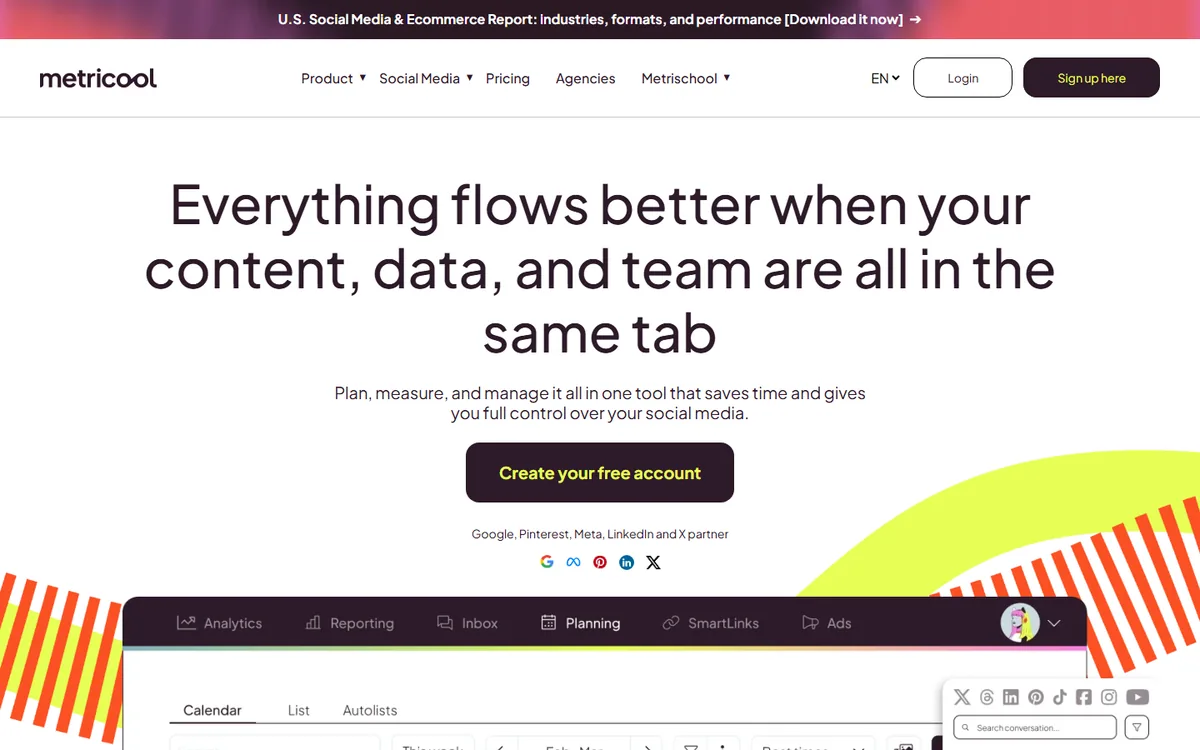
Metricool combines scheduling, analytics, competitor tracking and ads reporting at a low price.
Metricool is a good fit for small businesses and agencies that need reports without an enterprise bill. You get a calendar, competitor analysis and clear reports that can pull in website and ad data next to social metrics.
Support for some networks is limited on the free plan, and the interface has more tabs than you might expect. It rewards a short setup session more than a quick look.
Pros of Metricool
- Free plan with 1 brand
- Competitor tracking and ads reports
- Agency-friendly pricing by number of brands
Cons of Metricool
- Free plan excludes LinkedIn and X
- Many menus to learn
Metricool Pricing
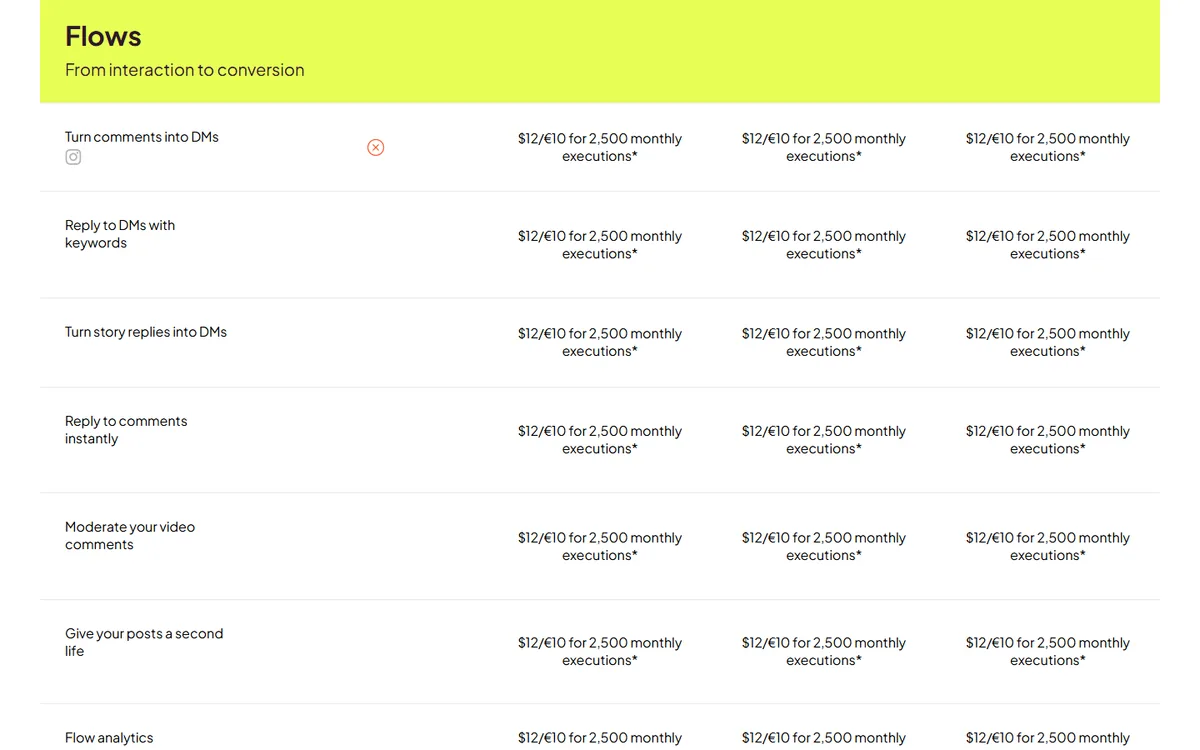
Metricool has a free plan with 1 brand and 20 scheduled posts a month. Starter is from $20 per month billed annually ($25 monthly) for up to 5 brands, and Advanced is from $53 ($67 monthly) for up to 15 brands.
Metricool Reviews
- G2: 4.4/5 average (from 111 reviews)
SocialPilot

One of the Best Value Options When You Manage Many Accounts for Several Clients
SocialPilot offers scheduling, client workspaces, approvals and white-label reports at a low monthly cost.
SocialPilot is popular with agencies because the price per account is low and the client features are included. You can group accounts by client, send content for approval and create branded reports without paying for an enterprise suite.
Its listening and customer care features are lighter than the high-end tools. If you manage the social presence of many small brands, it is hard to beat on cost.
Pros of SocialPilot
- Low price per account
- Client approvals and white-label reports on higher plans
- Bulk scheduling saves time
Cons of SocialPilot
- Lighter listening and inbox features
- Interface looks dated next to newer tools
SocialPilot Pricing
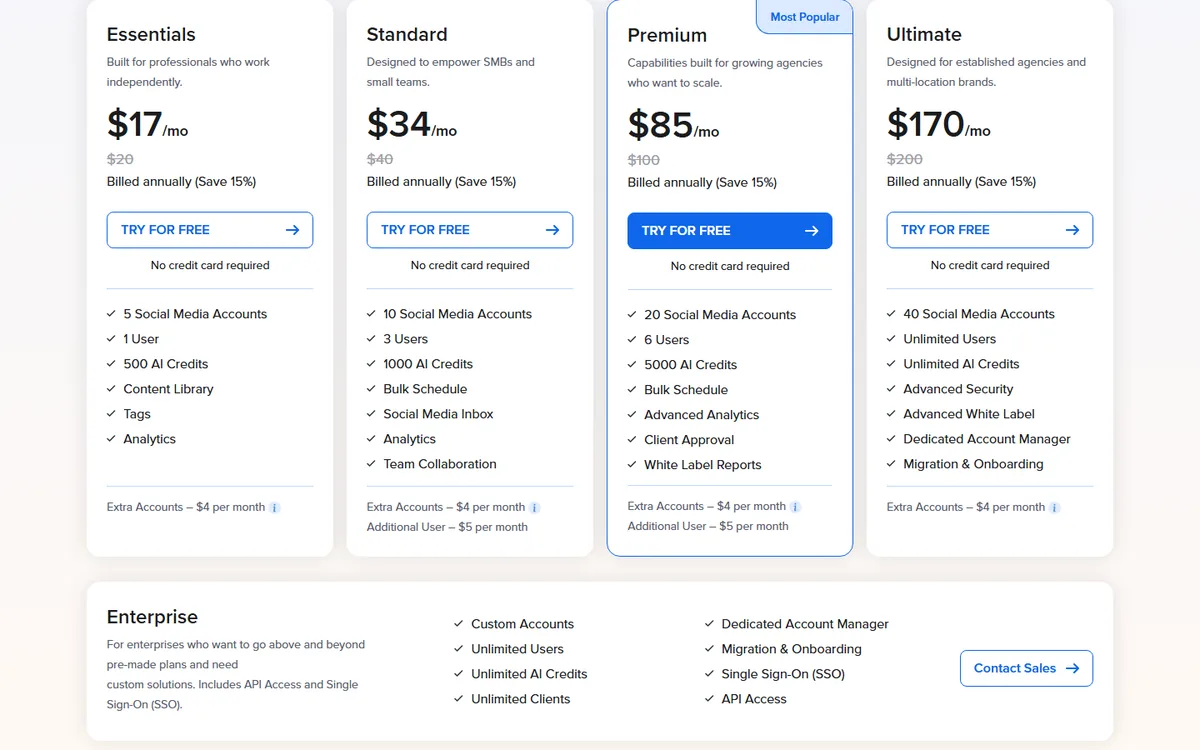
SocialPilot lists Essentials at $20 per month ($17 billed annually) for 5 accounts, Standard at $40 ($34) for 10 accounts and 3 users, Premium at $100 ($85) and Ultimate at $200 ($170). Extra accounts cost $4 a month, and a 14-day free trial needs no credit card.
SocialPilot Reviews
- G2: 4.5/5 average (from 846 reviews)
Sendible
A Flexible Agency Platform With Unlimited Users and Client Workspaces
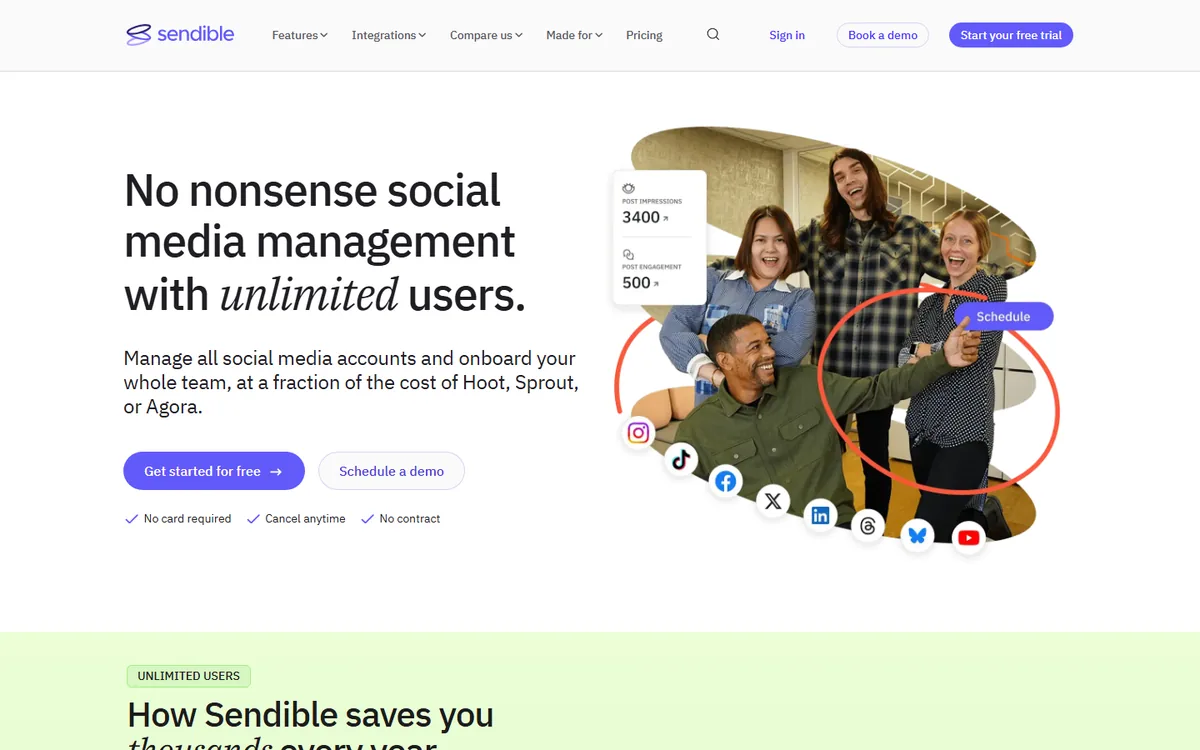
Sendible gives agencies client workspaces, a unified inbox, approvals and white-label options, with unlimited users on every plan.
Sendible suits agencies because pricing follows workspaces and profiles instead of seats. Every plan includes unlimited users, so an account manager, a designer and a client reviewer can all log in without extra cost.
The tool is capable but not the prettiest, and higher plans are needed once you manage many clients. Compare the workspace count against your client list before choosing a tier.
Pros of Sendible
- Unlimited users on every plan
- Client workspaces and approval flows
- White-label options for agencies
Cons of Sendible
- Interface is busier than some rivals
- Prices are hidden behind a calculator on some views
Sendible Pricing
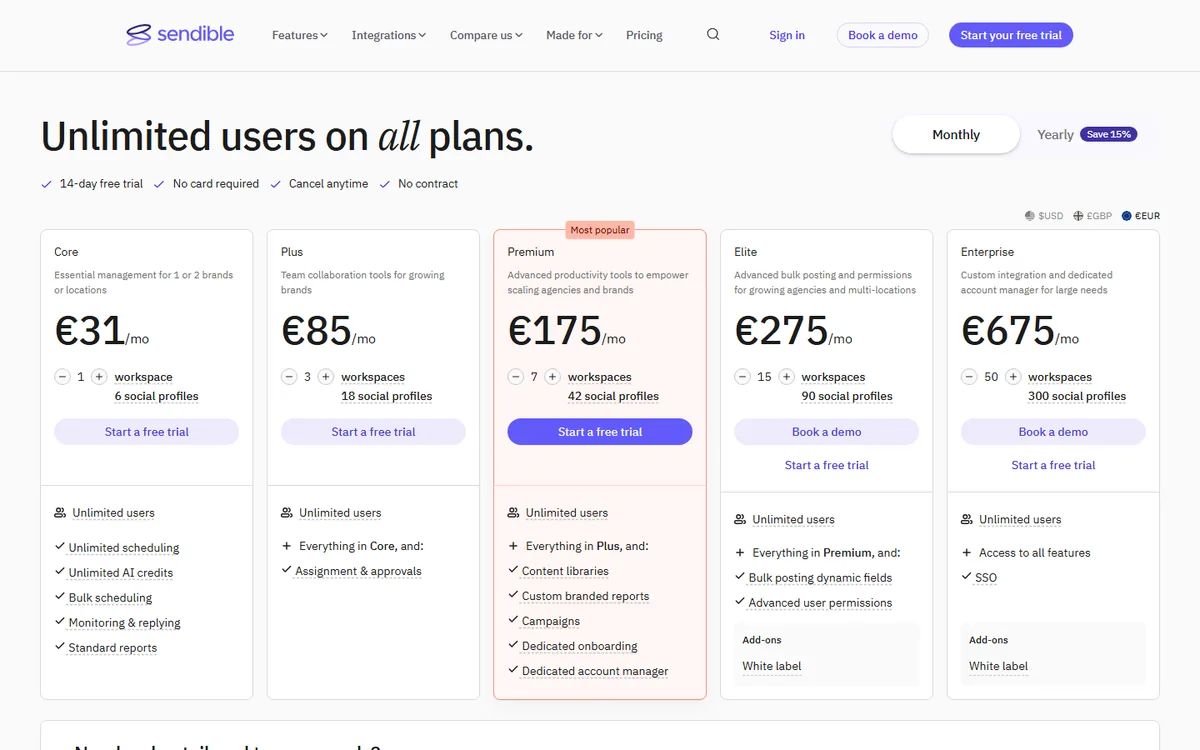
Sendible lists Core with 1 workspace and 6 profiles, Plus with 3 and 18, Premium with 7 and 42, Elite with 15 and 90, plus Enterprise, all with unlimited users and a 14-day free trial. I couldn’t read the dollar prices on its page, and a price tracker lists Core at $35 per month, so confirm it on Sendible’s site.
Sendible Reviews
- G2: 4.5/5 average (from 906 reviews)
Loomly
A Clean Calendar With Approval Steps Built In, Good for Brands With Review Layers
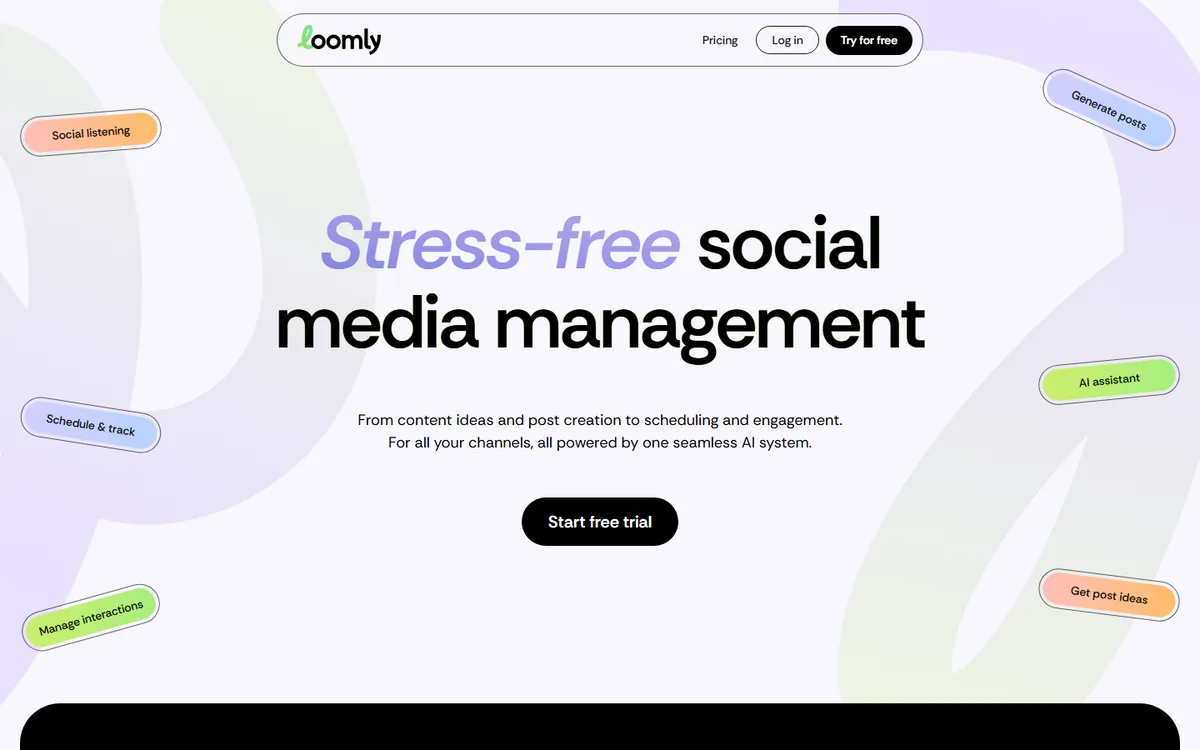
Loomly centers on a calendar, post ideas, approval workflows and previews for each network.
Loomly is the tool I suggest when approvals matter. A post moves through draft, review and scheduled states, and reviewers can comment on a preview that looks like the final post. Post ideas and a clear calendar help the creative side too.
It is lighter on social listening and customer care, and the plans jump from Starter to Beyond, so you may pay for more than you use. Start with Starter if you have a small team.
Pros of Loomly
- Approval workflow is simple and clear
- Previews look like the real post
- Unlimited calendars on every plan
Cons of Loomly
- Big price gap between Starter and Beyond
- Lighter listening and inbox tools
Loomly Pricing
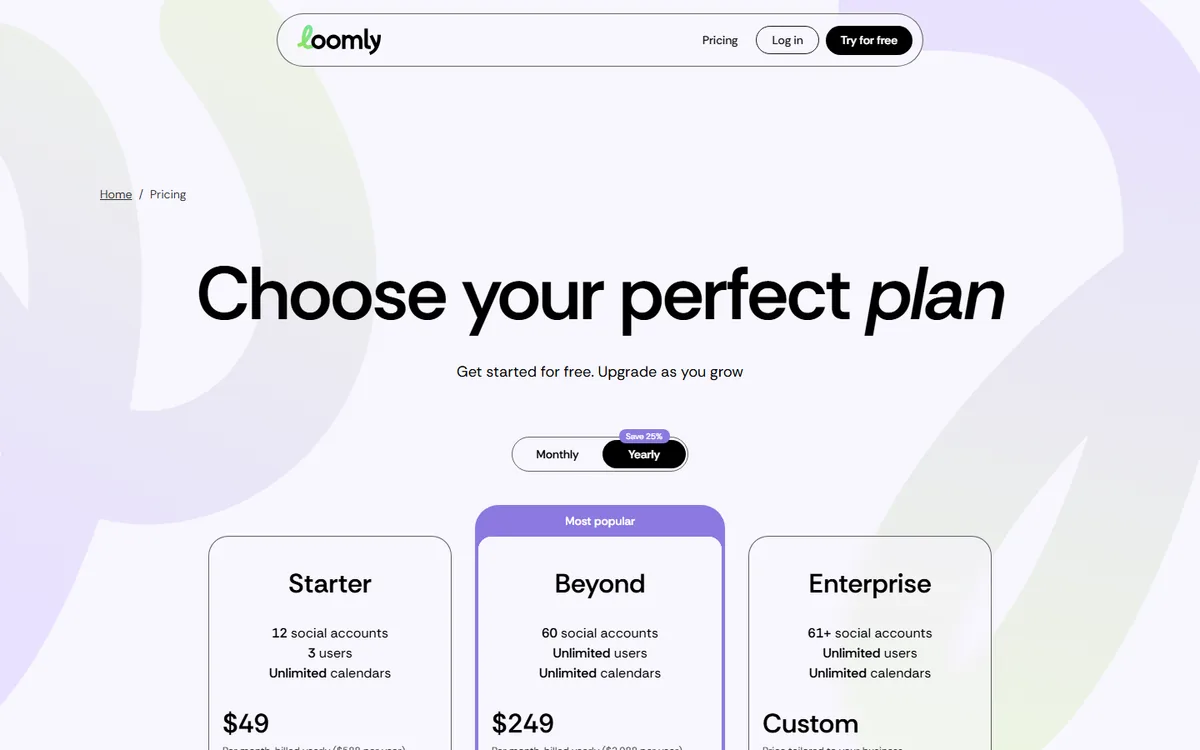
Loomly lists Starter at $49 per month billed yearly ($65 monthly) with 12 social accounts and 3 users, and Beyond at $249 yearly ($332 monthly) with 60 accounts and unlimited users. Enterprise is custom, and a free trial needs no credit card.
Loomly Reviews
- G2: 4.6/5 average (from 1,796 reviews)
Planable
The Friendliest Way to Get Feedback and Sign-Off on Posts From Clients or Colleagues
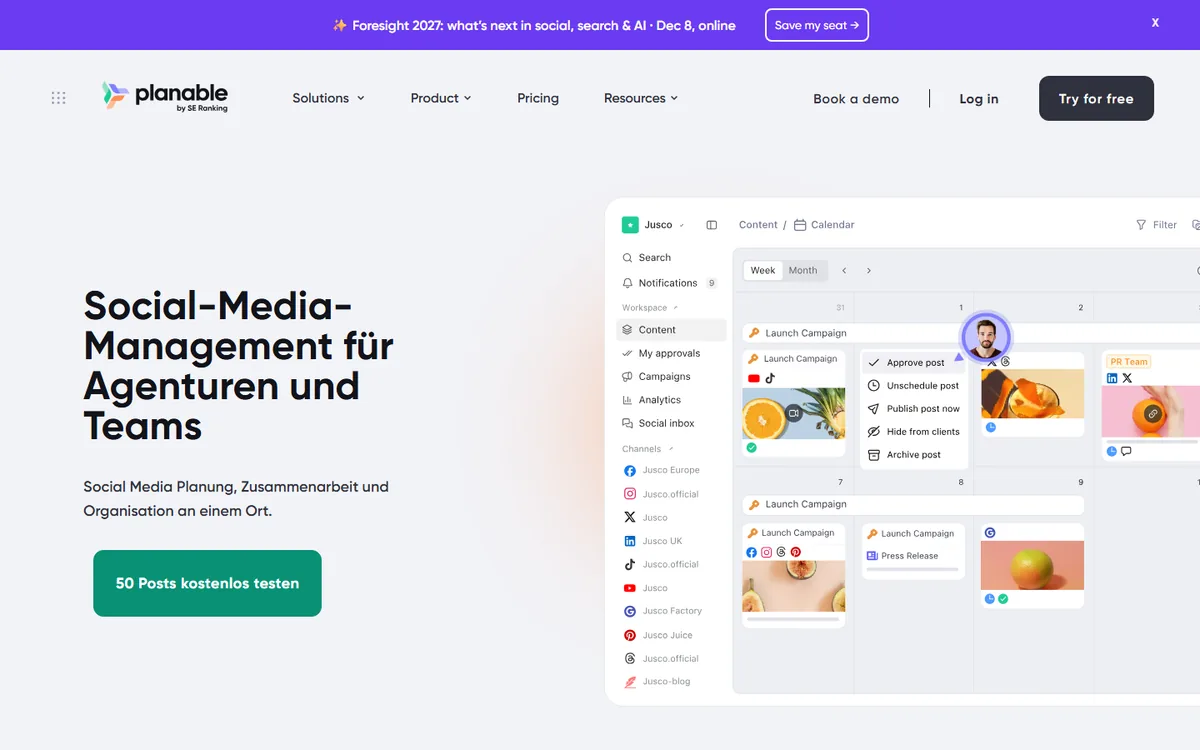
Planable lets reviewers comment on posts in a mock-up of the platform and approve them in a few clicks.
Planable is built for the review step. Posts appear as they will on each network, reviewers can comment directly on them and approvals are tracked. For teams where legal, clients or executives sign off, that removes a lot of email.
It leans on collaboration, so analytics and listening are lighter than in full suites. Pricing is per workspace with unlimited users, which suits teams with many reviewers.
Pros of Planable
- Posts shown the way they will appear live
- Unlimited users per workspace
- Free trial of 50 posts without a time limit
Cons of Planable
- Lighter analytics and listening
- Add-on prices are inconsistent across the page
Planable Pricing
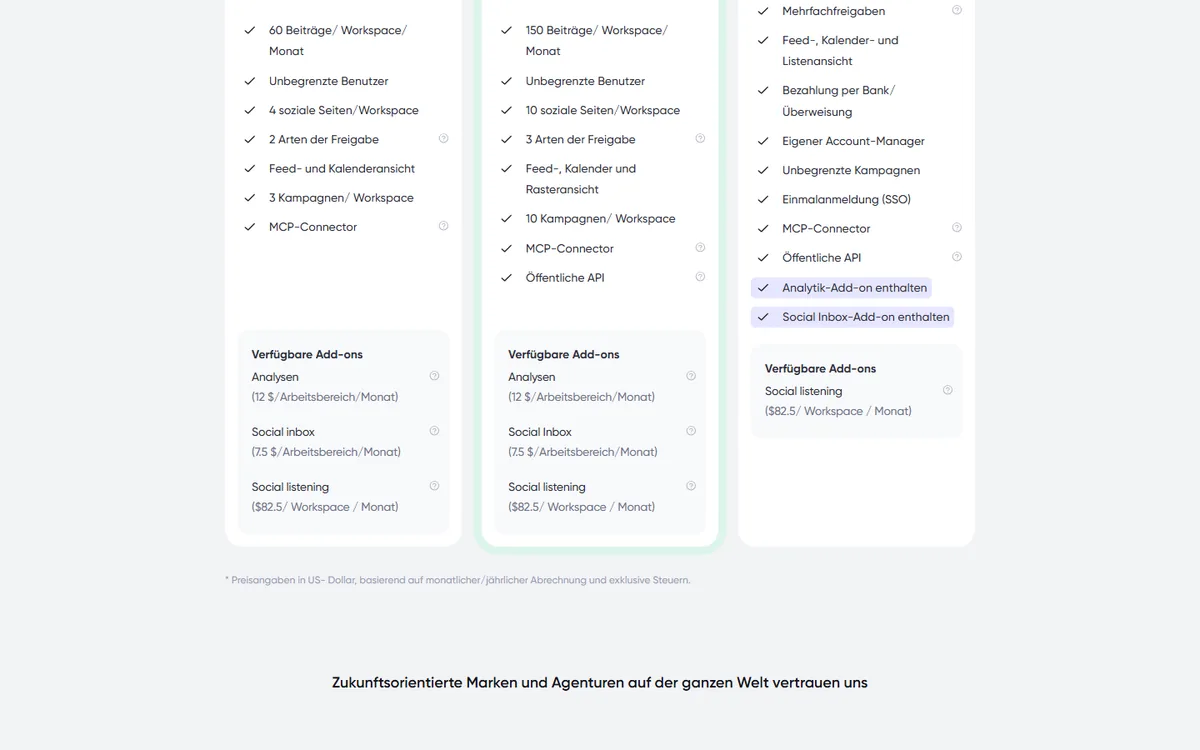
Planable lists Basic at $33 per workspace per month and Pro at $49, both with unlimited users, plus custom Enterprise pricing. The page doesn’t say whether those figures assume monthly or yearly billing, and the first 50 posts are free with no time limit.
Planable Reviews
- G2: 4.6/5 average (from 1,135 reviews)
Publer
A Budget Scheduler With Strong Reviews and More Features Than You Expect for the Price
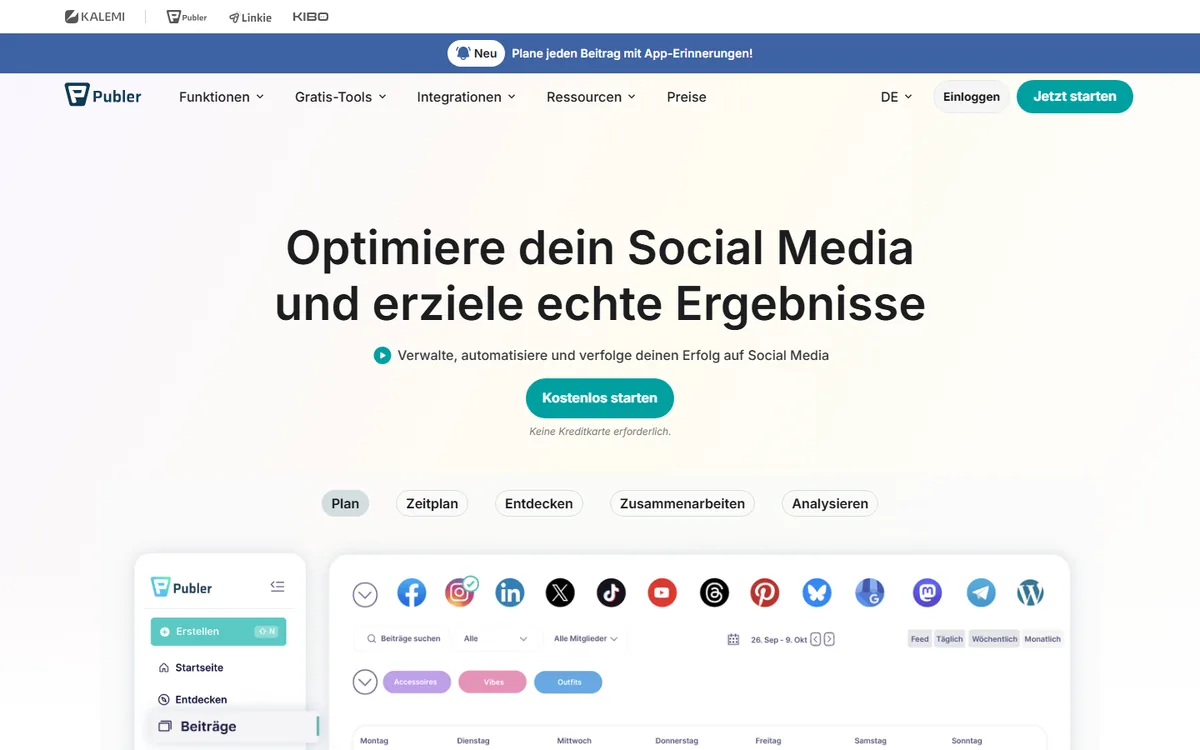
Publer offers scheduling, a calendar, bulk uploads and analytics with a free plan for a few accounts.
Publer has a high G2 rating and low pricing. You can schedule to many networks, import posts in bulk, recycle posts and view analytics, and the free plan handles up to 3 accounts.
The free plan keeps published post history for only 24 hours and caps scheduled posts per account. It is a good fit for creators and small businesses and a weaker one for teams with formal approvals.
Pros of Publer
- Free plan with 3 social accounts
- Bulk scheduling and post recycling
- High user ratings
Cons of Publer
- Free plan limits are tight
- Approval features are lighter than in agency tools
Publer Pricing
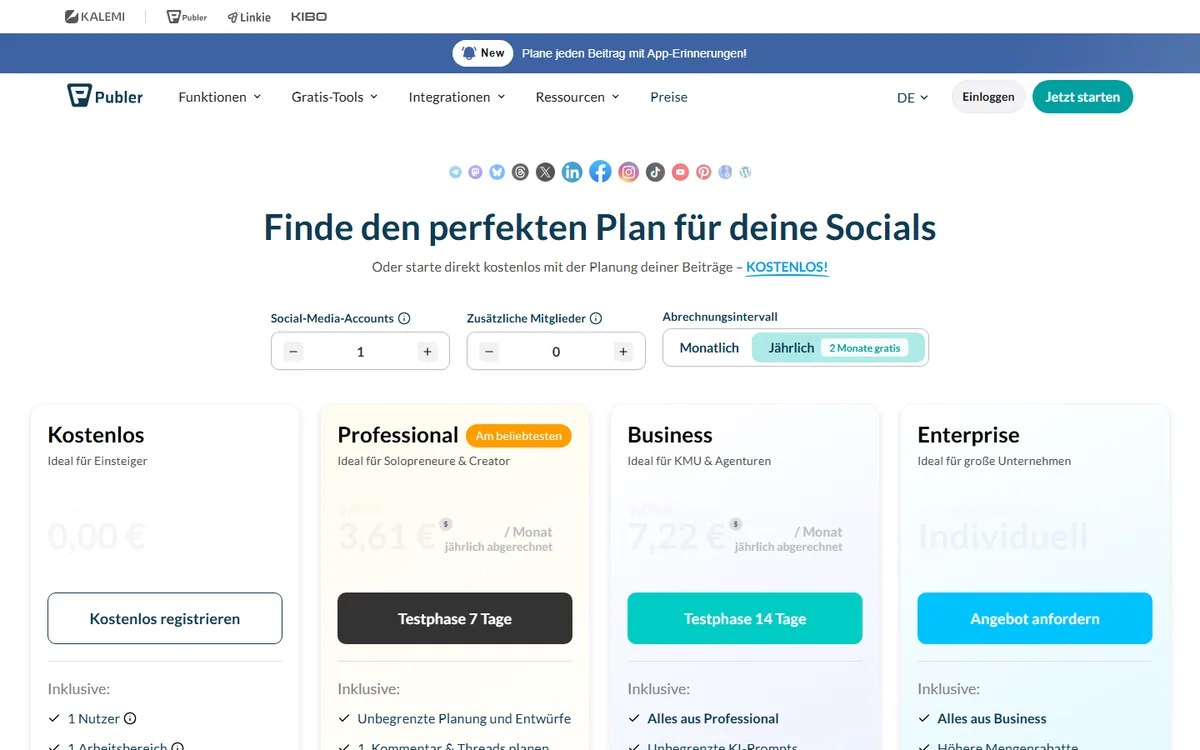
Publer has a free forever plan for 3 accounts, 1 user and 10 scheduled posts per account, plus Professional and Business plans priced by number of accounts. I couldn’t read the dollar amounts on its page, and a price tracker lists Professional from $5 per month, so confirm the current rate on Publer’s site.
Publer Reviews
- G2: 4.7/5 average (from 548 reviews)
Zoho Social
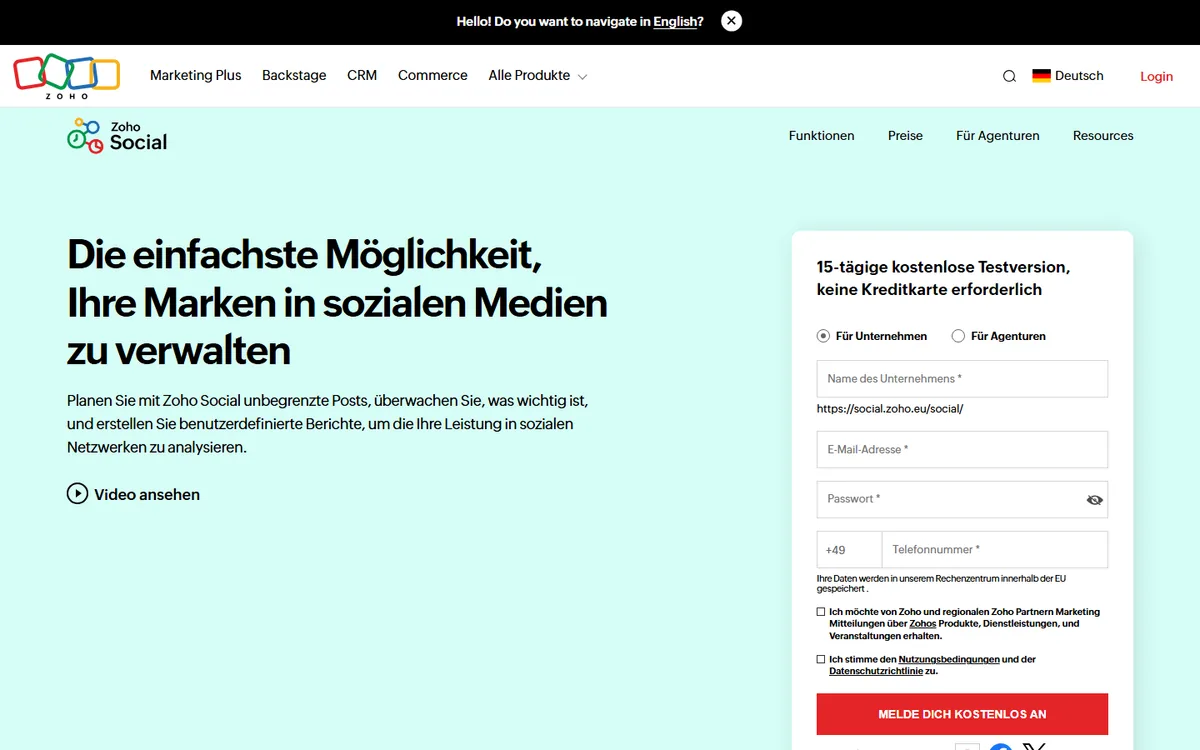
A Natural Choice if Your CRM and Marketing Already Run on Zoho
Zoho Social offers scheduling, monitoring and analytics, with connections to Zoho CRM that other tools don’t have.
Zoho Social makes the most sense inside the Zoho ecosystem. Social leads and interactions can flow into Zoho CRM, so sales sees what marketing is doing. It also has an agency view with client brands.
Outside that ecosystem it loses its edge, and the interface is less polished than Sprout or Agorapulse. Compare it only if you already pay for Zoho.
Pros of Zoho Social
- Direct link to Zoho CRM data
- Free plan for 1 brand
- Agency plans with client management
Cons of Zoho Social
- Less attractive outside the Zoho ecosystem
- Interface is less polished than top rivals
Zoho Social Pricing
Zoho Social has a free plan for 1 brand with 6 channels and 1 team member, plus Standard, Professional, Premium, Agency and Agency Plus plans after a 15-day trial. I couldn’t read the dollar prices on its page, so use the pricing calculator on Zoho’s site.
Zoho Social Reviews
- G2: 4.6/5 average (from 2,984 reviews)
Estimate the Return on a Social Media Tool
Enter the hours the tool could save each month and its price to see whether it pays back. For a team with a plan in place, the social media strategy best practices show where the saved time is best spent.
Will the Tool Pay Off for You?
Use the sliders to enter your workload and the plan you are considering.
How to Choose the Right Social Media Management Tool
Price per seat is easy to compare, but fit decides how much you get out of a tool. Before you compare vendors, I suggest you answer four questions:
- How many profiles and how many users will you have in the next 12 months?
- Do you spend more time publishing, replying to people or reporting results?
- Who must approve posts before they go live?
- Which networks matter most, and does the tool support them fully on your plan?
If you publish and report, Buffer, Metricool or SocialPilot will cover you. If you reply to many messages, look at Agorapulse or Sprout Social, and if reviews slow you down, try Planable or Loomly. Whatever you pick, tie it to a plan with the social media strategy roadmap, and check your setup against the social media strategy checklist.
Questions About Social Media Management Tools
What Is the Best Social Media Management Tool for Small Businesses?
For most small businesses I recommend Buffer or Metricool to start. Both have free plans, simple scheduling and basic analytics, and you can upgrade when you add profiles. If you answer many comments, Agorapulse is worth a trial, and if you plan visual content, look at Later.
Is There a Free Social Media Management Tool?
Yes. Buffer, Metricool, Publer and Zoho Social all list free plans, and Planable gives you your first 50 posts free. Free plans cap the number of channels, scheduled posts or analytics history, so check the limits before you build a workflow around one.
Which Tool Is Best for Agencies?
SocialPilot, Sendible, Planable and Agorapulse are common agency choices. They offer client workspaces, approvals and reports, and Sendible and Planable include unlimited users. Compare how each prices accounts or workspaces against your real client list.
Hootsuite or Sprout Social: Which Is Better?
Both cover publishing, inbox, listening and reports. Sprout Social has a reputation for cleaner reports and an easier interface, while Hootsuite offers broad network support and a long track record. Their G2 ratings are close, so run a trial of each with your real workflow.
How Much Do Social Media Management Tools Cost?
Prices range from free to several hundred dollars per user per month. Entry plans for simple schedulers start around $5 to $30 a month, while team suites such as Hootsuite, Sprout Social and Agorapulse list from $79 to $99 per user per month on their lowest paid plan.
Do I Need a Tool for Social Listening?
Only if monitoring brand mentions or competitors is part of your plan. Hootsuite and Sprout Social have deeper listening, and Agorapulse has some options on higher plans. For simple publishing, a scheduler is enough, and you can add a separate listening tool later.
Can I Switch Tools Later Without Losing My Content?
Usually you can export or recreate your content calendar, but analytics history rarely moves with you. Save your reports before you cancel, and check data retention on your plan, because lower tiers keep less history.
Heads up: vendors change prices, plans and ratings often. Everything was checked at the last update date, but confirm on each vendor’s website first. This article is not legal or financial advice.
Was this article helpful?
Thank you for letting us know.
Russell Tennant
Russell leads the Brook editorial team and works with our consultants to turn real client engagements into practical guides on roadmaps, go-to-market planning, growth and competitive strategy. Before joining Brook, he spent 11 years in strategy and product marketing roles at software and financial services companies. He has since edited more than 300 articles on strategy practice and drawn on roadmaps and growth plans from over 100 client projects. He is based in Denver, Colorado.