Key Takeaways
- Enterprise suites like Qualtrics and Medallia fit formal CX programs with dedicated owners and budgets.
- Service platforms like Zendesk, Freshdesk and HubSpot Service Hub turn support conversations into CX data at a lower price.
- Customer success and behavior tools such as Gainsight and Hotjar cover retention and website experience, and they work best next to a main platform.
- Write down your journey, metrics and owners first, then choose software to measure them.
The Best Customer Experience Software at a Glance
| Software | Type | Best for |
|---|---|---|
| 1. Qualtrics | Experience management suite | Large companies that want survey, analytics and action in one place |
| 2. Medallia | Enterprise experience platform | Brands with many locations, channels and high feedback volume |
| 3. Zendesk | Support and service suite | Support teams that want tickets, chat and messaging in one workspace |
| 4. HubSpot Service Hub | CRM-based service software | Growing teams that already use HubSpot for marketing and sales |
| 5. Salesforce Service Cloud | Enterprise service platform | Companies that already run sales and customer data on Salesforce |
| 6. Freshdesk | Helpdesk software | Small and mid-sized teams that want a low-cost service desk |
| 7. Sprinklr | Unified customer experience platform | Large brands that manage social, care and insights together |
| 8. Gainsight | Customer success platform | Subscription businesses that want to reduce churn and grow accounts |
| 9. Hotjar | Behavior analytics and feedback | Teams that want to see how visitors use a website or app |
The 9 Best Customer Experience Software Options, Ranked
I start with the platforms that fit the widest range of CX programs and move toward specialist tools, so you can stop reading when you find your fit. The software is only part of the result: in the customer experience strategy consulting projects I review, the strategy behind the tool decides more than the tool does. The ranking follows my own judgment of fit, and prices and ratings come from the vendors and from Capterra and G2.
Qualtrics
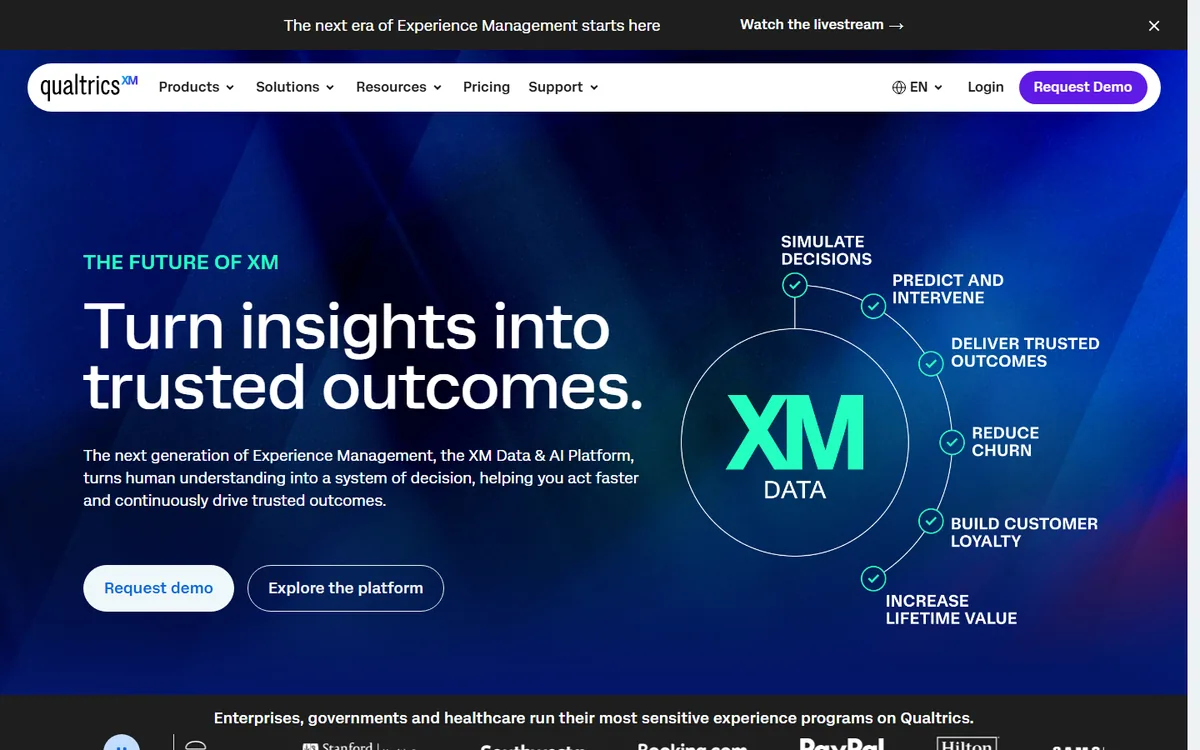
The Deepest Experience Management Suite for Companies That Run CX as a Formal Program
Qualtrics grew out of survey research and now covers customer, employee, product and brand experience in one platform.
I usually put Qualtrics on the shortlist when a company already treats customer experience as a program with owners, targets and a budget. You can collect feedback from surveys, web and app touchpoints and contact centers, then run text analysis and driver analysis to see which parts of the journey move your scores. Dashboards and alerts then push findings to the teams who can act on them.
The cost of that depth is setup time. G2 lists roughly three months to implement, and in my experience the first dashboards only become useful once someone owns the survey design, the data feeds and the follow-up process. If you have not yet written down your journey and your metrics, my customer experience strategy framework gives you a way to do that before you buy.
Pros of Qualtrics
- Strong survey design, text analytics and driver analysis in one suite
- Closed-loop workflows send low scores to the team that can fix the problem
- Covers customer and employee experience, so you can link both
Cons of Qualtrics
- Pricing is quote based and sits at the high end
- Setup and governance take real effort and a named owner
Qualtrics Pricing
Qualtrics does not publish prices for its customer experience editions. G2 lists four editions (Frontline Care, Frontline Digital, Frontline Locations and XM for Customer Experience), all marked “Contact Us”, and says XM is priced based on customer interaction. G2 shows no free plan or free trial, and its buyer data points to an average discount of about 11%.
Qualtrics Reviews
- G2: 4.3/5 average (from 751 reviews)
- Capterra: 4.6/5 average (from 256 reviews)
Medallia
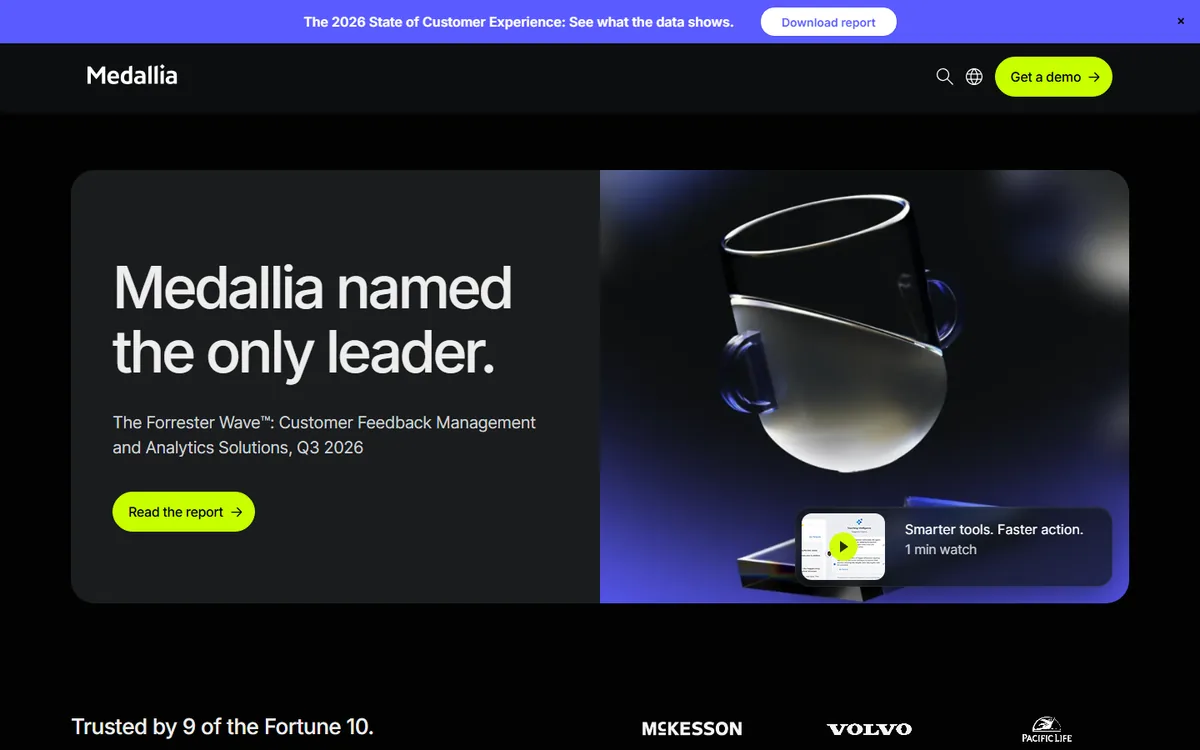
Built for Brands That Need to Hear Customers Across Dozens of Channels at Once
Medallia captures feedback from surveys, calls, chats, reviews and social posts, then scores it with text and speech analytics.
Medallia is where I see retail, hospitality, banking and telecom teams end up when volume is the main problem. It pulls signals from many sources into one place and routes issues to store, branch or account teams, so a local manager sees the complaint that belongs to them. That frontline view is its biggest strength.
For a small team it is too much. Medallia is an enterprise product with enterprise rollout, and you need analysts and process owners to make it pay. If your main need is help-desk tickets rather than feedback programs, you will be better served by Zendesk or Freshdesk further down this list.
Pros of Medallia
- Collects feedback from many channels, including calls and social
- Frontline dashboards show each team only what they can act on
- Text and speech analytics find themes in large volumes
Cons of Medallia
- Built for big programs, so it is heavy for small teams
- Pricing is not published and implementation needs dedicated resources
Medallia Pricing
Medallia does not publish its prices. You request a quote, and the cost depends on the products you choose and the volume of feedback you collect. Budget for implementation and internal staff time as well as the licence.
Medallia Reviews
- G2: 4.5/5 average (from 210 reviews)
Zendesk
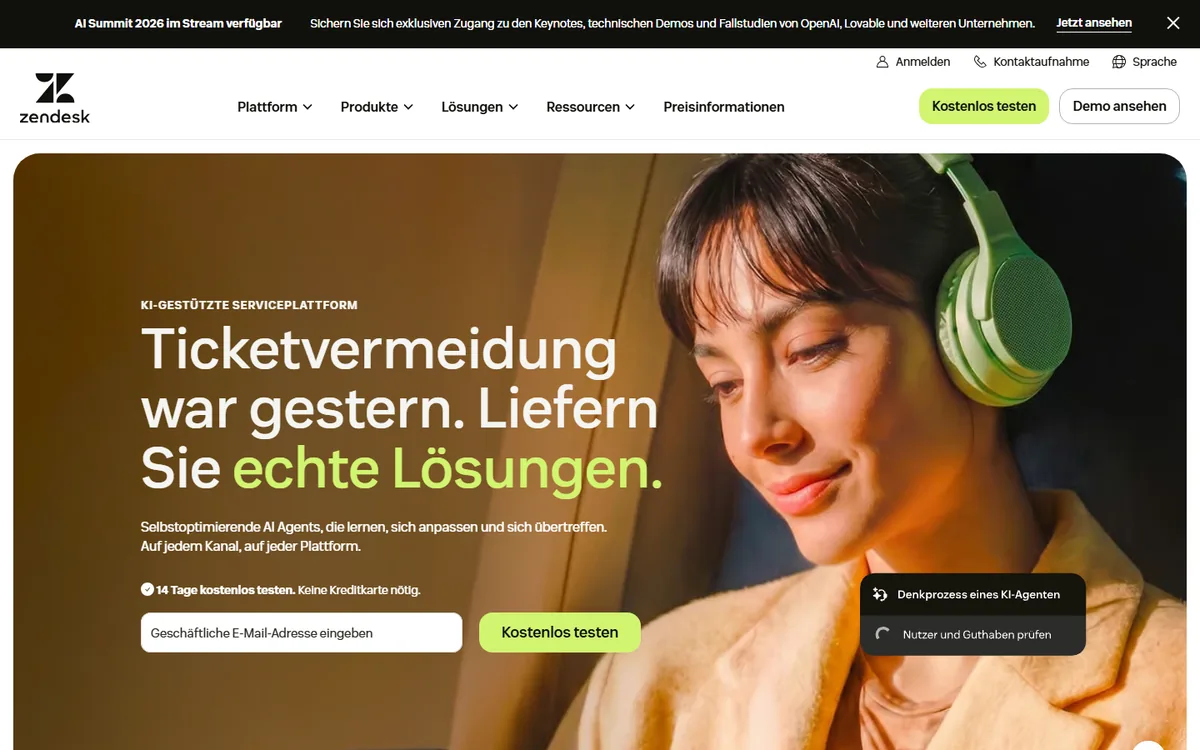
The Standard Choice for Support Teams That Handle Customers Across Several Channels
Zendesk brings email, chat, messaging, voice and a help center into one agent workspace, with AI features for routing and replies.
Zendesk is not a survey tool, but support is where most customers form their view of you, and it is often the largest source of CX data you already own. Tickets, satisfaction scores and help center searches show you what customers struggle with, in their own words.
I like it for companies that want a proven, flexible service platform and have someone to configure it. The price per agent adds up as you add features and seats, and advanced reporting and workforce tools sit on higher plans, so check which tier carries the features you need before you commit.
Pros of Zendesk
- Handles email, chat, messaging, voice and self-service in one tool
- Large app marketplace and many integrations
- Flexible workflows and reporting once configured
Cons of Zendesk
- Costs rise quickly with seats and add-ons
- Needs setup time to get routing and reports right
Zendesk Pricing
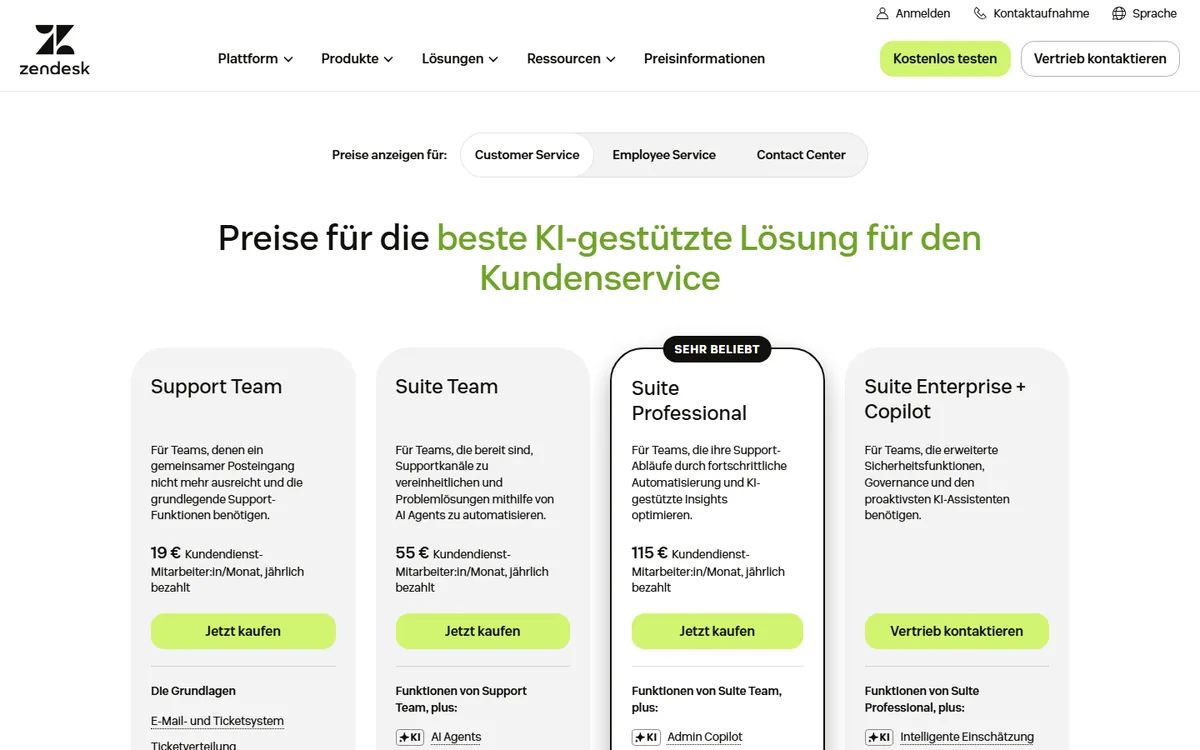
Capterra lists the Suite Team plan from $55 per user per month, with a free trial. Higher plans cost more per agent and add features such as advanced security, analytics and workforce tools, so confirm current plan prices on Zendesk’s pricing page.
Zendesk Reviews
- G2: 4.3/5 average (from G2 reviews)
- Capterra: 4.4/5 average (from 4,094 reviews)
HubSpot Service Hub
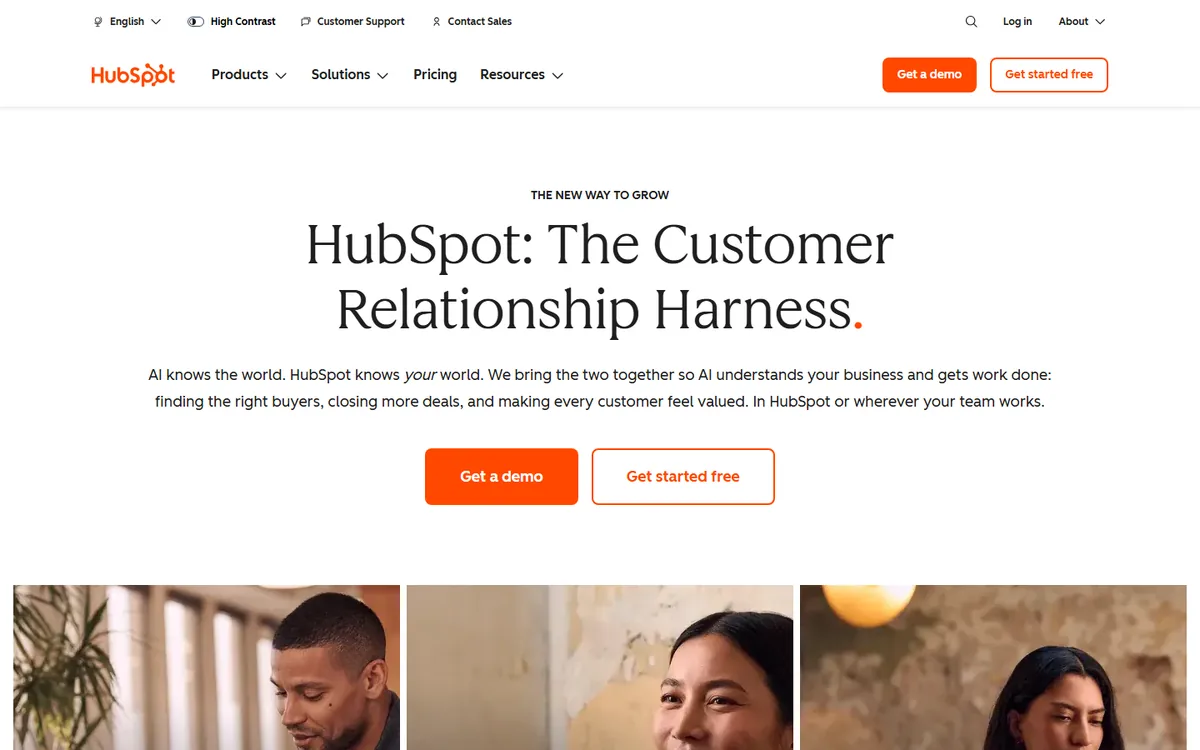
The Easiest Way to Put Customer Service Data Next to Your Marketing and Sales Records
Service Hub adds ticketing, a knowledge base, customer feedback surveys and customer portals to the HubSpot CRM.
The case for Service Hub is the shared record. A support agent sees the deal history, the marketing emails and the open tickets for one contact in one place, so your customer stops repeating themselves. Survey tools for NPS, CSAT and customer effort score are included, which covers the basics of CX measurement for many mid-sized companies.
It is less deep than Qualtrics on research and less configurable than Zendesk on complex support operations. I recommend it when your team is under a hundred people and values speed of setup over fine control. Note that the lowest tier is aimed at small teams, and the useful automation sits on Professional.
Pros of HubSpot Service Hub
- One CRM record across marketing, sales and service
- Built-in NPS, CSAT and customer effort surveys
- Fast to set up and easy for non-technical teams to maintain
Cons of HubSpot Service Hub
- Less depth for research programs and complex support operations
- The price jumps notably between Starter and Professional
HubSpot Service Hub Pricing
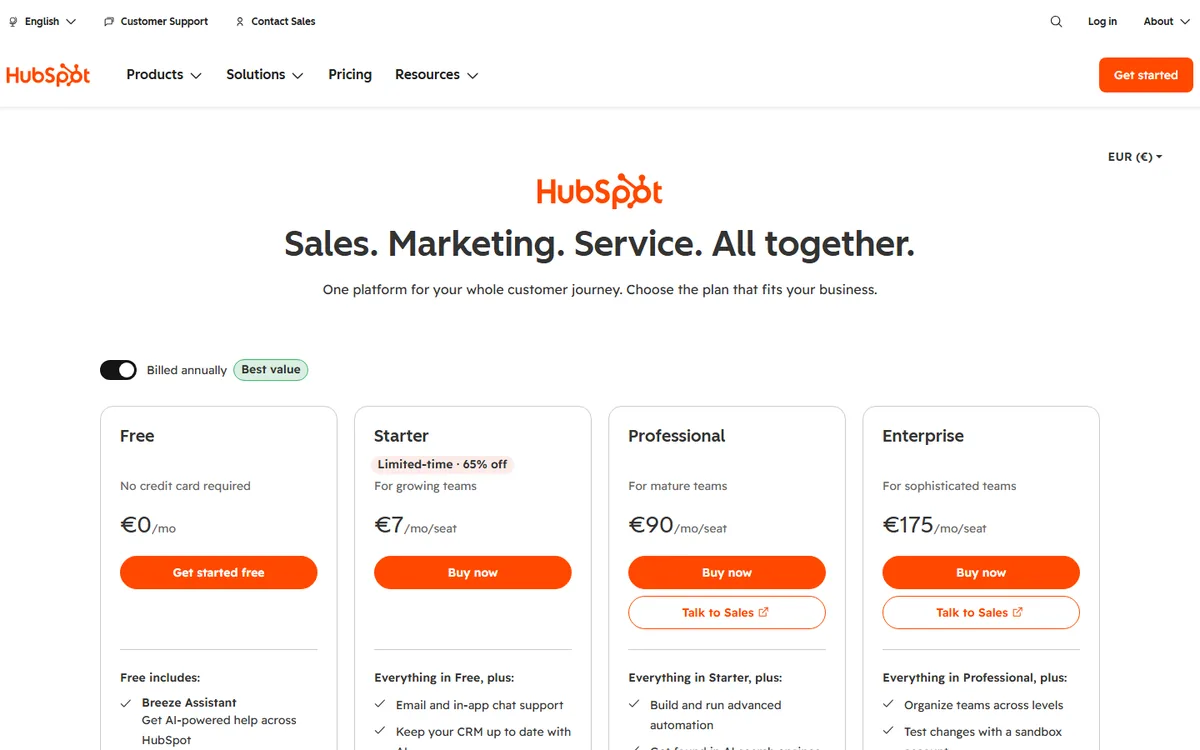
Capterra lists Starter from $15 per user per month, Professional at $100 and Enterprise at $150, plus a free version and a free trial. G2 shows Starter at $20 per core seat, so confirm the current figure on HubSpot’s pricing page before you plan your budget.
HubSpot Service Hub Reviews
- G2: 4.4/5 average (from G2 reviews)
- Capterra: 4.4/5 average (from 192 reviews)
Salesforce Service Cloud
The Natural Pick if Salesforce Already Holds Your Customer Data
Service Cloud is Salesforce’s service platform, with case management, omnichannel routing, knowledge and AI assistance on top of the Salesforce CRM.
Service Cloud shines when the rest of your business already lives in Salesforce. Cases connect to accounts, contracts and opportunities, so a service team can see the commercial context of every customer. For B2B companies with long contracts and many contacts per account, that is a big advantage.
The price of that power is complexity. Most teams need an administrator or a partner to shape it, and the full cost includes add-ons and implementation. If you are not already on Salesforce, I would compare it carefully with Zendesk and HubSpot before taking on the extra overhead.
Pros of Salesforce Service Cloud
- Deep link between service cases and account, contract and sales data
- Highly configurable, with a large partner and app ecosystem
- Scales to large, complex support operations
Cons of Salesforce Service Cloud
- Configuration needs an administrator or partner
- Total cost grows with add-ons, editions and implementation work
Salesforce Service Cloud Pricing
Capterra lists the Starter Suite from $25 per user per month, with a free version and a free trial. Professional, Enterprise and higher editions cost more per user, and AI and add-on features are priced separately, so ask Salesforce for a quote based on your exact setup.
Salesforce Service Cloud Reviews
- Capterra: 4.5/5 average (from 830 reviews)
Freshdesk
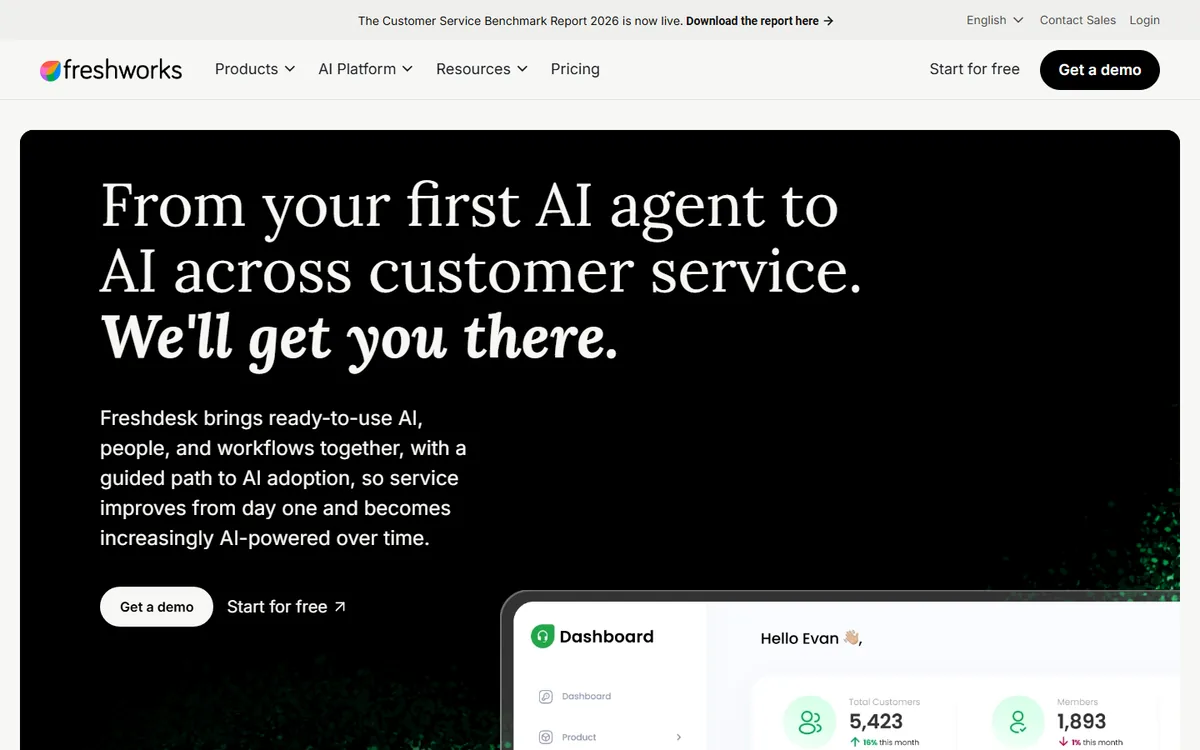
The Budget-Friendly Service Desk With Enough Features for Most Growing Teams
Freshdesk from Freshworks offers ticketing, automation, a knowledge base and omnichannel support, with a free plan to start.
Freshdesk is where I point teams that need a proper service desk without a large budget. You get shared inboxes, ticket automation, canned replies, SLA rules and a self-service portal at a price far below the enterprise suites, and the interface is easy for new agents to learn.
You give up some depth. Advanced reporting, customization and journey analytics are limited next to Qualtrics or Salesforce, and heavy users will hit plan limits. For a team that mainly needs to answer customers faster and keep a clean record, that trade-off is usually fine.
Pros of Freshdesk
- Low price per agent and a free plan to start
- Clean interface that new agents learn quickly
- Good automation and SLA features for the price
Cons of Freshdesk
- Reporting is less flexible than on enterprise platforms
- Advanced features sit on higher plans
Freshdesk Pricing
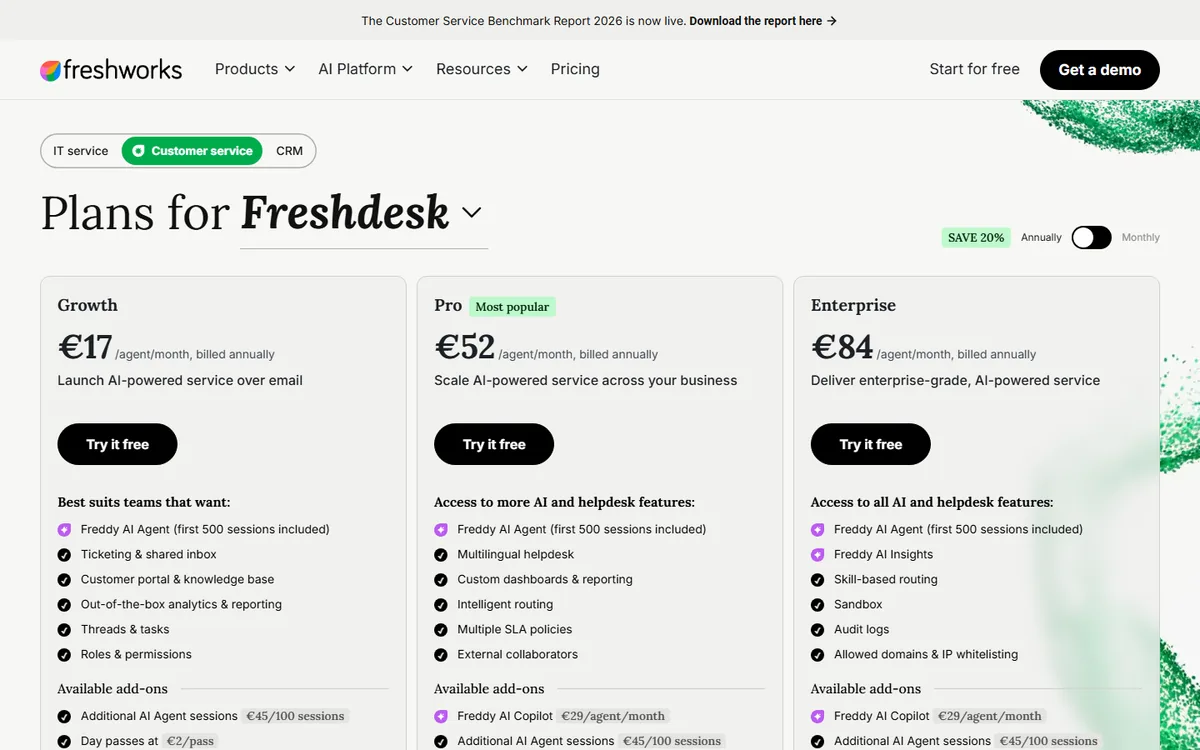
Capterra lists Growth at $19 per user per month, Pro at $55 and Enterprise at $89, with a free version and a free trial. Check Freshworks for current prices and for the cost of the omnichannel bundle.
Freshdesk Reviews
- G2: 4.4/5 average (from G2 reviews)
- Capterra: 4.5/5 average (from 3,494 reviews)
Sprinklr
The Pick for Brands That Need Social, Care and Listening Under One Roof
Sprinklr combines social media management, customer care, marketing and consumer insights in a single enterprise platform.
Sprinklr suits companies where social channels are a major source of customer contact and reputation. Its social listening picks up conversations about your brand, and its care tools route those messages to agents with context attached.
It is not for small teams. Pricing is quote based, the platform is broad, and Capterra reviewers rate ease of use lower than most tools here at 3.9 out of 5. I would only shortlist it if you need several of its product lines at once.
Pros of Sprinklr
- Social listening, care and marketing in one platform
- Strong for large brands with heavy social volume
- Wide channel coverage
Cons of Sprinklr
- Quote-based pricing with no free trial or free plan
- Ease of use scores lower than simpler tools
Sprinklr Pricing
Sprinklr does not publish list prices. Capterra describes pricing as custom and quote based, bundled into Service, Social, Marketing and Insights, and shows no free trial or free version.
Sprinklr Reviews
- Capterra: 4.2/5 average (from 93 reviews)
Gainsight
The Right Tool When Retention and Account Health Are Your Main CX Goals
Gainsight is a customer success platform that tracks account health, surfaces churn risk and guides success managers through playbooks.
For software and subscription companies, customer experience is judged at renewal. Gainsight collects product usage, support and survey data into a health score per account, and triggers playbooks when the score drops. That puts CX work next to revenue, which makes it easier to win budget.
It does not replace survey or support tools, and it needs clean data to be useful. I suggest you start with a small set of health signals you trust and expand over time, instead of connecting every data source in the first month.
Pros of Gainsight
- Account health scores combine usage, support and survey data
- Playbooks give success managers clear next steps
- Links CX work directly to renewals and expansion
Cons of Gainsight
- Needs clean data from several systems to be useful
- Pricing is not published and implementation takes effort
Gainsight Pricing
Gainsight does not publish prices. Capterra says to contact the vendor for pricing, so plan on a quote that depends on the number of users and the modules you choose.
Gainsight Reviews
- Capterra: 4.4/5 average (from 49 reviews)
Hotjar
The Quickest Way to See Where Customers Struggle on Your Website
Hotjar shows heatmaps, session recordings, on-page surveys and feedback widgets, so you can watch what visitors do and ask them why.
Hotjar fills a gap the bigger suites miss. Session recordings and heatmaps show where visitors hesitate, rage-click or leave, and a one-question survey on the same page tells you the reason. For a digital product or online store, that is often the cheapest source of CX insight.
It covers the digital experience only. It will not run a relationship survey program or manage support tickets, and you should pair it with another tool from this list. I find it works best as a small add-on that feeds findings into your wider CX plan.
Pros of Hotjar
- Heatmaps, recordings and surveys in one simple tool
- Free plan and low entry price
- Quick to install and easy for any team to read
Cons of Hotjar
- Digital experience only, so it cannot run your whole CX program
- Data limits on lower plans
Hotjar Pricing
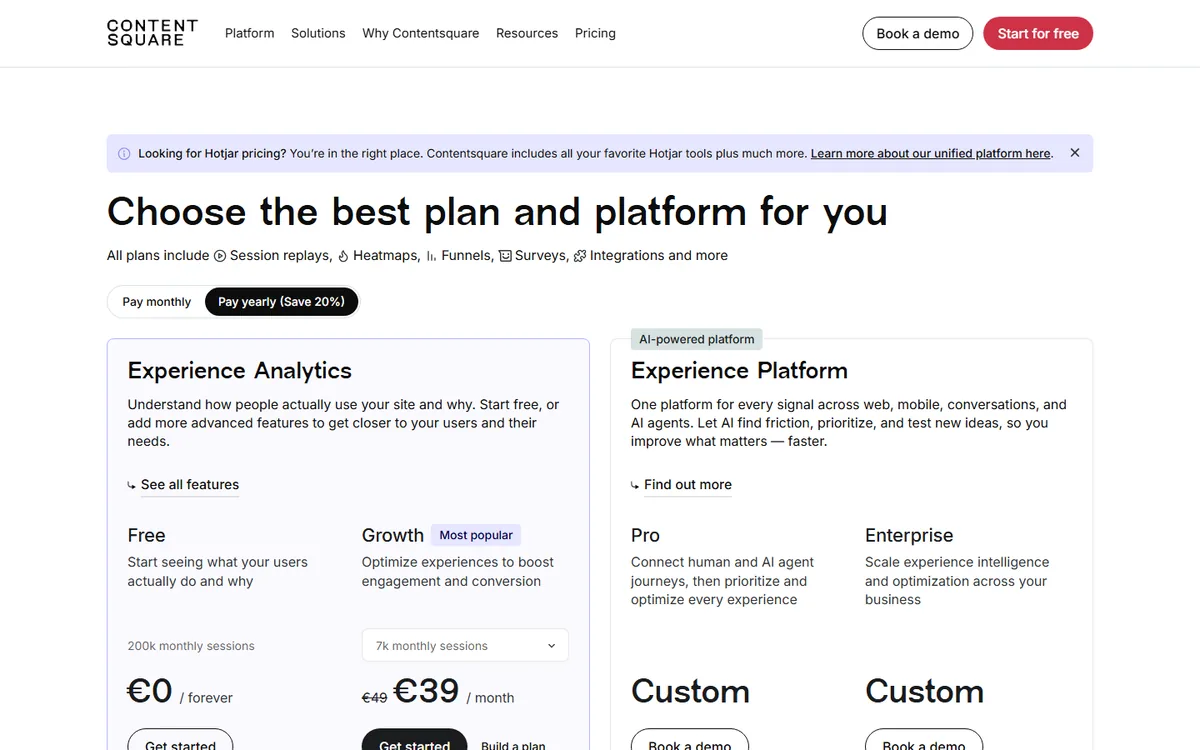
Capterra lists a Free plan with one project and one month of data access, Growth at $40 per month with 13 months of data access and three projects, and custom quotes for Pro and Enterprise. Confirm current plans on the Hotjar pricing page.
Hotjar Reviews
- Capterra: 4.6/5 average (from 546 reviews)
Estimate the Return on Customer Experience Software
Before you pick a plan, check whether the numbers work for you. Enter the manual hours the tool could save, for example from automated surveys, ticket routing and reporting, and the monthly price of the tool you are considering. You will see what it could return in a year.
Will the Tool Pay Off for You?
Use the sliders to enter your workload and the plan you are considering.
How to Choose the Right Customer Experience Software
In my experience, a clear plan matters more than any feature list. Before you compare vendors, answer four questions:
- Which customer moments matter most, and who owns each one?
- Where does feedback come from today: surveys, tickets, calls, social posts or your website?
- Who will read the data every week and act on it?
- Which systems must the tool connect to, such as your CRM, help desk or data warehouse?
If your answers point to a formal program across many touchpoints, look at Qualtrics, Medallia or Sprinklr. If support is your biggest source of customer contact, shortlist Zendesk, Freshdesk, HubSpot Service Hub or Salesforce Service Cloud. If retention is the issue, add Gainsight, and if your website is the main touchpoint, start with Hotjar. A good customer experience strategy consulting engagement settles these questions before any contract is signed, and the steps in my customer experience strategy framework show you how to do it yourself. To see what the results look like in practice, read my customer experience strategy examples.
Questions About Choosing Customer Experience Software
What Is Customer Experience Software?
Customer experience software collects feedback and behavior data from customers, analyses it and routes the findings to the teams who can act. It includes survey and feedback platforms, support suites, customer success tools and behavior analytics. Most companies use two or three tools together, not one.
What Is the Best Customer Experience Software for Small Businesses?
I usually point small teams to Freshdesk or HubSpot Service Hub, because both have free or low-cost entry plans and need little setup. Add Hotjar if your main touchpoint is a website. Enterprise suites such as Qualtrics and Medallia are built for larger programs and larger budgets.
How Much Does Customer Experience Software Cost?
It ranges from free plans to six-figure annual contracts. Help desks such as Freshdesk and Zendesk charge per agent per month, with published prices in the tens of dollars. Enterprise platforms such as Qualtrics, Medallia and Sprinklr use quotes, and your price depends on modules and feedback volume.
What Is the Difference Between CX Software and a CRM?
A CRM stores who your customers are and what they bought. CX software measures how they feel and what gets in their way. The two work best together: the CRM gives context to each survey response, and the CX data shows why a customer might leave.
Do I Need a Customer Experience Strategy Before Buying Software?
Yes. A tool collects data, but it cannot decide which customers matter most or which journey steps to fix first. Write down your target customers, your key moments and your owners first, then pick the software that measures them. My customer experience strategy framework covers those steps.
Which CX Metrics Should I Track First?
Start with two or three: customer satisfaction after key interactions, net promoter score for loyalty and customer effort for support or onboarding. Add retention or repeat purchase to link the scores to revenue. More metrics make dashboards busier, not better.
How Long Does It Take to Implement CX Software?
Simple tools such as Hotjar or Freshdesk can run within days. Mid-market suites take a few weeks to configure. Enterprise platforms take months, and G2 lists around three months for Qualtrics customer experience. Plan time for data feeds, survey design and training.
Heads up: vendors change prices, plans and ratings often. Everything was checked at the last update date, but confirm on each vendor’s website first. This article is not legal or financial advice.
Was this article helpful?
Thank you for letting us know.
Russell Tennant
Russell leads the Brook editorial team and works with our consultants to turn real client engagements into practical guides on roadmaps, go-to-market planning, growth and competitive strategy. Before joining Brook, he spent 11 years in strategy and product marketing roles at software and financial services companies. He has since edited more than 300 articles on strategy practice and drawn on roadmaps and growth plans from over 100 client projects. He is based in Denver, Colorado.