Key Takeaways
- Research tools such as Semrush and Ahrefs decide which topics to cover, so start there before you buy a writing aid.
- Briefing tools like Surfer and Clearscope make writers consistent, but they work best after the topic plan is settled.
- Notion, Airtable and Trello keep strategy, briefs and calendars together at a fraction of the cost of a dedicated suite.
- Pick one tool for each job you struggle with today and skip features you won’t use.
The Best Content Strategy Tools at a Glance
| Tool | Type | Best for |
|---|---|---|
| 1. Semrush | All-in-one SEO and content suite | Teams that plan content from keyword and competitor data |
| 2. Ahrefs | SEO and competitor research | Finding topics that already bring traffic to competitors |
| 3. Surfer | Content optimization and briefs | Writers who need page-level guidance against top results |
| 4. Clearscope | Content optimization | Editorial teams that want clean, simple briefs |
| 5. MarketMuse | Topic modeling and content planning | Large sites that need a topic map and content gap analysis |
| 6. BuzzSumo | Content research and monitoring | Finding what gets shared and who shares it |
| 7. Notion | Docs and content workspace | Teams that keep strategy, briefs and calendars in one place |
| 8. Airtable | Database and workflow planner | Larger content operations with many contributors and approvals |
| 9. CoSchedule | Editorial and social calendar | Marketing teams that want one calendar across channels |
| 10. Trello | Kanban project management | Small teams that want a simple editorial board |
The 10 Best Content Strategy Tools, Ranked
I rank the tools by how many teams get value from them, starting with research and moving toward briefs and workflow. Keep in mind that software supports a plan and doesn’t replace one: in my content strategy consulting work, deciding what to publish and why matters far more than which subscription runs the calendar.
Semrush

The Broadest Single Tool for Finding Topics, Sizing Demand and Checking What Competitors Already Cover
Semrush combines keyword research, competitor analysis, topic research and content writing aids in one subscription.
Semrush is where I start when a content plan needs numbers behind it. Its Topic Research and Keyword Gap reports show which subjects your competitors rank for and you don’t, and the Keyword Strategy Builder groups terms into clusters you can turn into a content calendar. That covers most of the research phase of a content strategy without a second subscription.
The trade-off is breadth. The toolkit has a lot of reports, and in my client work most teams use about a fifth of them. If you only need to plan and brief articles, you pay for features you never open, so check the plan limits for tracked keywords and reports before you commit.
Pros of Semrush
- Keyword Gap and Topic Research make the gap between your content and your competitors visible quickly
- Keyword clustering turns a long list into a plan with page-level targets
- One login covers research, tracking and content briefs
Cons of Semrush
- The interface is dense and takes a few weeks to learn
- Limits on projects and tracked keywords push growing teams to higher plans
Semrush Pricing
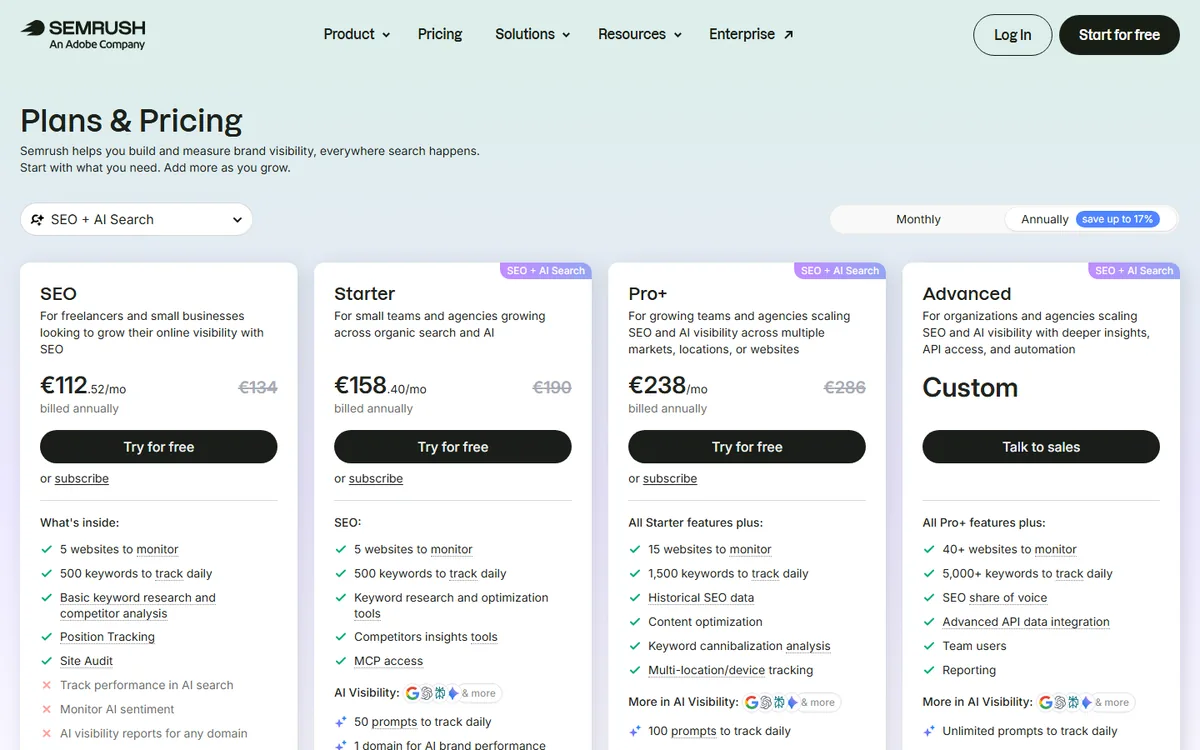
Capterra lists the Pro plan from $139.95 per month with a free version and a free trial available. Guru and Business plans add the content marketing toolkit, historical data and higher limits, so look at the current plan comparison on Semrush before you decide.
Semrush Reviews
- G2: 4.4/5 average (from 4,306 reviews)
- Capterra: 4.6/5 average (from 2,327 reviews)
Ahrefs

The Strongest Pick for Seeing Which Competitor Pages Win Traffic and Which Topics You Can Realistically Rank For
Ahrefs pairs a large backlink index with keyword and content reports, so you can judge how hard a topic is before you commit to it.
I reach for Ahrefs when the question is whether a topic is worth the effort. Content Explorer and the Top Pages report show which articles pull the most organic traffic in your market, and Keywords Explorer gives a difficulty score based on the links competing pages have earned. That keeps a content plan honest about what a new site can win.
Ahrefs gives you less help with writing and briefs than Surfer or Clearscope. Think of it as the research and measurement layer, and pair it with a tool for drafting if your writers need guidance on a page level.
Pros of Ahrefs
- Backlink data is some of the best available, which makes difficulty scores more trustworthy
- Content Explorer finds proven topics fast
- A free Webmaster Tools tier covers your own site’s basics
Cons of Ahrefs
- No built-in content calendar or workflow
- Credits and limits can run out on the lower plans
Ahrefs Pricing
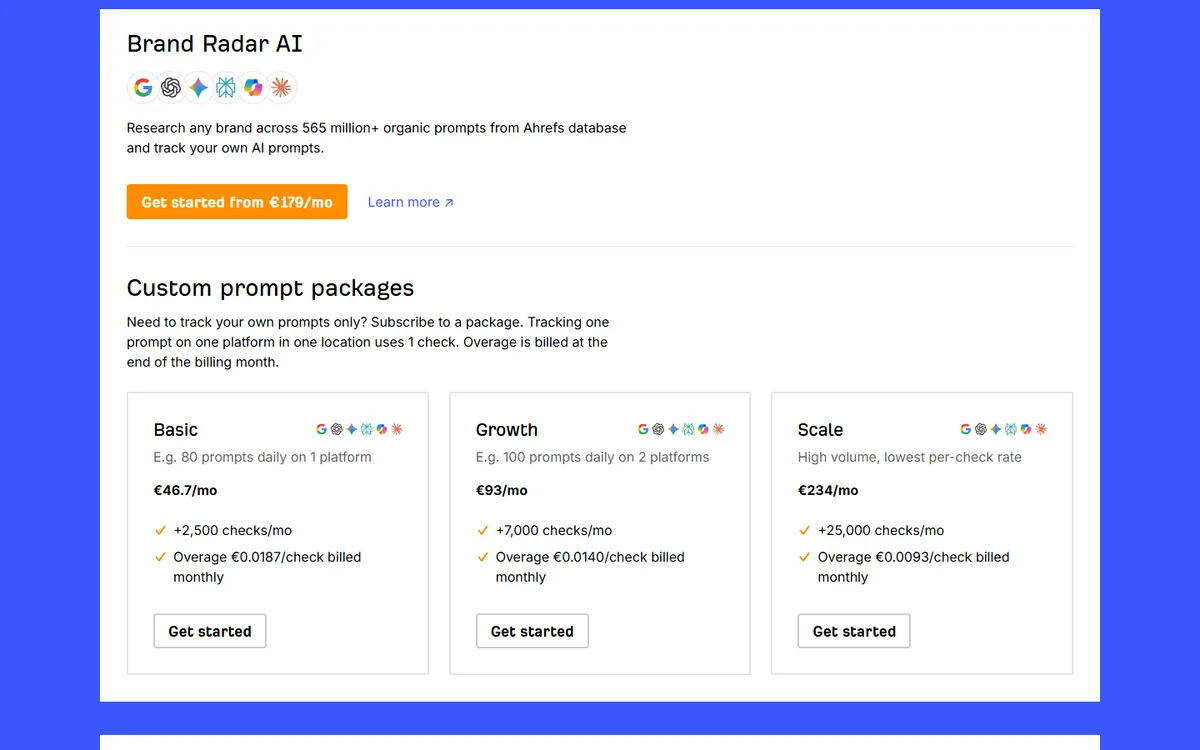
Ahrefs lists a Starter plan at $29 per month, then Lite at $129, Standard at $249, Advanced at $449 and Enterprise at $1,499 per month. Annual billing saves up to about 17 percent according to the pricing page, and a free Ahrefs Webmaster Tools tier covers your own verified sites.
Ahrefs Reviews
- G2: 4.5/5 average (from 723 reviews)
Surfer
The Quickest Way to Turn a Target Keyword Into a Brief Your Writers Can Follow
Surfer analyzes the pages that rank for a keyword and turns them into a brief with terms, headings and a length guide.
Surfer is the tool I see writers adopt without being asked. You enter a keyword, and the Content Editor scores your draft against the pages that rank, suggesting terms, questions and structure while you write. For a content strategy that runs on many similar articles, that gives you a repeatable brief format.
The risk is writing to the score. I have seen drafts stuffed with suggested terms that read poorly and still ranked behind simpler pages. Use the guidance as a checklist for coverage, and let an editor decide what the reader needs.
Pros of Surfer
- Briefs are fast to produce and easy for freelancers to follow
- The editor works inside the draft, so there is no copy and paste
- Audit and tracking features cover content you already published
Cons of Surfer
- Term scores can push writers into awkward phrasing
- Limits on documents and tracked pages shape what you can run each month
Surfer Pricing
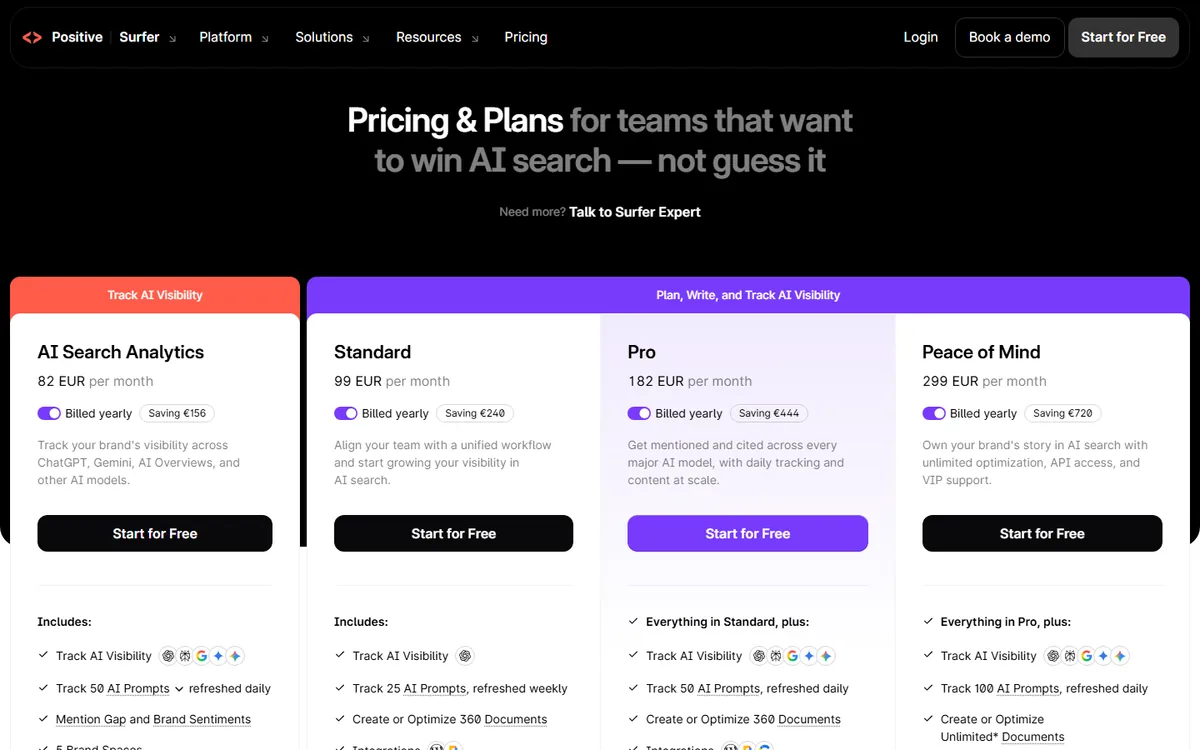
Surfer lists Discovery at $49 per month, Standard at $99, Pro at $182 and Peace of Mind at $299 per month, all billed yearly, plus an AI Search Analytics plan at $82. Document and tracked page limits rise with each plan, and the page says annual billing saves up to 17 percent.
Surfer Reviews
- G2: 4.8/5 average (from 547 reviews)
Clearscope
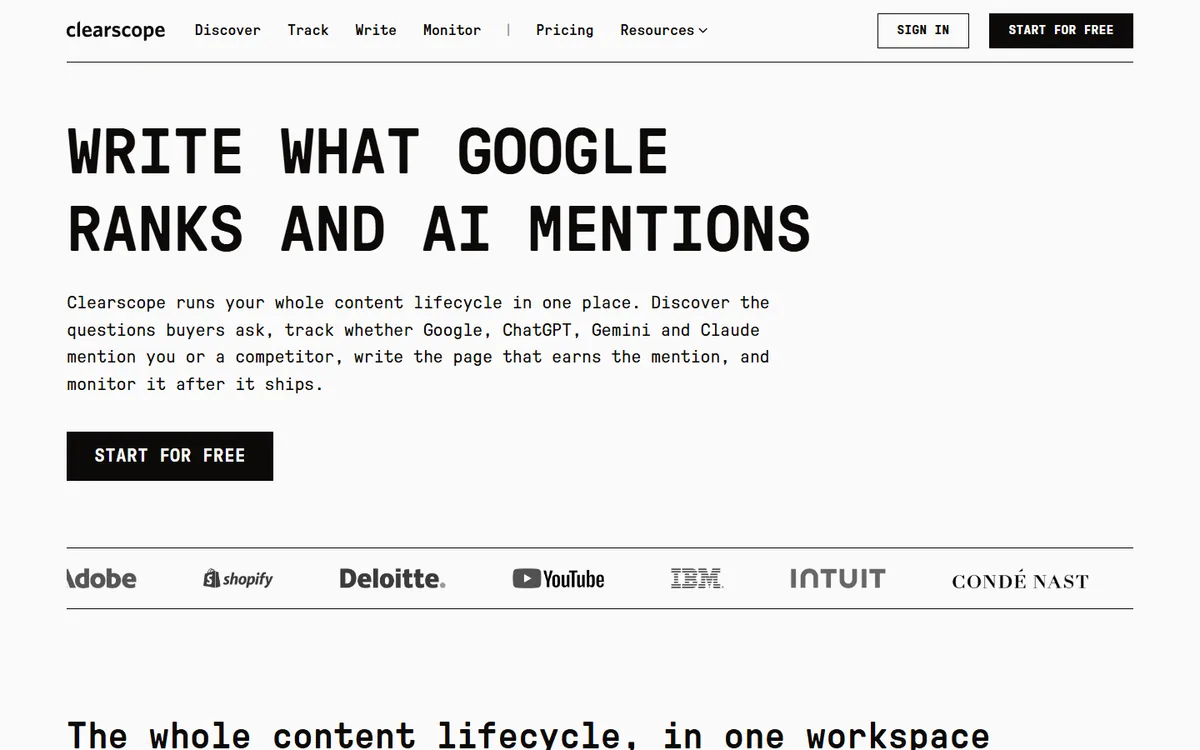
A Focused, Polished Briefing Tool for Teams That Care More About Editorial Quality Than Feature Count
Clearscope grades content against top-ranking pages and gives writers a short list of terms and questions to cover.
Clearscope does fewer things than Surfer and does them in a calmer way. You run a keyword, see which topics the best pages cover and get a grade as you write. Editors like it because it stays out of the way and unlimited users on every plan make it easy to roll out across a team.
It also costs more per seat of real use than its rivals, and it ignores keyword research and planning. In a content strategy stack I treat it as the final quality gate after research and planning are done elsewhere.
Pros of Clearscope
- Clean interface that writers pick up in minutes
- Unlimited users and projects on every plan
- Strong support and a reputation for steady quality
Cons of Clearscope
- Higher entry price than most competing optimizers
- No keyword research or planning features
Clearscope Pricing
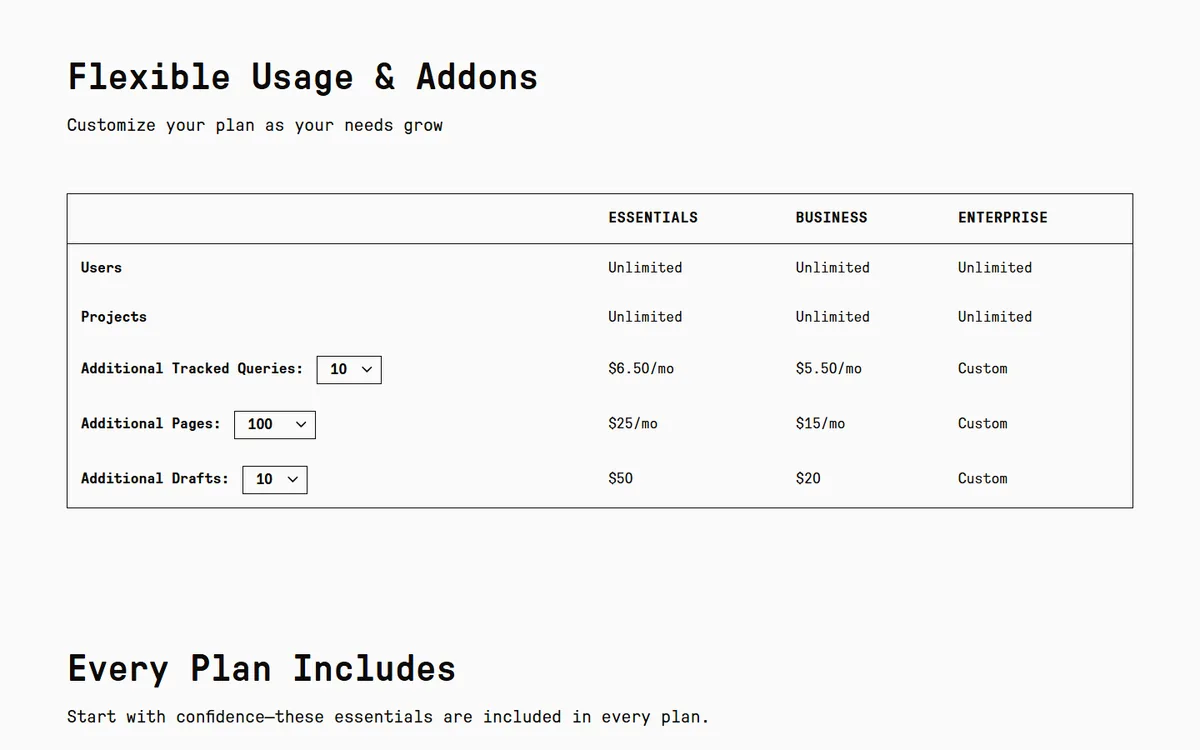
Clearscope lists Essentials at $129 per month and Business at $399 per month, with custom Enterprise pricing. Essentials includes 50 tracked queries, 50 pages, 20 topic discoveries and 20 drafts a month, and all plans include unlimited users and projects.
Clearscope Reviews
- G2: 4.9/5 average (from 92 reviews)
MarketMuse
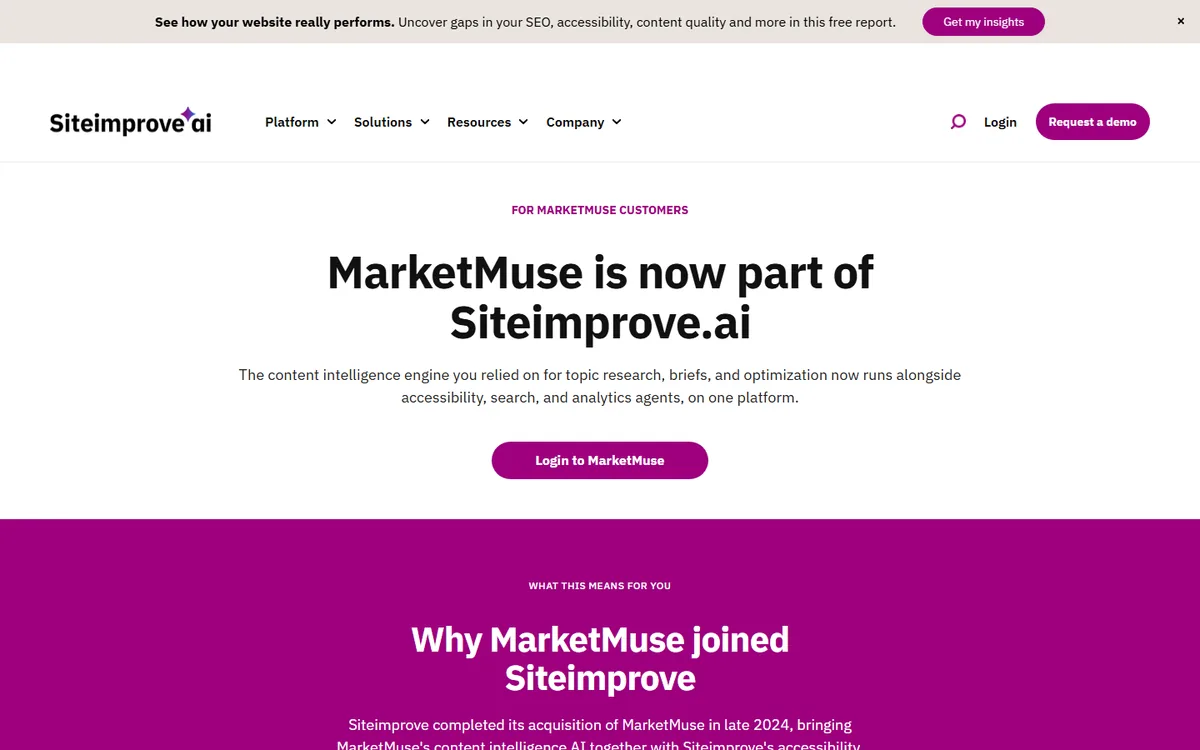
The Most Strategy-Minded Tool on This List for Mapping Topics Across a Whole Site
MarketMuse models topical authority, shows where your site has gaps and scores how well each page covers a subject.
MarketMuse looks at your whole site, not one keyword at a time. It maps the topics you cover, scores how deeply you cover them and suggests which pages to create or refresh first. For a site with hundreds of pages, that kind of inventory is the closest thing to a content strategy in software.
It takes more setup and thought than the lighter tools. You need someone who can read a topic model and turn it into a plan, so I recommend it for teams with a dedicated content strategist rather than a solo marketer.
Pros of MarketMuse
- Site-wide inventory shows where depth is missing
- Prioritizes refreshes as well as new pages
- Strong on topical authority, which suits cluster-based strategies
Cons of MarketMuse
- Learning curve is steeper than for brief-style tools
- Paid pricing is quote-based, which makes budgeting harder
MarketMuse Pricing
MarketMuse offers a free plan with limited use, and according to price trackers its paid tiers are custom quotes. I couldn’t confirm current paid plan prices on its site, so ask for a quote and compare the included pages and queries.
MarketMuse Reviews
- G2: 4.6/5 average (from 216 reviews)
BuzzSumo

The Best Tool Here for Seeing Which Topics and Formats Earn Shares, Links and Coverage
BuzzSumo shows the most shared content for any topic and domain, plus the people and publications behind it.
BuzzSumo answers a different question from the SEO tools. Instead of search demand, it shows what people actually share and link to. A content strategy that includes thought leadership or outreach benefits from seeing which angles and formats earn attention before anything is written.
Its alerts also help you watch competitors and track brand mentions. It isn’t built for keyword planning, so I use it next to a search research tool, not instead of one.
Pros of BuzzSumo
- Shows engagement by topic, format and publisher
- Influencer and journalist discovery helps outreach plans
- Alerts track competitor content and brand mentions
Cons of BuzzSumo
- Entry price is high for a research-only tool
- Search data is limited, so you still need an SEO tool
BuzzSumo Pricing
BuzzSumo lists Content Creation at $199 per month, PR & Comms at $299, Suite at $499 and Enterprise at $999, all billed yearly with about 20 percent savings. The page doesn’t describe a free plan, only a free trial.
BuzzSumo Reviews
- G2: 4.5/5 average (from 107 reviews)
Notion
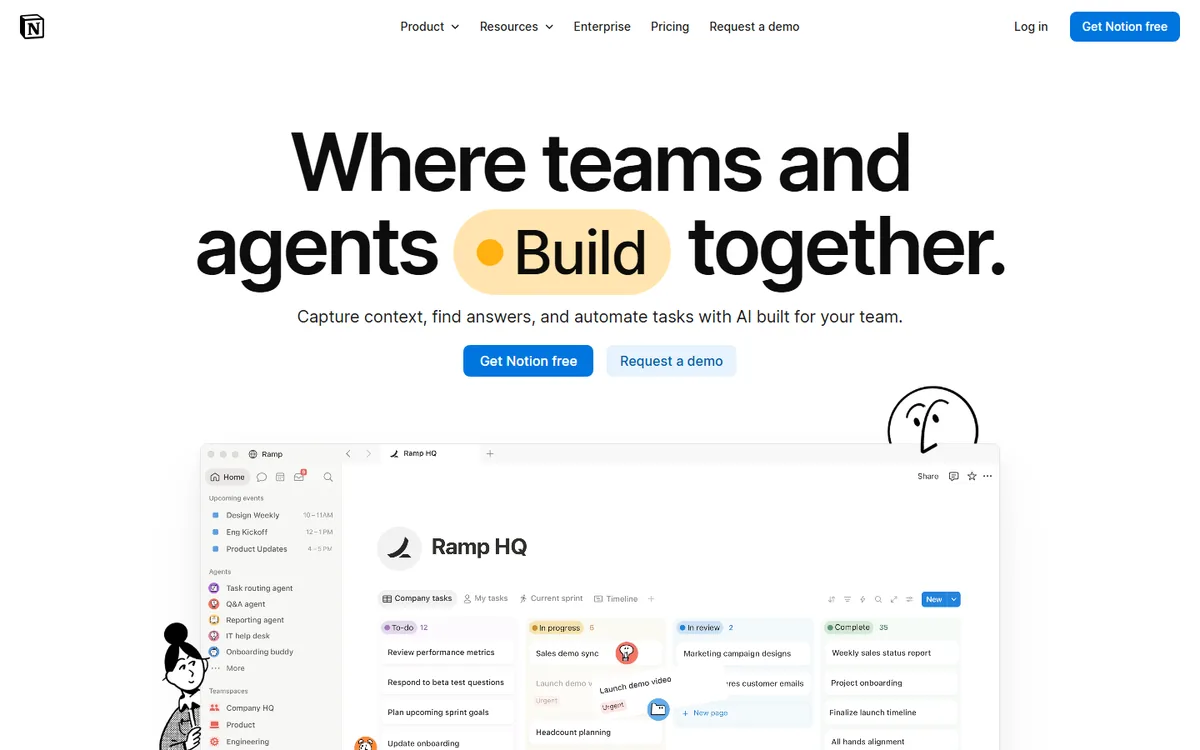
A Flexible Home for Your Strategy Document, Editorial Calendar and Briefs
Notion combines documents, databases and calendar views, so a content strategy and its editorial calendar can live together.
I have built many content hubs in Notion, because one database can hold your topics, briefs, owners, statuses and publish dates, with calendar and board views of the same list. The strategy document sits one click away from the work it governs, which keeps teams aligned.
The flexibility has a cost. Without a clear structure, a Notion workspace drifts into chaos within months, so assign one owner to the templates and naming rules before the team starts adding pages.
Pros of Notion
- Databases with calendar, board and table views fit editorial planning
- Templates make brief formats consistent
- Generous free plan for small teams
Cons of Notion
- Needs a disciplined owner to stay tidy
- Has no built-in SEO or performance data
Notion Pricing
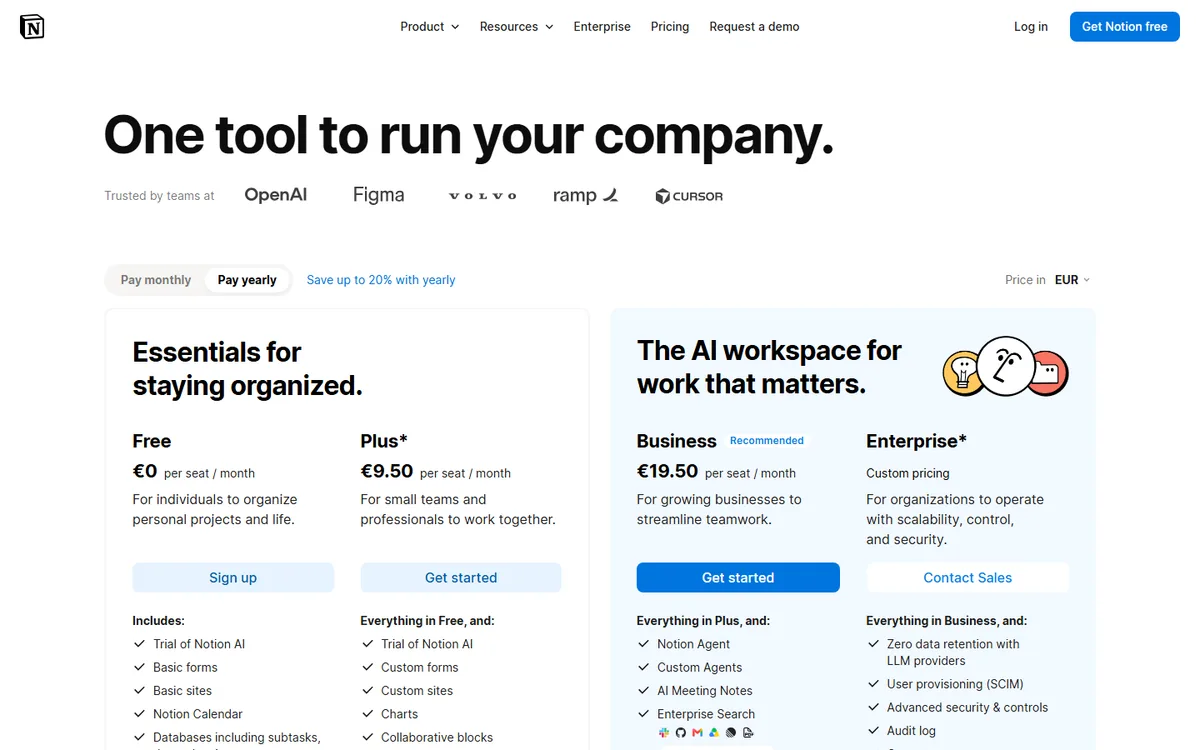
Notion has a Free plan, Plus at $10 per member per month and Business at $20 per member per month, with custom Enterprise pricing. The pricing page says yearly billing saves up to 20 percent.
Notion Reviews
- G2: 4.6/5 average (from 13,975 reviews)
Airtable
The Better Choice Than a Spreadsheet When Many Writers, Editors and Channels Share One Plan
Airtable offers structured records, linked tables, automations and several views, which suits content operations with real process.
Airtable works well when content planning has become an operations problem. Linked tables let one topic connect to briefs, writers, assets and channels, and automations can notify an editor when a status changes. The interface feels like a spreadsheet, so adoption is easier than with heavier project tools.
It is less friendly for long-form writing, so briefs usually live in a doc tool with a link in the record. Be careful with seat costs too, because you pay for each user with edit access on paid plans.
Pros of Airtable
- Linked records model real content relationships
- Automations and forms handle intake and approvals
- Read-only collaborators are free on paid plans
Cons of Airtable
- Weaker than Notion for writing inside the tool
- Per-seat cost adds up for large teams
Airtable Pricing
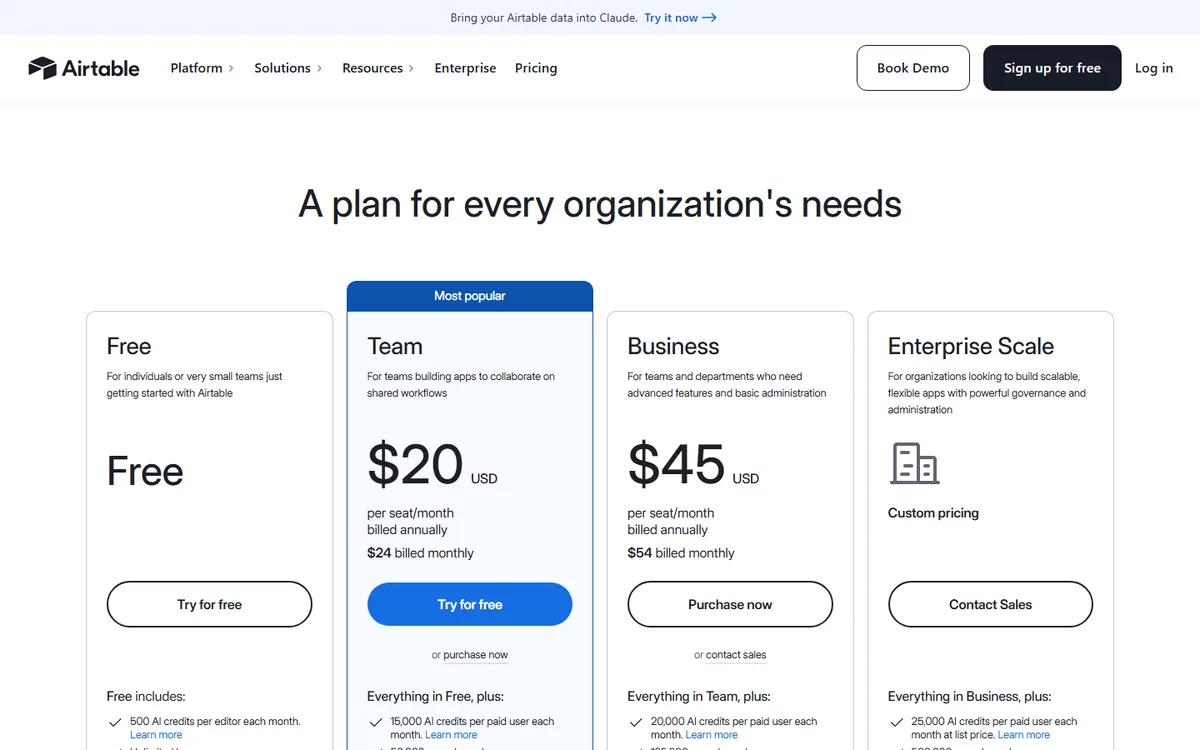
Airtable has a Free plan, Team at $20 per user per month and Business at $45 per user per month, billed annually, plus custom Enterprise Scale pricing. You pay for users with edit permissions, while read-only collaborators and form submissions are free.
Airtable Reviews
- G2: 4.6/5 average (from 3,305 reviews)
CoSchedule

A Purpose-Built Calendar That Keeps Content, Social Promotion and Deadlines on One Page
CoSchedule gives marketing teams a shared calendar for content, social posts and projects, with scheduling and task assignments built in.
CoSchedule is the tool I suggest when the main strategy problem is coordination. Every article, campaign and social post sits on one calendar with an owner and a date, and promotion can be scheduled in the same place as the content it supports.
It has little to say about research or topic selection, so it fits after your planning is done. Teams that already run on Notion or Airtable rarely need it, while teams with no system at all get value quickly.
Pros of CoSchedule
- One calendar for content and promotion
- Easy for non-technical marketers to adopt
- Social scheduling is included in the same product
Cons of CoSchedule
- No research or optimization features
- X profiles cost extra on the social plans
CoSchedule Pricing
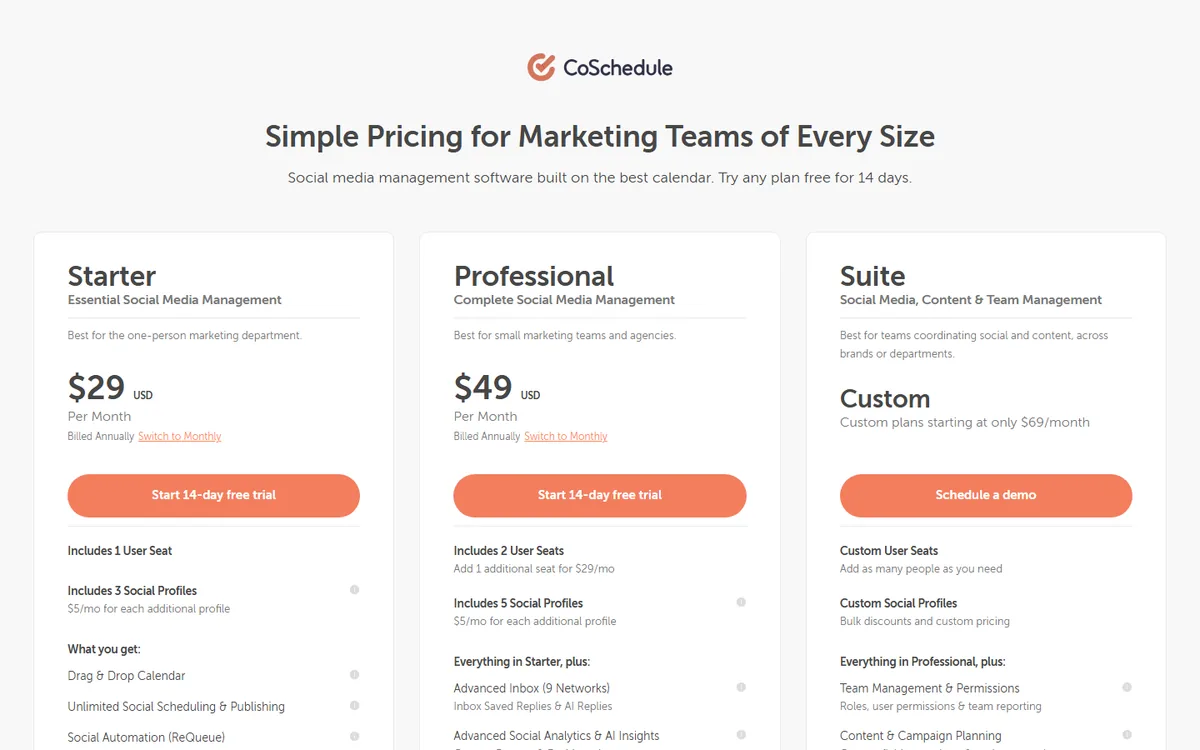
CoSchedule’s Social Calendar lists Starter at $29 per month billed annually ($39 monthly) with 3 profiles and Professional at $49 ($59 monthly) with 5 profiles. Suite plans are custom, with the page showing custom plans from $69 per month, and there is a free plan limited to 15 scheduled posts on one profile.
CoSchedule Reviews
- G2: 4.4/5 average (from 226 reviews)
Trello
The Simplest Way to Run an Editorial Pipeline When You Just Need Cards and Columns
Trello organizes work as cards on boards, which maps neatly onto an idea, draft, review and published pipeline.
Trello is where many small content teams start, and some never leave. A board with columns for ideas, briefs, drafts, edits and live pages takes an afternoon to set up, and everyone understands it at once. Calendar and timeline views on the Premium plan add the date view an editorial plan needs.
It becomes limiting when you need reporting, many dependencies or structured fields across hundreds of items. At that point I move teams to Airtable or Notion and keep Trello for small, fast-moving projects.
Pros of Trello
- Learning curve is close to zero
- Free plan covers up to 10 boards and 10 collaborators per workspace
- Calendar and timeline views are available on Premium
Cons of Trello
- Reporting and portfolio views are weak
- Large pipelines get cluttered
Trello Pricing
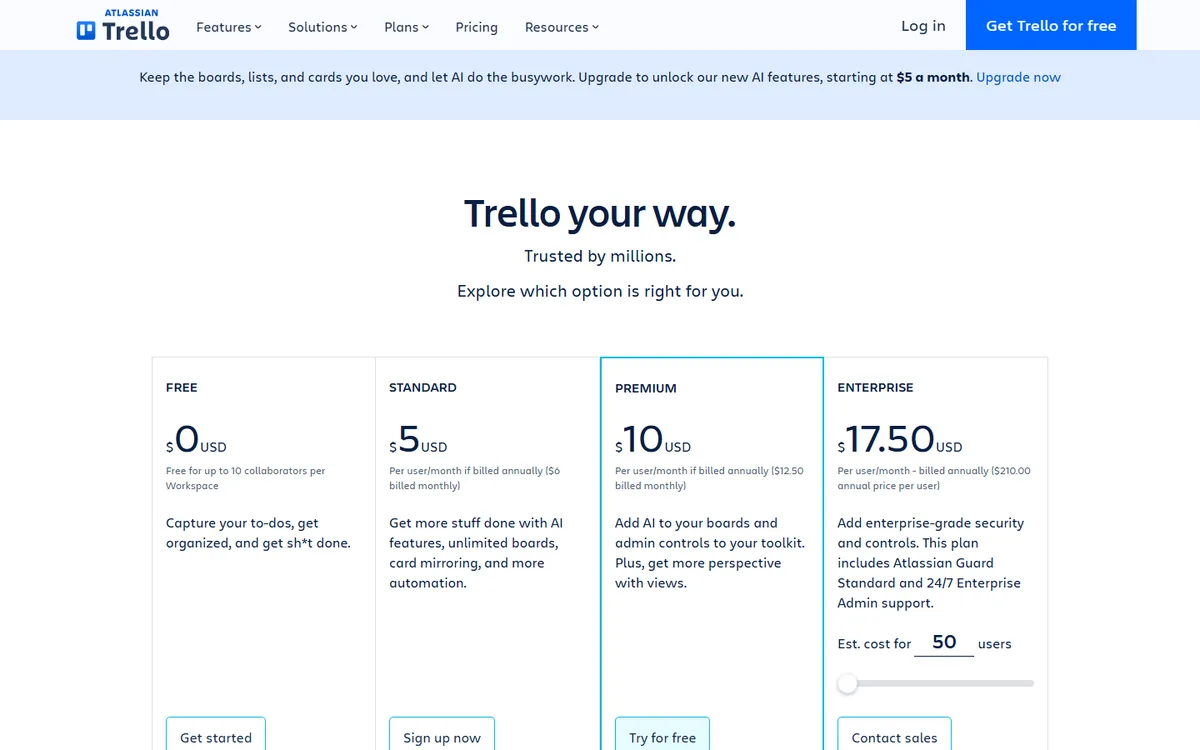
Trello has a Free plan, Standard at $5 per user per month billed annually ($6 monthly), Premium at $10 ($12.50 monthly) and Enterprise at $17.50 per user per month billed annually. Premium adds the Calendar, Timeline, Table and Dashboard views.
Trello Reviews
- G2: 4.4/5 average (from 14,072 reviews)
Estimate the Return on a Content Strategy Tool
A tool pays back when it saves hours or lifts results you already measure. Enter the hours it could save your team and the monthly price, then compare the result with the metrics you track in your content strategy KPIs.
Will the Tool Pay Off for You?
Use the sliders to enter your workload and the plan you are considering.
How to Choose the Right Content Strategy Tool
In my experience, the tool follows the bottleneck. Before you compare vendors, I suggest you answer four questions:
- Do you struggle most with choosing topics, writing to a brief or coordinating the team?
- How many articles a month do you plan to publish, and with how many writers?
- Which numbers will prove the tool works, such as traffic, leads or time saved?
- Who owns the setup and keeps it tidy once the trial ends?
If research is the gap, begin with Semrush or Ahrefs. If your writers need guidance, add Surfer or Clearscope. If the team loses track of deadlines, Notion, Airtable or Trello will do more for you than another research subscription. Once you have chosen, build the plan around it with my content strategy roadmap, and run through the content strategy checklist before you roll the tool out to the team.
Questions About Choosing Content Strategy Tools
What Is the Best Content Strategy Tool for Small Teams?
For most small teams I recommend Notion for planning and Ahrefs or Semrush for research. Notion has a free plan and handles briefs and calendars, while the research tools tell you which topics deserve an article. Add a briefing tool later, once you publish often enough that consistency becomes a problem.
Do I Need a Content Optimization Tool Like Surfer or Clearscope?
Not always. They help most when several writers produce articles for competitive keywords and you want a consistent brief. If one experienced editor writes everything, a research tool and good judgment often do the same job. Use the scores as a coverage checklist, not a target.
Can I Run a Content Strategy with Free Tools?
Yes, for a small plan. Google Search Console, Ahrefs Webmaster Tools, the free plans of Notion and Trello, and the free versions of some research tools cover the basics. Paid tools save time and add data on competitors, so the question is whether the hours saved are worth the price.
How Much Should I Budget for Content Strategy Software?
Budget by team size and output. A solo marketer can run a decent stack for under $50 a month with a free workspace and one entry research plan. A team publishing weekly often spends several hundred dollars a month on research and briefing. Compare the cost with the hours you expect to save.
Is Semrush or Ahrefs Better for Content Planning?
Both work well. Semrush offers more built-in content planning and marketing features, while Ahrefs has stronger backlink data and a cleaner research workflow. I suggest you test both on the same ten keywords and pick the one whose results you trust and understand faster.
Which Tool Helps with an Editorial Calendar?
Notion, Airtable, Trello and CoSchedule all handle calendars. Notion and Airtable suit teams that want structured fields and several views, Trello suits simple boards, and CoSchedule suits teams that schedule social promotion with the content. Pick the one your team will open daily.
How Do I Know a Content Strategy Tool Is Working?
Define the outcome before you buy. For research tools, look at the share of published articles that reach page one. For briefing tools, look at revision rounds per article. For planning tools, look at missed deadlines. Review the numbers after a quarter and cancel what hasn’t moved them.
Heads up: vendors change prices, plans and ratings often. Everything was checked at the last update date, but confirm on each vendor’s website first. This article is not legal or financial advice.
Was this article helpful?
Thank you for letting us know.
Russell Tennant
Russell leads the Brook editorial team and works with our consultants to turn real client engagements into practical guides on roadmaps, go-to-market planning, growth and competitive strategy. Before joining Brook, he spent 11 years in strategy and product marketing roles at software and financial services companies. He has since edited more than 300 articles on strategy practice and drawn on roadmaps and growth plans from over 100 client projects. He is based in Denver, Colorado.