Key Takeaways
- Email and automation tools such as HubSpot, ActiveCampaign and Mailchimp are the fastest way to start for most B2B teams.
- ABM and intent platforms such as 6sense and Demandbase suit teams with a defined target account list and a process to act on signals.
- Several vendors do not publish prices, so expect a sales process and an annual contract at the higher end.
- Choose based on your buyers, CRM and the person who will run the tool, then test before you commit.
The Best B2B Marketing Tools at a Glance
| Tool | Type | Best for |
|---|---|---|
| 1. HubSpot Marketing Hub | All-in-one marketing platform | Growing B2B teams that want CRM, email, forms and ABM in one place |
| 2. ActiveCampaign | Email and automation | Small and mid-sized teams that want deep email automation at a fair price |
| 3. Mailchimp | Email marketing | Small B2B teams that need simple email and a low starting cost |
| 4. Apollo.io | Contact data and outreach | Small teams that need B2B contact data and outbound sequences in one tool |
| 5. Salesforce Account Engagement | B2B marketing automation | Teams that already run their sales process in Salesforce |
| 6. Adobe Marketo Engage | Enterprise marketing automation | Larger B2B teams with complex programs and trained operations staff |
| 7. ZoomInfo | B2B data and intent | Teams that want a large data set with marketing and sales tools on top |
| 8. 6sense | ABM and intent platform | Mid-market and enterprise teams that run account-based programs |
| 9. Demandbase | ABM and advertising | B2B companies that run account-based advertising alongside sales |
| 10. Bombora | Intent data | Teams that want an intent data source to feed other marketing tools |
The 10 Best B2B Marketing Tools, Ranked
I start with the tools that suit the widest range of teams and move toward specialist ABM and intent platforms, so you can stop reading once you find your fit. Keep in mind that tools only carry out a plan. In the B2B marketing strategy consulting projects I review, choosing the right segments and message matters more than choosing the platform, which is why I also wrote a B2B marketing strategy framework to settle that first.
HubSpot Marketing Hub
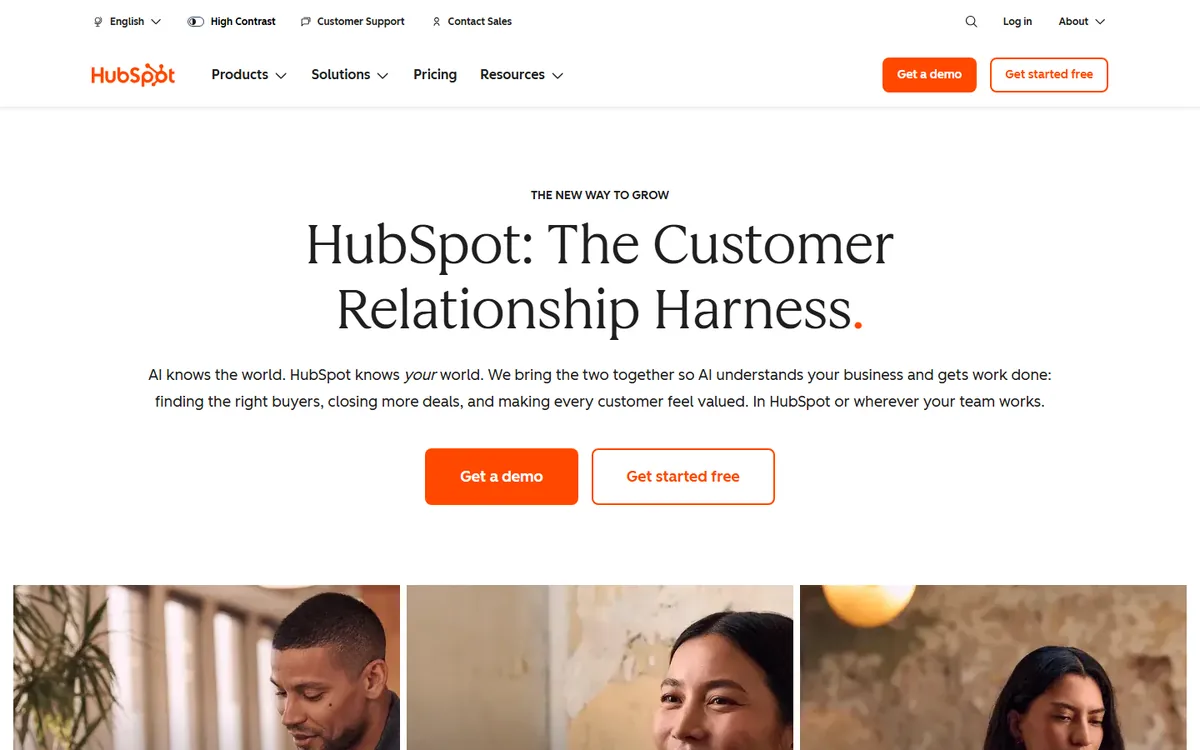
The Safest Default for B2B Teams That Want One System for Email, Landing Pages and Lead Handoff
HubSpot Marketing Hub combines email, forms, landing pages, workflows and reporting on top of a CRM that sales can use as well.
I usually suggest HubSpot first when a team has no marketing system or has outgrown a patchwork of tools. The setup is friendly, the help content is deep and marketing and sales see the same contact record. Professional and Enterprise plans add account-based marketing tools, such as target account lists and account-level reporting, along with workflow automation and attribution.
The catch is cost growth. Starter is cheap, then Professional jumps to $800 a month plus a one-time onboarding fee, and extra contacts raise the bill further. I have watched teams on Starter hit a feature wall within a year and face that jump. Plan for it before you commit.
Pros of HubSpot Marketing Hub
- Marketing and sales share one contact record
- Strong templates, training and a large partner community
- A free tier lets you test the basics before paying
Cons of HubSpot Marketing Hub
- Pricing steps up sharply between Starter and Professional
- Contact-based billing can surprise fast-growing lists
HubSpot Marketing Hub Pricing
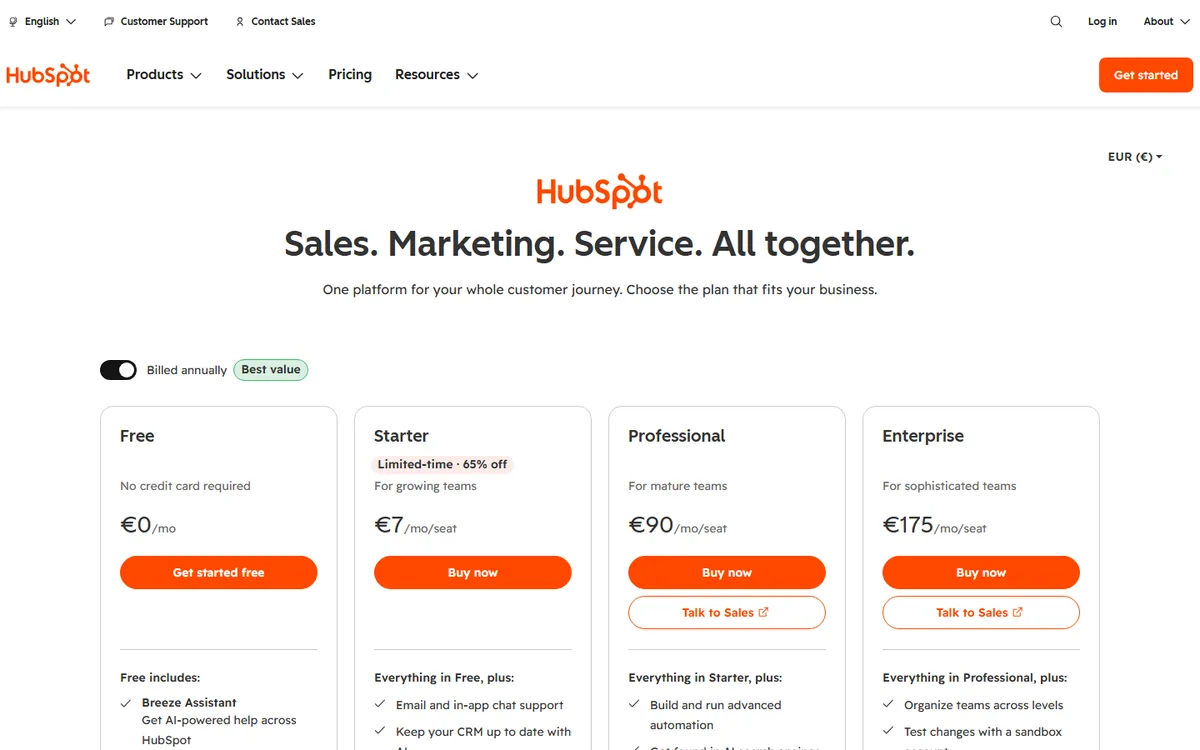
HubSpot lists a free plan, Starter priced per seat (Capterra shows $15 per user per month) and Professional from $800 a month with three core seats and a one-time $3,000 onboarding fee. Enterprise starts at $3,600 a month with five core seats and a one-time $7,000 onboarding fee. HubSpot's page also shows a monthly-billing rate of $890 for Professional.
HubSpot Marketing Hub Reviews
- G2: 4.4/5 average (from 16,064 reviews)
- Capterra: 4.5/5 average (from 6,242 reviews)
ActiveCampaign
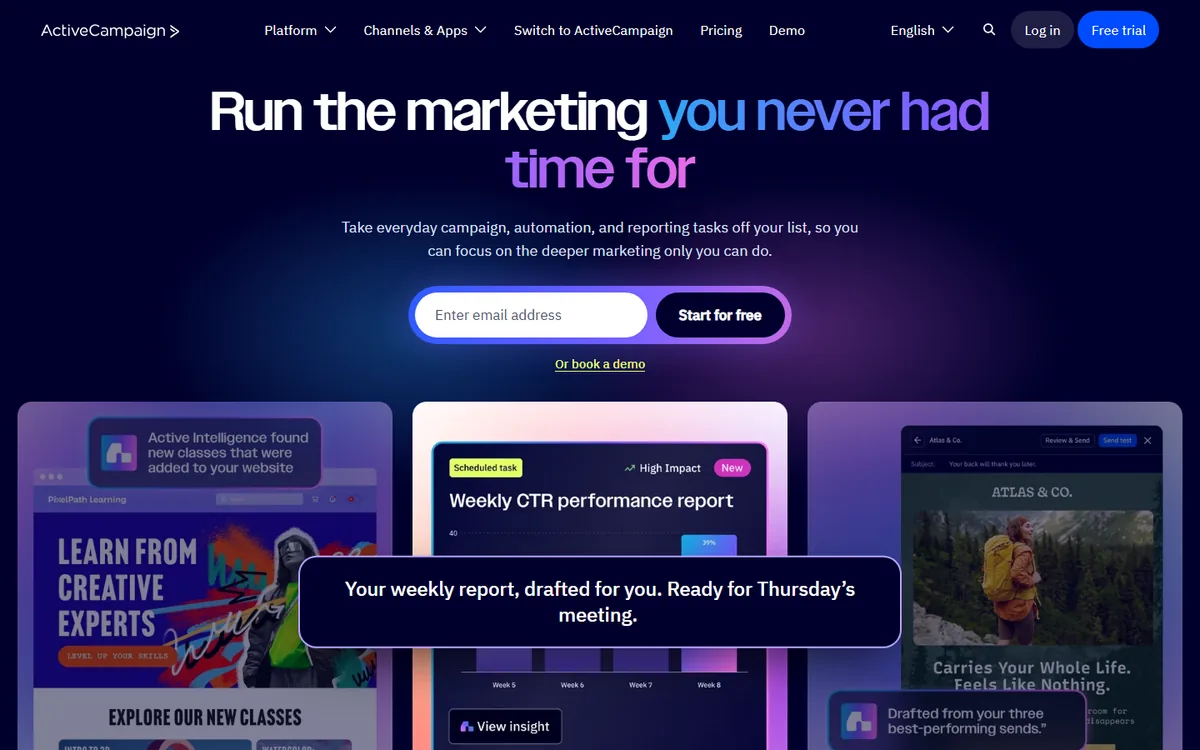
Powerful Email Automation for Teams That Want Behavior-Based Nurturing Without Enterprise Pricing
ActiveCampaign builds email sequences and automations that react to what each contact does, with a built-in CRM option for deals.
If your B2B motion depends on nurturing leads over months, this is where I would look before the enterprise suites. Automations can branch on opens, clicks, page visits and form answers, and lead scoring helps you decide who sales should call. The visual builder is easy to read, which helps when someone else has to maintain it later.
It is weaker at account-based marketing. Most of the logic centers on a contact, not a buying group, so you will need extra tools if your deals involve several decision makers. Reporting is also lighter than what larger platforms provide.
Pros of ActiveCampaign
- Automation builder is flexible and readable
- Fair entry price for the depth you get
- Lead scoring and CRM features in one product
Cons of ActiveCampaign
- Little native account-based marketing
- Costs rise with contact count
ActiveCampaign Pricing
ActiveCampaign sells Starter, Plus, Pro and Enterprise plans, priced by the number of contacts and billed yearly for 1,000 contacts by default. The pricing page did not show dollar figures when I checked, so use the contact selector on the page for your own number.
ActiveCampaign Reviews
- G2: 4.4/5 average (from 14,872 reviews)
Mailchimp
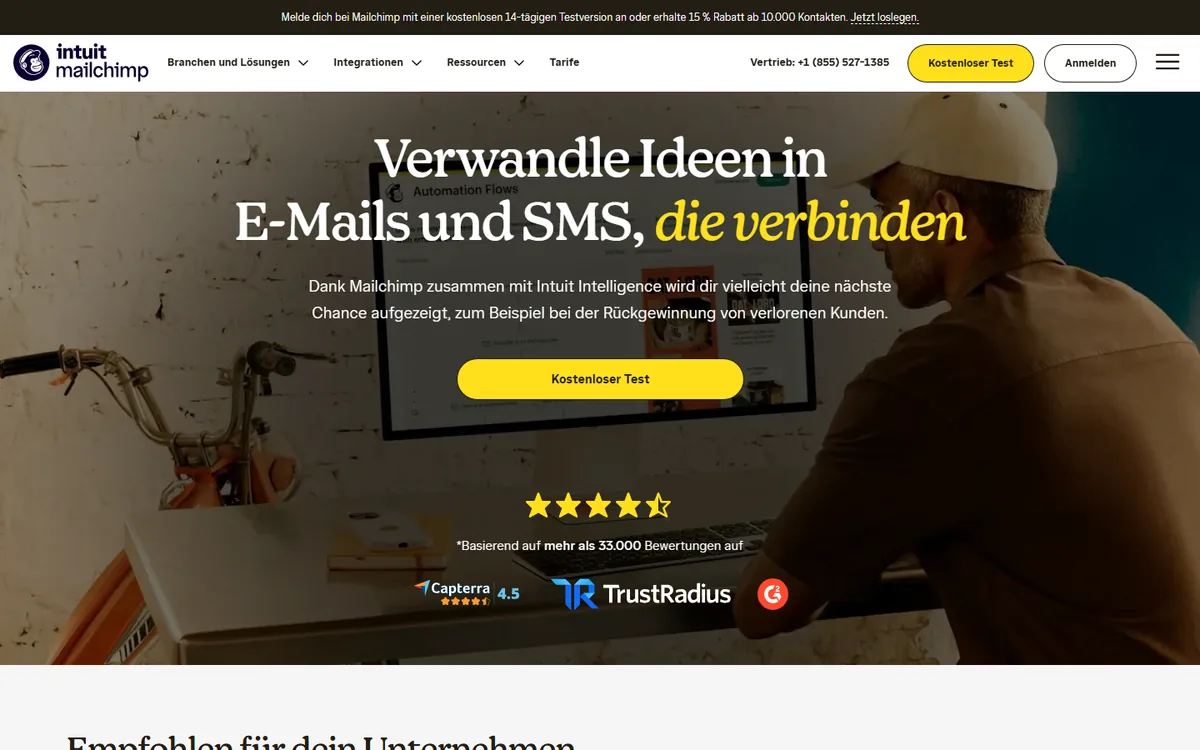
The Easy Starting Point for Small B2B Teams That Mainly Need Clean, Regular Email
Mailchimp is a simple email platform with templates, audiences, basic automation and landing pages, owned by Intuit.
For a small team sending a monthly newsletter and a few lifecycle emails, Mailchimp does the job with little setup. Templates are good, the editor is quick and the free plan lets you start without a card. That makes it a sensible choice for consultancies, agencies and local service firms selling to other businesses.
The limits show up when you grow. Segmentation and automation are less powerful than in dedicated B2B systems, and account-level thinking is missing. I treat Mailchimp as a first tool, and expect most B2B teams to move on once their sales process needs lead scoring and CRM sync.
Pros of Mailchimp
- Fast setup and a clean editor
- Free plan for small lists
- Large template and integration library
Cons of Mailchimp
- Light B2B features such as account views and scoring
- Prices climb as the list grows
Mailchimp Pricing
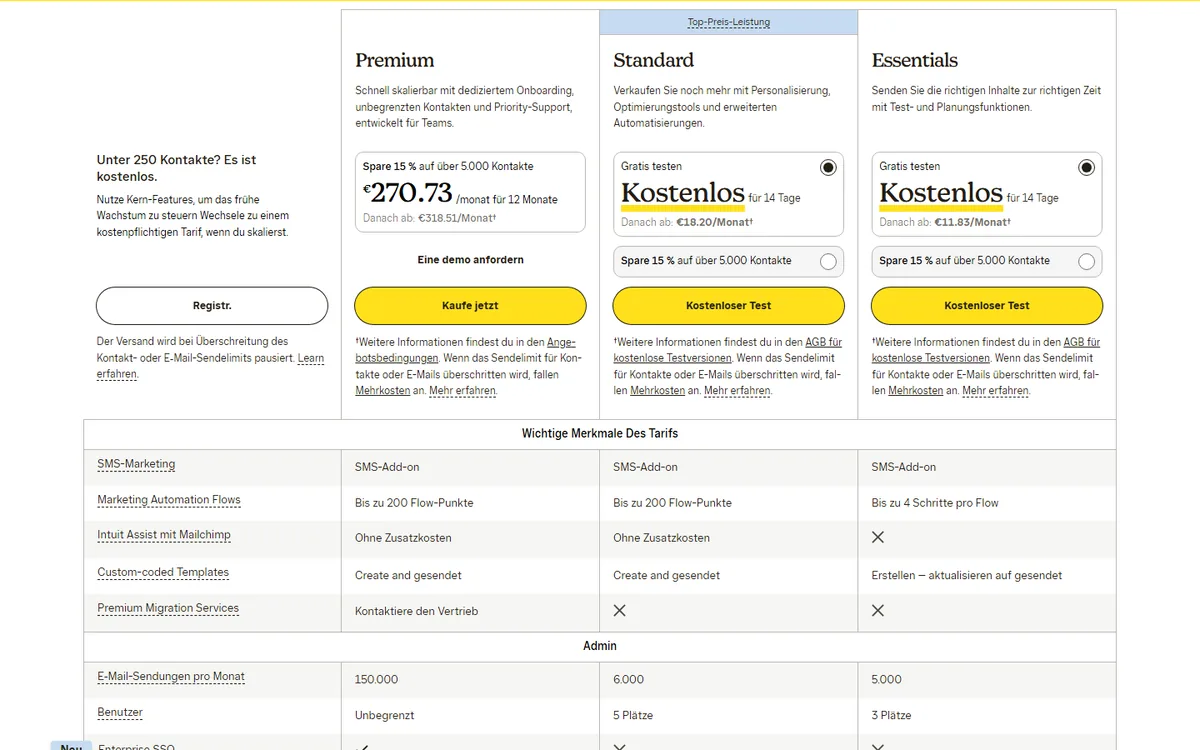
Mailchimp's pricing page listed a free plan for up to 250 contacts, Essentials at $13 a month, Standard at $20 a month and Premium at $350 a month, shown for a starting contact tier. Costs rise with your contact count, so check the calculator for your list size.
Mailchimp Reviews
- G2: 4.3/5 average (from about 13,000 reviews)
Apollo.io
The Best-Value Way to Find B2B Contacts and Start Outreach, As Long as You Check the Data
Apollo.io combines a B2B contact and company database with email sequences, enrichment and a basic dialer.
Apollo is where I send small teams that need a list and a way to contact it, without enterprise data contracts. You can filter by role, industry and company size, enrich your own records and send sequences from the same screen. It overlaps with the strategy side of marketing less than with outbound sales, which makes it a good fit when your team runs both.
Treat the data as a starting point, not as truth. Any contact database has outdated records, so verify addresses before big sends and watch bounce rates. Credit limits also shape how much you can export, which matters once you scale.
Pros of Apollo.io
- Large searchable B2B database
- Free plan to test the data
- Sequences and enrichment in one product
Cons of Apollo.io
- Data accuracy needs checking before big sends
- Credit limits restrict exports on lower plans
Apollo.io Pricing
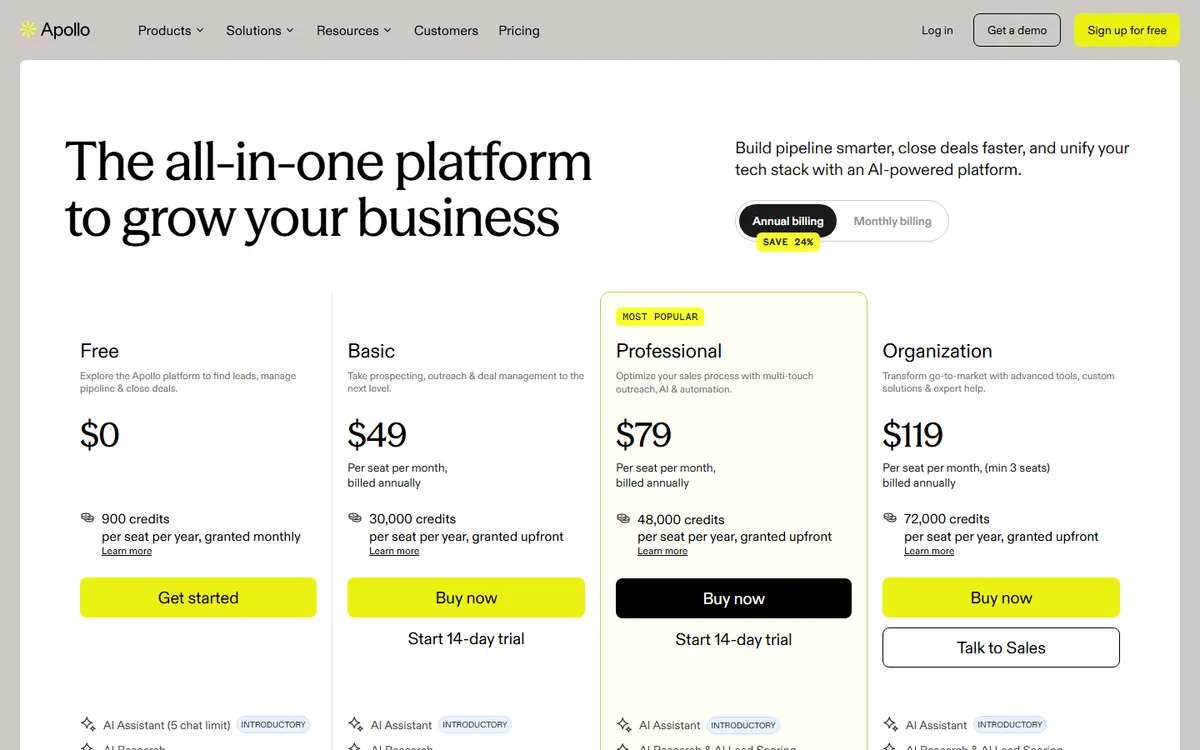
Apollo lists a Free plan, Basic, Professional and a Custom plan with sales-led pricing. Annual billing is discounted, and monthly billing costs more per month. The page did not show per-user figures when I checked, so confirm current prices on apollo.io/pricing.
Apollo.io Reviews
- G2: 4.7/5 average (from 9,860 reviews)
Salesforce Account Engagement
The Natural Fit If Salesforce Already Runs Your Sales Team and You Want Marketing in the Same Place
Account Engagement, the product formerly called Pardot, is Salesforce's B2B marketing automation platform, with lead nurturing, scoring and account-based tools.
The case for it is the connection to Salesforce CRM. Sales sees marketing activity on the lead and the account, and marketing sees what happens to each lead afterward. Plus+ adds account-based marketing, AI scoring and B2B analytics, according to Salesforce's pricing page.
The cost and the effort are real. Plans start at $1,250 a month and rise to $15,000, and most teams need an admin or a partner to set it up well. If your CRM is not Salesforce, I would look elsewhere. I have seen teams buy it for the brand name and then struggle to use half of it.
Pros of Salesforce Account Engagement
- Deep link between marketing and Salesforce CRM
- Account-based tools in the higher editions
- Scoring and nurture programs built for long cycles
Cons of Salesforce Account Engagement
- High monthly cost and annual contracts
- Needs an admin or a partner to configure well
Salesforce Account Engagement Pricing
Salesforce lists Marketing Cloud Account Engagement at $1,250 a month for Growth+, $2,750 for Plus+, $4,400 for Advanced+ and $15,000 for Premium+, per org and billed annually. Prices are informational and can change.
Salesforce Account Engagement Reviews
- G2: 4.1/5 average (from 4,853 reviews)
That G2 rating is for the wider Salesforce Marketing Cloud listing, now called Agentforce Marketing, since I could not find a separate rating for Account Engagement.
Adobe Marketo Engage
A Heavyweight for Teams With Complex Programs and Someone Who Can Run It Full-Time
Marketo Engage is Adobe's marketing automation platform, built for complex nurture programs, scoring and campaign reporting at scale.
Marketo has been a B2B staple for years, and it shows in the depth. You can build detailed lead lifecycles, run programs across many regions and connect to most major CRMs. Teams that treat marketing operations as a function get a lot from it.
That depth comes with a learning curve. Without a trained owner, workflows get messy and the system turns into an expensive email tool. Adobe does not publish prices, which is common at this level, so expect a sales process and an annual contract.
Pros of Adobe Marketo Engage
- Very flexible programs, scoring and lifecycle design
- Works with most major CRMs
- Strong for multi-region, multi-team setups
Cons of Adobe Marketo Engage
- Steep learning curve and heavy admin needs
- Pricing is not published
Adobe Marketo Engage Pricing
Adobe's pricing page lists four packages, Growth, Select, Prime and Ultimate, without prices, and asks you to request custom pricing. Growth includes 10 users and 20,000 daily API calls, and the higher packages include 25 users and 50,000 calls.
Adobe Marketo Engage Reviews
- G2: 4.1/5 average (from 3,345 reviews)
ZoomInfo
Deep B2B Data With Intent Signals, If Your Budget Can Handle Sales-Led Pricing
ZoomInfo sells B2B contact and company data with intent signals, plus marketing products for demand generation and account-based marketing.
ZoomInfo is strongest when you want one source for firmographic data, contact details and buying signals. Its marketing side includes Marketing Demand, ABM Lite and ABM Enterprise packages, with credits bundled in. Streaming Intent is sold as an add-on.
Pricing is the sticking point. It depends on features, licenses and credit use, and the company talks about payment options only with sales. I advise clients to negotiate the renewal early, ask what happens when credits run out and check data accuracy on a sample of your own accounts before signing.
Pros of ZoomInfo
- Large database with several intent options
- Marketing and sales products in one vendor
- Strong integrations with major CRMs
Cons of ZoomInfo
- Pricing is not public and renewals can be steep
- Credit limits need watching
ZoomInfo Pricing
ZoomInfo does not publish prices. Its pricing page names Marketing Demand, ABM Lite and ABM Enterprise for marketing, with 75,000 and 150,000 credits included in the first and last. Pricing depends on features, licenses and credits, and add-ons such as Streaming Intent cost extra.
ZoomInfo Reviews
- G2: 4.5/5 average (from 9,230 reviews)
The G2 listing is named GTM Workspace, powered by ZoomInfo.
6sense
Strong Account-Based Marketing and Intent Signals for Teams With the Budget and Process to Use Them
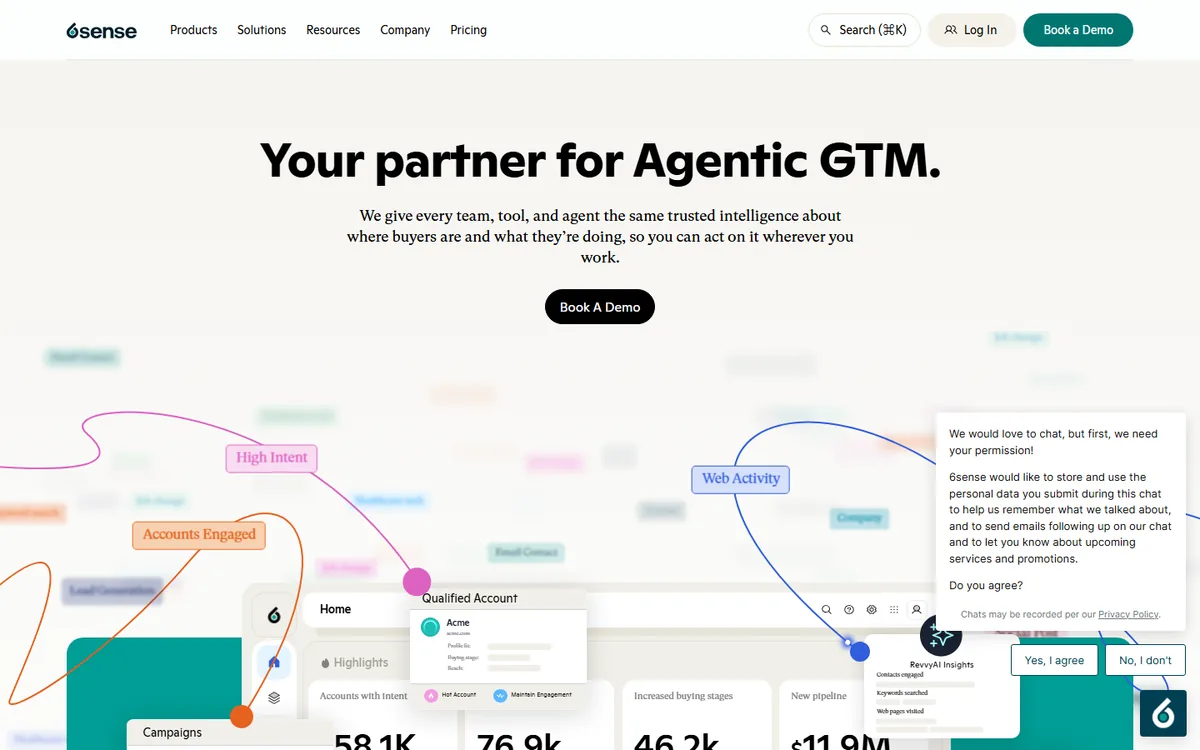
6sense identifies accounts that are researching your category, scores them and helps orchestrate advertising and outreach across marketing and sales.
This is a platform for teams that already know their ideal accounts and want to know which ones are active right now. It combines intent data, predictive scoring and orchestration across channels. When sales and marketing agree on target accounts, it can focus effort in useful ways.
It is not a first purchase. You need a defined account list, a CRM in good shape and an owner who will act on the signals. Without them, the dashboards are interesting and little changes. The vendor does not publish prices.
Pros of 6sense
- Clear view of accounts showing buying interest
- Predictive scoring and orchestration in one platform
- Fits well with an ABM program already in place
Cons of 6sense
- Pricing is quote only and typically enterprise level
- Needs clean CRM data and a committed owner
6sense Pricing
6sense does not publish prices. Its pricing page asks you to request a quote and says per-seat, credit, record or conversation pricing drops with volume. Packages include Revenue Marketing, Sales Intelligence and 6sense Intelligence, plus add-ons.
6sense Reviews
- G2: 4.2/5 average (from 1,595 reviews)
Demandbase
An ABM and Advertising Platform That Suits Teams Running Targeted Campaigns Around Named Accounts
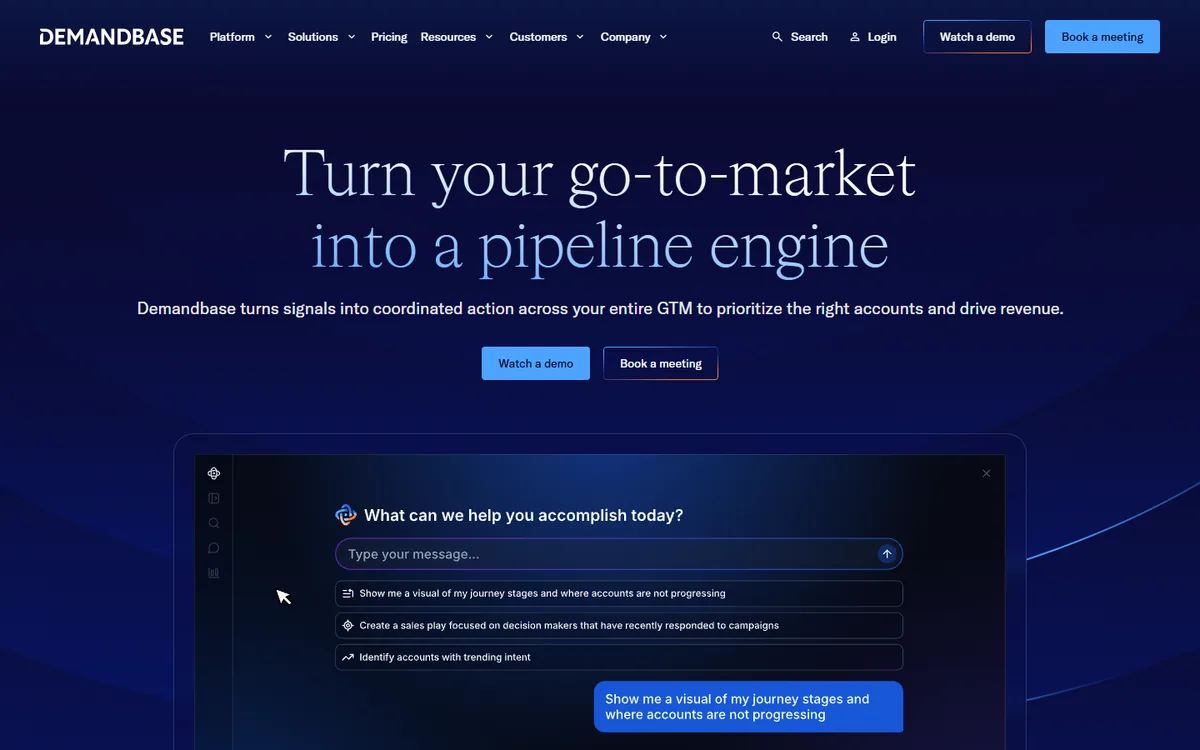
Demandbase combines account identification, intent data, advertising and sales intelligence for account-based programs.
Demandbase is a close competitor of 6sense, and the choice often comes down to fit with your team and your advertising plans. It has long been known for account-based advertising, where you show ads to chosen accounts and measure engagement at the account level.
Because the pricing model has a platform fee plus a per-user fee, costs depend on your setup. The company says Sales and Marketing are not sold separately. Ask for a clear scope, and ask what is included before you compare quotes with other vendors.
Pros of Demandbase
- Account-based advertising is a core strength
- Account-level engagement reporting
- Combines data, intent and sales tools
Cons of Demandbase
- No published prices, quotes only
- Needs an account list and a team ready to use it
Demandbase Pricing
Demandbase does not publish pricing. Its page describes a platform fee covering core software and services plus a flat per-user fee, and says its Sales and Marketing products are not sold separately.
Demandbase Reviews
- G2: 4.4/5 average (from G2 reviews)
Bombora
A Specialist Intent Data Source That Plugs Into the Tools You Already Use
Bombora provides intent data that shows which companies are researching topics across a network of B2B websites, as Company Surge signals.
Bombora does one thing and feeds other systems. Many ABM and marketing platforms use its data, and you can also buy it directly and send it to your CRM or ad platform. That makes it a cheaper route into intent for teams that already have the rest of the stack.
Intent data is a hint, not a promise. A spike in topic interest tells you an account is reading about something, and not that it will buy. I advise you to test it against closed deals first, and to treat surge scores as a way to prioritize outreach rather than to forecast revenue.
Pros of Bombora
- Focused product that plugs into other tools
- Useful for prioritizing accounts for outreach
- Widely supported across ABM platforms
Cons of Bombora
- Not a full marketing platform
- Signals need testing against your own results
Bombora Pricing
Bombora does not publish prices. Its pricing page describes data and integrations but lists no plans or amounts, so you will need to contact the company for a quote.
Bombora Reviews
- G2: 4.4/5 average (from 157 reviews)
Estimate the Return on a B2B Marketing Tool
Before you pick a plan, check whether the numbers work for you. Enter the manual hours the tool should take over and its monthly price, and you will see what it could return in a year.
Will the Tool Pay Off for You?
Use the sliders to enter your workload and the plan you are considering.
How to Choose the Right B2B Marketing Tool
In my experience, fit with your sales process decides more than any feature list. Before you compare vendors, I suggest you answer four questions:
- Do you sell to named accounts, or to a broad market of small buyers?
- Which CRM do your sales reps use, and must the tool sync with it?
- Who will run the tool every week, and how much time do they have?
- Do you need data and signals, or mainly a way to send and track email?
If you are a small team, start with HubSpot, ActiveCampaign or Mailchimp and add Apollo.io for data. If you run on Salesforce, look at Account Engagement. If you run account-based programs with a defined target list, compare 6sense, Demandbase and ZoomInfo, and add Bombora if you only need the intent data. Smaller companies should read my notes on B2B marketing strategy for small business before spending on a large platform.
Questions About Choosing B2B Marketing Tools
What Is the Best B2B Marketing Tool for a Small Business?
For most small B2B teams, I suggest HubSpot's free and Starter tiers or Mailchimp for email, plus Apollo.io if you need contact data. They are quick to set up and cheap to start. Move to ActiveCampaign or a larger platform once your nurturing and scoring needs outgrow them.
What Is the Difference Between ABM and Intent Tools?
Account-based marketing tools help you plan and run campaigns around named accounts. Intent tools show which companies are researching topics related to what you sell. Platforms such as 6sense and Demandbase combine both, while Bombora sells intent data that feeds other tools.
Do I Need an Intent Data Tool?
Only if you already have a defined target account list and a process to act on signals. Intent data is a hint, not a promise to buy. Test it against your closed deals first, and treat it as a way to prioritize outreach.
Which B2B Marketing Tool Is Best If I Use Salesforce?
Salesforce Account Engagement is the natural fit because it connects directly to Salesforce CRM. HubSpot and Marketo also integrate with Salesforce, so compare them on cost, effort to run and the skills your team already has.
How Much Should I Spend on B2B Marketing Software?
Start with the work you need done, then size the budget. Small teams can begin for under a few hundred dollars a month, while ABM and intent platforms are usually sold by quote and aimed at larger budgets. Count staff time, because a tool nobody runs well wastes money at any price.
Are These Ratings and Prices Current?
They were checked when this article was last updated and can change. Several vendors do not publish prices, and I say so rather than guess. Confirm current plans and ratings on each vendor's site and on G2 before you buy.
Should I Choose Tools Before or After My Strategy?
After. Tools carry out a strategy and do not replace one. Decide who you sell to, what you say and how marketing and sales share a pipeline target, then pick the tools that support those choices. Buying first often leads to expensive systems with no clear job.
Heads up: vendors change prices, plans and ratings often. Everything was checked at the last update date, but confirm on each vendor’s website first. This article is not legal or financial advice.
Was this article helpful?
Thank you for letting us know.
Russell Tennant
Russell leads the Brook editorial team and works with our consultants to turn real client engagements into practical guides on roadmaps, go-to-market planning, growth and competitive strategy. Before joining Brook, he spent 11 years in strategy and product marketing roles at software and financial services companies. He has since edited more than 300 articles on strategy practice and drawn on roadmaps and growth plans from over 100 client projects. He is based in Denver, Colorado.